



Intel Chipset Device Software Version 10.1.20378.8757
- Ataemonus
-

- Desligado
- Poster 2
-

Enregistré
- Mensagens: 8
- Thanks: 4
Re: Intel Chipset Device Software Version 10.1.20378.8757
8 meses 4 semanas atrás
Whatever it is for, it installs everything, all INF files, like a chipset INF spam 
Os seguintes utilizadores Agradeceram: THEBOSS619
Por favor Iniciar sessão ou Criar uma conta para se juntar à conversa.
- Tom
-

- Ausente
- The Best Poster
-

Enregistré
- Mensagens: 501
- Thanks: 671
Re: Intel Chipset Device Software Version 10.1.20378.8757
8 meses 4 semanas atrásNot so difficult, open the program Driver Store Explorer and just select the drivers you want to remove.Just install the darned thing, it will dump all the INF and CAT files in the DriverStore folder. Seems to have the -overall flag by default, which is quite dumb.
The most work is cleaning the useless INF files and folders afterwards.
Or just manually update the drivers by Device Manager.
Cheers
Tom
Por favor Iniciar sessão ou Criar uma conta para se juntar à conversa.
- SM-003
-

- Desligado
- Moderator Global
-

Enregistré
- Mensagens: 38
- Thanks: 32
Re: Intel Chipset Device Software Version 10.1.20378.8757
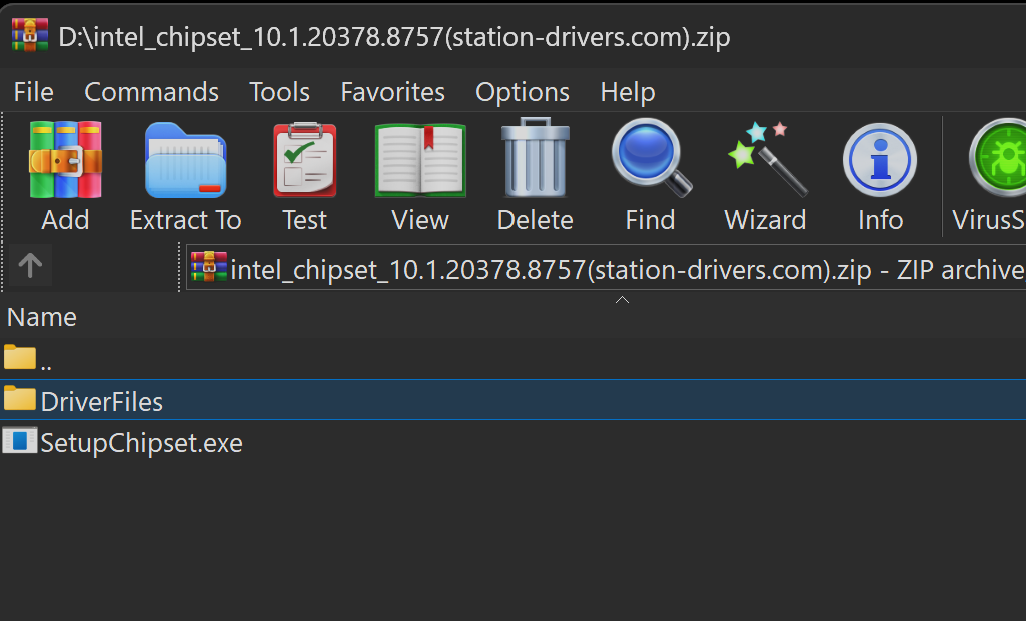
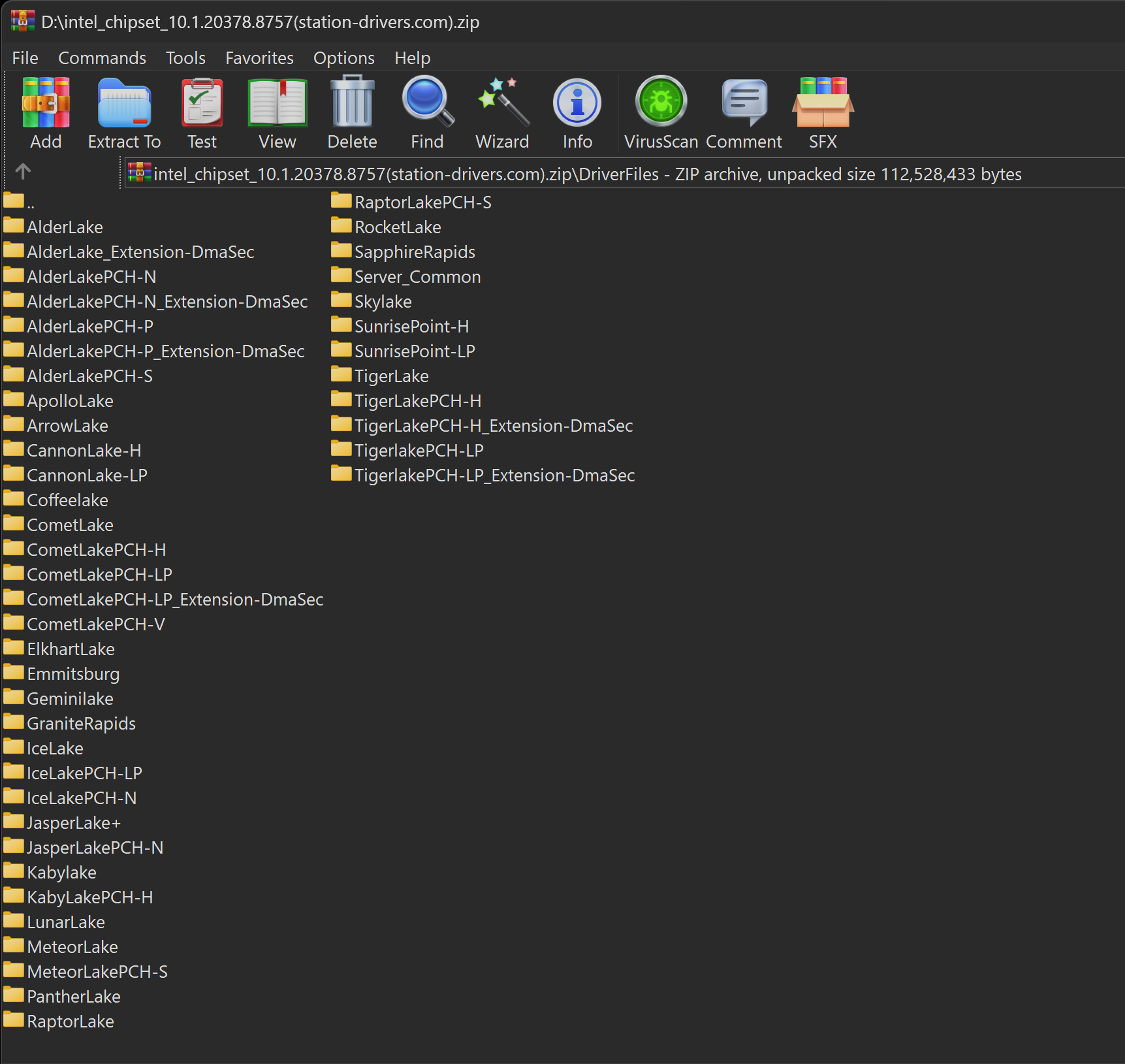
8 meses 4 semanas atrásAll the driver files (INF CAT & SYS) are already there inside the 'Driverfiles' folder.Long story short...
Intel has created a new "dumb" installer that's 105MB in size, with 10MB installers inside (for x86 and x64) - WHAT A SAVING!
After unpacking it with the command (this unpacked INF/CAT in old EXE installers):
SetupChipset.exe /extract C:\Location
We get two installers: SetupChipset.msi (10.4MB) and SetupChipset64.msi (10.4MB), and an 80.0MB .NET Framework 4.7.2 installer - THE PEOPLE WORKING THERE ARE "GENIUS."
BTW... 80.0MB + 10.4MB + 10.4MB = 100.8MB < 105MB original EXE (this "new" installer doesn't even compress the files, using WinRAR I reduced the size to 87MB).
Question... does anyone know how to unpack the msi to get the INF+CAT files?
Using the command below, I don't get any INF/CAT files. msiexec /a SetupChipset.x64.msi /qb TARGETDIR="C:\Location"
but another SetupChipset.x64.msi + RTF files appears.
I will try to add these new INFs to my Universal Intel Chipset Device Updater which is a staggering 0.7MB in size...
Intel has now created a 150xbetterBIGGER installer... impressive!
System H/W Specifications

Os seguintes utilizadores Agradeceram: admin, THEBOSS619, fikotr74
Por favor Iniciar sessão ou Criar uma conta para se juntar à conversa.
- Ataemonus
-
- Desligado
- Poster 2
-
Enregistré
- Mensagens: 8
- Thanks: 4
Re: Intel Chipset Device Software Version 10.1.20378.8757
8 meses 3 semanas atrásI cannot recall the last time that actually worked. For quite some time now, DriverStoreExplorer simply refuses to remove the folder and everything associated with the entry I select. Thus I have to do it manually. Which I did.Not so difficult, open the program Driver Store Explorer and just select the drivers you want to remove.Just install the darned thing, it will dump all the INF and CAT files in the DriverStore folder. Seems to have the -overall flag by default, which is quite dumb.
The most work is cleaning the useless INF files and folders afterwards.
Or just manually update the drivers by Device Manager.
Cheers
Tom
Os seguintes utilizadores Agradeceram: THEBOSS619
Por favor Iniciar sessão ou Criar uma conta para se juntar à conversa.
Tempo para criar a página: 0.086 segundos