





Intel® Arc™ Graphics Windows* DCH Driver 3x Series (WDDM 3.0, 3.1 & WDDM 3.2)
- Tom
-
 Topic Author
- Offline
- The Best Poster
-

Enregistré
- Posts: 512
- Thanks: 688
Re: Intel® Arc™ Graphics Windows* DCH Driver 3x Series (WDDM 3.0, 3.1 & WDDM 3.2)
2 months 4 weeks ago
Intel released Intel® Arc™ Graphics Windows* DCH 32.0.101.8864 (Non-WHQL) for Intel® Arc™ B-Series Graphics, Intel® Arc™ A-Series Graphics, Intel® Iris® Xe Graphics, and Intel® Core™ Ultra Processors with Intel® Arc™ Graphics.
Released: July 20, 2026
Release Version: Planned Release
Intel® Graphics Driver: 32.0.101.8864
Build Date: July 17, 2026
DriverVer = 07/17/2026, 32.0.101.8864
Cert. and signed from July 17, 2026
Platforms:
Intel(R) Arc(TM) Graphics family (Codename Alchemist, Battlemage)
Intel(R) Core(TM) Ultra processor family (Codename Meteor Lake, Lunar Lake, Arrow Lake-S, Arrow Lake-H, Panther Lake)
Operating Systems:
Intel® Core™ Ultra Series 3 with built-in Intel® Arc™ GPUs:
Intel® Core™ Ultra Series 3 with built-in Intel® Arc™ GPUs:
Supported Subsystem IDs - Discrete Graphics:
Contents of the Package:
Info and Download: www.intel.com/content/www/us/en/download...raphics-windows.html
Release Notes: downloadmirror.intel.com/923907/ReleaseN...01.8864_Non-WHQL.pdf
Direct Download: downloadmirror.intel.com/923907/gfx_win_101.8864.exe
Cheers
Tom
Released: July 20, 2026
Release Version: Planned Release
Intel® Graphics Driver: 32.0.101.8864
Build Date: July 17, 2026
DriverVer = 07/17/2026, 32.0.101.8864
Cert. and signed from July 17, 2026
Platforms:
Intel(R) Arc(TM) Graphics family (Codename Alchemist, Battlemage)
Intel(R) Core(TM) Ultra processor family (Codename Meteor Lake, Lunar Lake, Arrow Lake-S, Arrow Lake-H, Panther Lake)
Operating Systems:
- Microsoft Windows* 10-64 - October 2022 Update (22H2)
- Microsoft Windows* 11-64 - October 2021 Update (21H2)
- Microsoft Windows* 11-64 - September 2022 (22H2)
- Microsoft Windows* 11-64 - October 2023 Update (23H2)
- Microsoft Windows* 11-64 - October 2024 Update(24H2)
- Microsoft Windows* 11-64 - September 2025 Update(25H2)
- Take your system lighting to the next level with Intel® Arc™ RGB Controller. Intel® Arc™ RGB Controller was custom designed to allow users to harness 90 individually addressable LEDs on Intel® Arc™ A770 Graphics Limited Edition cards. Intel® Arc™ RGB Controller is available for download
here
.
- Supported on Intel® Arc™ A770 Graphics Limited Edition on Windows®10 and Windows®11.
- Intel® and Cooler Master* collaborated on the creation of this software.
- For more information on how to enable the RGB lighting for your Intel® Arc™ A770 Graphics Limited Edition card, see the Intel® Arc™ A-Series Graphics – Desktop Quick Start Guide .
- Built-in Intel® Arc™ GPUs in select Intel® Core™ Ultra Processors (series 1 and 2) will support increased graphics memory allocations of up to 57% in Windows 10 and Windows* 11 host systems. For example, a 16GB host system can have up to 9.12GB (16x0.57=9.12) working memory dynamically allocated to the Built-In Intel® Arc™ GPU. Previous default memory allocation was up to 50%.
- N/A
Intel® Core™ Ultra Series 3 with built-in Intel® Arc™ GPUs:
- Assassin's Creed Black Flag Resynced* (DX12) may experience a crash when upgrading driver if the shaders have been compiled with the previous driver.
- Assassin's Creed Shadows* (DX12) may experience a crash when upgrading driver if the shaders have been compiled with the previous driver.
- Tom Clancy's Rainbow Six Siege* (DX12) may experience a crash when upgrading driver if the shaders have been compiled with the previous driver.
- Assassin's Creed Black Flag Resynced* (DX12) may experience a crash when upgrading driver if the shaders have been compiled with the previous driver.
- Assassin's Creed Shadows* (DX12) may experience a crash when upgrading driver if the shaders have been compiled with the previous driver.
- Tom Clancy's Rainbow Six Siege* (DX12) may experience a crash when upgrading driver if the shaders have been compiled with the previous driver.
- Assassin's Creed Black Flag Resynced* (DX12) may experience a crash when upgrading driver if the shaders have been compiled with the previous driver.
- Assassin's Creed Shadows* (DX12) may experience a crash when upgrading driver if the shaders have been compiled with the previous driver.
- Tom Clancy's Rainbow Six Siege* (DX12) may experience a crash when upgrading driver if the shaders have been compiled with the previous driver.
- LEGO® Batman™: Legacy of the Dark Knight* (DX12) may exhibit corruption during cutscenes.
- Assassin's Creed Black Flag Resynced* (DX12) may experience a crash when upgrading driver if the shaders have been compiled with the previous driver.
- Assassin's Creed Shadows* (DX12) may experience a crash when upgrading driver if the shaders have been compiled with the previous driver.
- Tom Clancy's Rainbow Six Siege* (DX12) may experience a crash when upgrading driver if the shaders have been compiled with the previous driver.
- LEGO® Batman™: Legacy of the Dark Knight* (DX12) may exhibit corruption during cutscenes..
- Assassin's Creed Black Flag Resynced* (DX12) may experience a crash when upgrading driver if the shaders have been compiled with the previous driver.
- Assassin's Creed Shadows* (DX12) may experience a crash when upgrading driver if the shaders have been compiled with the previous driver.
- Tom Clancy's Rainbow Six Siege* (DX12) may experience a crash when upgrading driver if the shaders have been compiled with the previous driver.
- LEGO® Batman™: Legacy of the Dark Knight* (DX12) may exhibit corruption during cutscenes.
Intel® Core™ Ultra Series 3 with built-in Intel® Arc™ GPUs:
- Mafia: The Old Country* (DX12) may experience an application crash during gameplay.
- Marathon* (DX12) may exhibit intermittent corruption on certain objects during gameplay when using Anisotropic Filtering.
- Borderlands 4* (DX12) may experience an intermittent application crash during gameplay.
- Hogwarts Legacy* (DX12) may experience corruption when raytracing is turned on in certain scenes during gameplay.
- Forza Horizon 6* (DX12) may not exhibit expected visual quality with reflections.
- 007 First Light* (DX12) may exhibit corruption across the screen in certain scenes during gameplay.
- Marathon* (DX12) may exhibit intermittent corruption on certain objects during gameplay when using Anisotropic Filtering.
- Borderlands 4* (DX12) may experience an intermittent application crash during gameplay.
- Forza Horizon 6* (DX12) may not exhibit expected visual quality with reflections
- 007 First Light* (DX12) may exhibit corruption across the screen in certain scenes during gameplay.
- Echoes of Aincrad* (DX12) may exhibit purple corruption during gameplay in the tutorial.
- PugetBench for Adobe Premiere Pro* may experience an intermittent application crash while running the benchmark in the extended preset.
- PugetBench for Davinci Resolve Studio* may experience an intermittent application crash while running the benchmark.
Recommendation is to change the timeout slider to 1500 seconds or higher, to wait for each test to complete, in PugetBench* benchmark settings..
- Marathon* (DX12) may exhibit intermittent corruption on certain objects during gameplay when using Anisotropic Filtering.
- Borderlands 4* (DX12) may experience an intermittent application crash during gameplay.
- Forza Horizon 6* (DX12) may not exhibit expected visual quality with reflections
- Echoes of Aincrad* (DX12) may exhibit purple corruption during gameplay in the tutorial.
- PugetBench for Adobe Premiere Pro* may experience an intermittent application crash while running the benchmark in the extended preset.
- PugetBench for Davinci Resolve Studio* may experience an intermittent application crash while running the benchmark.
Recommendation is to change the timeout slider to 1500 seconds or higher, to wait for each test to complete, in PugetBench* benchmark settings.
- Marathon* (DX12) may exhibit intermittent corruption on certain objects during gameplay when using Anisotropic Filtering.
- Borderlands 4* (DX12) may experience an intermittent application crash during gameplay.
- NBA 2K26* (DX12) may experience an application crash on first launch of the game.
- 007 First Light* (DX12) may experience an intermittent application crash on first launch of the game.
- Marathon* (DX12) may exhibit intermittent corruption on certain objects during gameplay when using Anisotropic Filtering.
- Borderlands 4* (DX12) may experience an intermittent application crash during gameplay..
- N/A
- When using the settings, preferences, reset all settings option in Windows 10 the application may experience an intermittent crash. Settings can be reset from individual pages without issue.
- Intel® Graphics Software may sometimes experience a single application crash on the first re-arrange of metrics within the select metrics window. Subsequent usage will not be affected by this crash again.
- Performance page in Intel® Graphics Software may not hide the graphs when using the hide graphs button.
- Performance page in Intel® Graphics Software may not function as expected when adding new metrics.
- Intel® Graphics Software Performance Tuning is currently in Beta. As such, performance and features may behave unexpectedly. Intel® will continue to refine the Performance Tuning software in future releases.
- In multi-GPU scenarios with two performance tuning capable devices, the performance tuning page may attempt to apply changes to one or more devices at once rather than individually based on the GPU selector.
Warning: Spoiler!
Windows10 22H2 / Windows11 21H2/22H2/23H2/24H2/25H2
PCI\VEN_8086&DEV_7D40
PCI\VEN_8086&DEV_7D45
PCI\VEN_8086&DEV_7D45&SUBSYS_8C26103C
PCI\VEN_8086&DEV_7D45&SUBSYS_8C83103C
PCI\VEN_8086&DEV_7D45&SUBSYS_8C84103C
PCI\VEN_8086&DEV_7D45&SUBSYS_8C85103C
PCI\VEN_8086&DEV_7D45&SUBSYS_8C86103C
PCI\VEN_8086&DEV_7D45&SUBSYS_8C87103C
PCI\VEN_8086&DEV_7D45&SUBSYS_8CD1103C
PCI\VEN_8086&DEV_7D55
PCI\VEN_8086&DEV_7D55&SUBSYS_8C83103C
PCI\VEN_8086&DEV_7D55&SUBSYS_8C84103C
PCI\VEN_8086&DEV_7D55&SUBSYS_8C85103C
PCI\VEN_8086&DEV_7D55&SUBSYS_8C86103C
PCI\VEN_8086&DEV_7D55&SUBSYS_8C87103C
PCI\VEN_8086&DEV_7DD5
PCI\VEN_8086&DEV_7DD5&SUBSYS_8C26103C
PCI\VEN_8086&DEV_7DD5&SUBSYS_8C52103C
PCI\VEN_8086&DEV_7DD5&SUBSYS_8C53103C
PCI\VEN_8086&DEV_7DD5&SUBSYS_8C83103C
PCI\VEN_8086&DEV_7DD5&SUBSYS_8C84103C
PCI\VEN_8086&DEV_7DD5&SUBSYS_8C85103C
PCI\VEN_8086&DEV_7DD5&SUBSYS_8C86103C
PCI\VEN_8086&DEV_7DD5&SUBSYS_8C87103C
PCI\VEN_8086&DEV_7DD5&SUBSYS_8CA0103C
PCI\VEN_8086&DEV_7DD5&SUBSYS_8CD1103C
PCI\VEN_8086&DEV_7DD5&SUBSYS_8CF5103C
PCI\VEN_8086&DEV_7D67
PCI\VEN_8086&DEV_7D67&SUBSYS_8D41103C
PCI\VEN_8086&DEV_7D67&SUBSYS_8D42103C
PCI\VEN_8086&DEV_7D67&SUBSYS_8E9A103C
PCI\VEN_8086&DEV_7D67&SUBSYS_3AB81043
PCI\VEN_8086&DEV_7D67&SUBSYS_3AC81043
PCI\VEN_8086&DEV_7D67&SUBSYS_10641043
PCI\VEN_8086&DEV_7D67&SUBSYS_3AD81043
PCI\VEN_8086&DEV_7D67&SUBSYS_3AE81043
PCI\VEN_8086&DEV_7D67&SUBSYS_3AF81043
PCI\VEN_8086&DEV_7D67&SUBSYS_1F331043
PCI\VEN_8086&DEV_7D67&SUBSYS_3DE81043
PCI\VEN_8086&DEV_7D67&SUBSYS_3DF81043
PCI\VEN_8086&DEV_7D67&SUBSYS_12141043
PCI\VEN_8086&DEV_7D67&SUBSYS_3E081043
PCI\VEN_8086&DEV_7D67&SUBSYS_3E181043
PCI\VEN_8086&DEV_7D67&SUBSYS_3E281043
PCI\VEN_8086&DEV_7D67&SUBSYS_3E381043
PCI\VEN_8086&DEV_7D67&SUBSYS_3E481043
PCI\VEN_8086&DEV_7D67&SUBSYS_3E581043
PCI\VEN_8086&DEV_7D67&SUBSYS_3E681043
PCI\VEN_8086&DEV_7D67&SUBSYS_3E781043
PCI\VEN_8086&DEV_7D67&SUBSYS_3E881043
PCI\VEN_8086&DEV_7D67&SUBSYS_3E981043
PCI\VEN_8086&DEV_7D67&SUBSYS_3EA81043
PCI\VEN_8086&DEV_7D67&SUBSYS_3EB81043
PCI\VEN_8086&DEV_7D67&SUBSYS_3EC81043
PCI\VEN_8086&DEV_7D67&SUBSYS_01051E26
PCI\VEN_8086&DEV_7D67&SUBSYS_8DE2103C
PCI\VEN_8086&DEV_7D67&SUBSYS_8DE3103C
PCI\VEN_8086&DEV_7D67&SUBSYS_234717AA
PCI\VEN_8086&DEV_7D67&SUBSYS_234817AA
PCI\VEN_8086&DEV_7D41
PCI\VEN_8086&DEV_7D41&SUBSYS_00033100
PCI\VEN_8086&DEV_7D41&SUBSYS_00043100
PCI\VEN_8086&DEV_7D41&SUBSYS_00093100
PCI\VEN_8086&DEV_7D41&SUBSYS_833810F7
PCI\VEN_8086&DEV_7D41&SUBSYS_835310F7
PCI\VEN_8086&DEV_7D41&SUBSYS_835510F7
PCI\VEN_8086&DEV_7D41&SUBSYS_835610F7
PCI\VEN_8086&DEV_7D41&SUBSYS_8E3B103C
PCI\VEN_8086&DEV_7D41&SUBSYS_8E0C103C
PCI\VEN_8086&DEV_7D41&SUBSYS_8E0C103C
PCI\VEN_8086&DEV_7D41&SUBSYS_8D2E103C
PCI\VEN_8086&DEV_7D41&SUBSYS_8D2F103C
PCI\VEN_8086&DEV_7D41&SUBSYS_8D30103C
PCI\VEN_8086&DEV_7D41&SUBSYS_8D40103C
PCI\VEN_8086&DEV_7D41&SUBSYS_8D1A103C
PCI\VEN_8086&DEV_7D41&SUBSYS_8E43103C
PCI\VEN_8086&DEV_7D41&SUBSYS_8E12103C
PCI\VEN_8086&DEV_7D41&SUBSYS_8E13103C
PCI\VEN_8086&DEV_7D41&SUBSYS_8D1B103C
PCI\VEN_8086&DEV_7D41&SUBSYS_8E41103C
PCI\VEN_8086&DEV_7D41&SUBSYS_00FB1E26
PCI\VEN_8086&DEV_7D41&SUBSYS_00FC1E26
PCI\VEN_8086&DEV_7D41&SUBSYS_00FD1E26
PCI\VEN_8086&DEV_7D41&SUBSYS_05451854
PCI\VEN_8086&DEV_7D41&SUBSYS_05471854
PCI\VEN_8086&DEV_7D41&SUBSYS_05481854
PCI\VEN_8086&DEV_7D41&SUBSYS_05491854
PCI\VEN_8086&DEV_7D41&SUBSYS_054A1854
PCI\VEN_8086&DEV_7D41&SUBSYS_054B1854
PCI\VEN_8086&DEV_7D41&SUBSYS_054C1854
PCI\VEN_8086&DEV_7D41&SUBSYS_054D1854
PCI\VEN_8086&DEV_7D41&SUBSYS_054E1854
PCI\VEN_8086&DEV_7D41&SUBSYS_054F1854
PCI\VEN_8086&DEV_7D41&SUBSYS_05501854
PCI\VEN_8086&DEV_7D41&SUBSYS_05511854
PCI\VEN_8086&DEV_7D41&SUBSYS_05521854
PCI\VEN_8086&DEV_7D41&SUBSYS_05531854
PCI\VEN_8086&DEV_7D41&SUBSYS_05551854
PCI\VEN_8086&DEV_7D41&SUBSYS_055A1854
PCI\VEN_8086&DEV_7D41&SUBSYS_055B1854
PCI\VEN_8086&DEV_7D41&SUBSYS_05701854
PCI\VEN_8086&DEV_7D41&SUBSYS_05711854
PCI\VEN_8086&DEV_7D41&SUBSYS_8D89103C
PCI\VEN_8086&DEV_7D41&SUBSYS_8D94103C
PCI\VEN_8086&DEV_7D41&SUBSYS_8DEA103C
PCI\VEN_8086&DEV_7D41&SUBSYS_8DEB103C
PCI\VEN_8086&DEV_7D41&SUBSYS_C904144D
PCI\VEN_8086&DEV_7D41&SUBSYS_C906144D
PCI\VEN_8086&DEV_7D41&SUBSYS_233E17AA
PCI\VEN_8086&DEV_7D41&SUBSYS_233F17AA
PCI\VEN_8086&DEV_7D41&SUBSYS_234017AA
PCI\VEN_8086&DEV_7D41&SUBSYS_234117AA
PCI\VEN_8086&DEV_7D41&SUBSYS_234217AA
PCI\VEN_8086&DEV_7D41&SUBSYS_234317AA
PCI\VEN_8086&DEV_7D41&SUBSYS_234417AA
PCI\VEN_8086&DEV_7D41&SUBSYS_234917AA
PCI\VEN_8086&DEV_7D41&SUBSYS_234A17AA
PCI\VEN_8086&DEV_7D41&SUBSYS_50F317AA
PCI\VEN_8086&DEV_7D41&SUBSYS_50F517AA
PCI\VEN_8086&DEV_7D41&SUBSYS_50F717AA
PCI\VEN_8086&DEV_7D51
PCI\VEN_8086&DEV_7D51&SUBSYS_00033100
PCI\VEN_8086&DEV_7D51&SUBSYS_00043100
PCI\VEN_8086&DEV_7D51&SUBSYS_00093100
PCI\VEN_8086&DEV_7D51&SUBSYS_833810F7
PCI\VEN_8086&DEV_7D51&SUBSYS_835310F7
PCI\VEN_8086&DEV_7D51&SUBSYS_835510F7
PCI\VEN_8086&DEV_7D51&SUBSYS_835610F7
PCI\VEN_8086&DEV_7D51&SUBSYS_8E3B103C
PCI\VEN_8086&DEV_7D51&SUBSYS_8D2E103C
PCI\VEN_8086&DEV_7D51&SUBSYS_8D2F103C
PCI\VEN_8086&DEV_7D51&SUBSYS_8D30103C
PCI\VEN_8086&DEV_7D51&SUBSYS_8D40103C
PCI\VEN_8086&DEV_7D51&SUBSYS_8D1A103C
PCI\VEN_8086&DEV_7D51&SUBSYS_8E43103C
PCI\VEN_8086&DEV_7D51&SUBSYS_8E12103C
PCI\VEN_8086&DEV_7D51&SUBSYS_8E13103C
PCI\VEN_8086&DEV_7D51&SUBSYS_8D1B103C
PCI\VEN_8086&DEV_7D51&SUBSYS_8E41103C
PCI\VEN_8086&DEV_7D51&SUBSYS_11141043
PCI\VEN_8086&DEV_7D51&SUBSYS_13E41043
PCI\VEN_8086&DEV_7D51&SUBSYS_32791043
PCI\VEN_8086&DEV_7D51&SUBSYS_10B41043
PCI\VEN_8086&DEV_7D51&SUBSYS_3BD81043
PCI\VEN_8086&DEV_7D51&SUBSYS_1FD31043
PCI\VEN_8086&DEV_7D51&SUBSYS_11241043
PCI\VEN_8086&DEV_7D51&SUBSYS_1FE31043
PCI\VEN_8086&DEV_7D51&SUBSYS_39581043
PCI\VEN_8086&DEV_7D51&SUBSYS_37781043
PCI\VEN_8086&DEV_7D51&SUBSYS_39E81043
PCI\VEN_8086&DEV_7D51&SUBSYS_39F81043
PCI\VEN_8086&DEV_7D51&SUBSYS_10341043
PCI\VEN_8086&DEV_7D51&SUBSYS_3A081043
PCI\VEN_8086&DEV_7D51&SUBSYS_3A181043
PCI\VEN_8086&DEV_7D51&SUBSYS_3A281043
PCI\VEN_8086&DEV_7D51&SUBSYS_8E63103C
PCI\VEN_8086&DEV_7D51&SUBSYS_00FB1E26
PCI\VEN_8086&DEV_7D51&SUBSYS_00FC1E26
PCI\VEN_8086&DEV_7D51&SUBSYS_00FD1E26
PCI\VEN_8086&DEV_7D51&SUBSYS_05451854
PCI\VEN_8086&DEV_7D51&SUBSYS_05471854
PCI\VEN_8086&DEV_7D51&SUBSYS_05481854
PCI\VEN_8086&DEV_7D51&SUBSYS_05491854
PCI\VEN_8086&DEV_7D51&SUBSYS_054A1854
PCI\VEN_8086&DEV_7D51&SUBSYS_054B1854
PCI\VEN_8086&DEV_7D51&SUBSYS_054C1854
PCI\VEN_8086&DEV_7D51&SUBSYS_054D1854
PCI\VEN_8086&DEV_7D51&SUBSYS_054E1854
PCI\VEN_8086&DEV_7D51&SUBSYS_054F1854
PCI\VEN_8086&DEV_7D51&SUBSYS_05501854
PCI\VEN_8086&DEV_7D51&SUBSYS_05511854
PCI\VEN_8086&DEV_7D51&SUBSYS_05521854
PCI\VEN_8086&DEV_7D51&SUBSYS_05531854
PCI\VEN_8086&DEV_7D51&SUBSYS_05551854
PCI\VEN_8086&DEV_7D51&SUBSYS_055A1854
PCI\VEN_8086&DEV_7D51&SUBSYS_055B1854
PCI\VEN_8086&DEV_7D51&SUBSYS_05701854
PCI\VEN_8086&DEV_7D51&SUBSYS_05711854
PCI\VEN_8086&DEV_7D51&SUBSYS_8D89103C
PCI\VEN_8086&DEV_7D51&SUBSYS_8DEA103C
PCI\VEN_8086&DEV_7D51&SUBSYS_8DEB103C
PCI\VEN_8086&DEV_7D51&SUBSYS_C904144D
PCI\VEN_8086&DEV_7D51&SUBSYS_C906144D
PCI\VEN_8086&DEV_7D51&SUBSYS_233E17AA
PCI\VEN_8086&DEV_7D51&SUBSYS_233F17AA
PCI\VEN_8086&DEV_7D51&SUBSYS_234017AA
PCI\VEN_8086&DEV_7D51&SUBSYS_234117AA
PCI\VEN_8086&DEV_7D51&SUBSYS_234217AA
PCI\VEN_8086&DEV_7D51&SUBSYS_234317AA
PCI\VEN_8086&DEV_7D51&SUBSYS_234417AA
PCI\VEN_8086&DEV_7D51&SUBSYS_512D17AA
PCI\VEN_8086&DEV_7D51&SUBSYS_513617AA
PCI\VEN_8086&DEV_7D51&SUBSYS_50F317AA
PCI\VEN_8086&DEV_7D51&SUBSYS_50F517AA
PCI\VEN_8086&DEV_7D51&SUBSYS_50F717AA
PCI\VEN_8086&DEV_7DD1
PCI\VEN_8086&DEV_7DD1&SUBSYS_00033100
PCI\VEN_8086&DEV_7DD1&SUBSYS_00043100
PCI\VEN_8086&DEV_7DD1&SUBSYS_00093100
PCI\VEN_8086&DEV_7DD1&SUBSYS_833810F7
PCI\VEN_8086&DEV_7DD1&SUBSYS_835310F7
PCI\VEN_8086&DEV_7DD1&SUBSYS_835510F7
PCI\VEN_8086&DEV_7DD1&SUBSYS_835610F7
PCI\VEN_8086&DEV_7DD1&SUBSYS_8E3B103C
PCI\VEN_8086&DEV_7DD1&SUBSYS_8E0C103C
PCI\VEN_8086&DEV_7DD1&SUBSYS_8D2E103C
PCI\VEN_8086&DEV_7DD1&SUBSYS_8D2F103C
PCI\VEN_8086&DEV_7DD1&SUBSYS_8D30103C
PCI\VEN_8086&DEV_7DD1&SUBSYS_8D40103C
PCI\VEN_8086&DEV_7DD1&SUBSYS_8D1A103C
PCI\VEN_8086&DEV_7DD1&SUBSYS_8E43103C
PCI\VEN_8086&DEV_7DD1&SUBSYS_8E12103C
PCI\VEN_8086&DEV_7DD1&SUBSYS_8E13103C
PCI\VEN_8086&DEV_7DD1&SUBSYS_8D1B103C
PCI\VEN_8086&DEV_7DD1&SUBSYS_8E41103C
PCI\VEN_8086&DEV_7DD1&SUBSYS_11141043
PCI\VEN_8086&DEV_7DD1&SUBSYS_13E41043
PCI\VEN_8086&DEV_7DD1&SUBSYS_32791043
PCI\VEN_8086&DEV_7DD1&SUBSYS_10B41043
PCI\VEN_8086&DEV_7DD1&SUBSYS_3BD81043
PCI\VEN_8086&DEV_7DD1&SUBSYS_1FD31043
PCI\VEN_8086&DEV_7DD1&SUBSYS_11241043
PCI\VEN_8086&DEV_7DD1&SUBSYS_1FE31043
PCI\VEN_8086&DEV_7DD1&SUBSYS_39581043
PCI\VEN_8086&DEV_7DD1&SUBSYS_37781043
PCI\VEN_8086&DEV_7DD1&SUBSYS_39E81043
PCI\VEN_8086&DEV_7DD1&SUBSYS_39F81043
PCI\VEN_8086&DEV_7DD1&SUBSYS_10341043
PCI\VEN_8086&DEV_7DD1&SUBSYS_3A081043
PCI\VEN_8086&DEV_7DD1&SUBSYS_3A181043
PCI\VEN_8086&DEV_7DD1&SUBSYS_3A281043
PCI\VEN_8086&DEV_7DD1&SUBSYS_00FB1E26
PCI\VEN_8086&DEV_7DD1&SUBSYS_00FC1E26
PCI\VEN_8086&DEV_7DD1&SUBSYS_00FD1E26
PCI\VEN_8086&DEV_7DD1&SUBSYS_05451854
PCI\VEN_8086&DEV_7DD1&SUBSYS_05471854
PCI\VEN_8086&DEV_7DD1&SUBSYS_05481854
PCI\VEN_8086&DEV_7DD1&SUBSYS_05491854
PCI\VEN_8086&DEV_7DD1&SUBSYS_054A1854
PCI\VEN_8086&DEV_7DD1&SUBSYS_054B1854
PCI\VEN_8086&DEV_7DD1&SUBSYS_054C1854
PCI\VEN_8086&DEV_7DD1&SUBSYS_054D1854
PCI\VEN_8086&DEV_7DD1&SUBSYS_054E1854
PCI\VEN_8086&DEV_7DD1&SUBSYS_054F1854
PCI\VEN_8086&DEV_7DD1&SUBSYS_05501854
PCI\VEN_8086&DEV_7DD1&SUBSYS_05511854
PCI\VEN_8086&DEV_7DD1&SUBSYS_05521854
PCI\VEN_8086&DEV_7DD1&SUBSYS_05531854
PCI\VEN_8086&DEV_7DD1&SUBSYS_05551854
PCI\VEN_8086&DEV_7DD1&SUBSYS_055A1854
PCI\VEN_8086&DEV_7DD1&SUBSYS_055B1854
PCI\VEN_8086&DEV_7DD1&SUBSYS_05701854
PCI\VEN_8086&DEV_7DD1&SUBSYS_05711854
PCI\VEN_8086&DEV_7DD1&SUBSYS_8D89103C
PCI\VEN_8086&DEV_7DD1&SUBSYS_8D94103C
PCI\VEN_8086&DEV_7DD1&SUBSYS_8DEA103C
PCI\VEN_8086&DEV_7DD1&SUBSYS_8DEB103C
PCI\VEN_8086&DEV_7DD1&SUBSYS_8E1D103C
PCI\VEN_8086&DEV_7DD1&SUBSYS_C904144D
PCI\VEN_8086&DEV_7DD1&SUBSYS_C906144D
PCI\VEN_8086&DEV_7DD1&SUBSYS_233E17AA
PCI\VEN_8086&DEV_7DD1&SUBSYS_233F17AA
PCI\VEN_8086&DEV_7DD1&SUBSYS_234017AA
PCI\VEN_8086&DEV_7DD1&SUBSYS_234117AA
PCI\VEN_8086&DEV_7DD1&SUBSYS_234217AA
PCI\VEN_8086&DEV_7DD1&SUBSYS_234317AA
PCI\VEN_8086&DEV_7DD1&SUBSYS_234417AA
PCI\VEN_8086&DEV_7DD1&SUBSYS_234917AA
PCI\VEN_8086&DEV_7DD1&SUBSYS_234A17AA
PCI\VEN_8086&DEV_7DD1&SUBSYS_50F317AA
PCI\VEN_8086&DEV_7DD1&SUBSYS_50F517AA
PCI\VEN_8086&DEV_7DD1&SUBSYS_50F717AA
PCI\VEN_8086&DEV_7DD1&SUBSYS_512B17AA
PCI\VEN_8086&DEV_7DD1&SUBSYS_512C17AA
PCI\VEN_8086&DEV_7DD1&SUBSYS_512D17AA
PCI\VEN_8086&DEV_7DD1&SUBSYS_513617AA
PCI\VEN_8086&DEV_6420
PCI\VEN_8086&DEV_6420&SUBSYS_00033100
PCI\VEN_8086&DEV_6420&SUBSYS_8DA0103C
PCI\VEN_8086&DEV_6420&SUBSYS_8DA1103C
PCI\VEN_8086&DEV_6420&SUBSYS_8CE0103C
PCI\VEN_8086&DEV_6420&SUBSYS_8CDE103C
PCI\VEN_8086&DEV_6420&SUBSYS_8D9B103C
PCI\VEN_8086&DEV_6420&SUBSYS_8D9C103C
PCI\VEN_8086&DEV_6420&SUBSYS_8D9D103C
PCI\VEN_8086&DEV_6420&SUBSYS_8D9E103C
PCI\VEN_8086&DEV_6420&SUBSYS_8D9F103C
PCI\VEN_8086&DEV_6420&SUBSYS_10C41043
PCI\VEN_8086&DEV_6420&SUBSYS_3CD81043
PCI\VEN_8086&DEV_6420&SUBSYS_10A41043
PCI\VEN_8086&DEV_6420&SUBSYS_3B981043
PCI\VEN_8086&DEV_6420&SUBSYS_11541043
PCI\VEN_8086&DEV_6420&SUBSYS_1E131043
PCI\VEN_8086&DEV_6420&SUBSYS_1F431043
PCI\VEN_8086&DEV_6420&SUBSYS_00ED1E26
PCI\VEN_8086&DEV_6420&SUBSYS_05411854
PCI\VEN_8086&DEV_6420&SUBSYS_05421854
PCI\VEN_8086&DEV_6420&SUBSYS_05561854
PCI\VEN_8086&DEV_6420&SUBSYS_05571854
PCI\VEN_8086&DEV_6420&SUBSYS_05581854
PCI\VEN_8086&DEV_6420&SUBSYS_05591854
PCI\VEN_8086&DEV_6420&SUBSYS_C902144D
PCI\VEN_8086&DEV_6420&SUBSYS_233917AA
PCI\VEN_8086&DEV_6420&SUBSYS_233A17AA
PCI\VEN_8086&DEV_6420&SUBSYS_233C17AA
PCI\VEN_8086&DEV_6420&SUBSYS_233D17AA
PCI\VEN_8086&DEV_6420&SUBSYS_50F217AA
PCI\VEN_8086&DEV_64A0
PCI\VEN_8086&DEV_64A0&SUBSYS_146B1462
PCI\VEN_8086&DEV_64A0&SUBSYS_146C1462
PCI\VEN_8086&DEV_64A0&SUBSYS_00033100
PCI\VEN_8086&DEV_64A0&SUBSYS_8DA0103C
PCI\VEN_8086&DEV_64A0&SUBSYS_8DA1103C
PCI\VEN_8086&DEV_64A0&SUBSYS_8CE0103C
PCI\VEN_8086&DEV_64A0&SUBSYS_8CDE103C
PCI\VEN_8086&DEV_64A0&SUBSYS_8D9B103C
PCI\VEN_8086&DEV_64A0&SUBSYS_8D9C103C
PCI\VEN_8086&DEV_64A0&SUBSYS_8D9D103C
PCI\VEN_8086&DEV_64A0&SUBSYS_8D9E103C
PCI\VEN_8086&DEV_64A0&SUBSYS_8D9F103C
PCI\VEN_8086&DEV_64A0&SUBSYS_10C41043
PCI\VEN_8086&DEV_64A0&SUBSYS_3CD81043
PCI\VEN_8086&DEV_64A0&SUBSYS_10A41043
PCI\VEN_8086&DEV_64A0&SUBSYS_3B981043
PCI\VEN_8086&DEV_64A0&SUBSYS_11541043
PCI\VEN_8086&DEV_64A0&SUBSYS_1E131043
PCI\VEN_8086&DEV_64A0&SUBSYS_1F431043
PCI\VEN_8086&DEV_64A0&SUBSYS_00ED1E26
PCI\VEN_8086&DEV_64A0&SUBSYS_05411854
PCI\VEN_8086&DEV_64A0&SUBSYS_05421854
PCI\VEN_8086&DEV_64A0&SUBSYS_05561854
PCI\VEN_8086&DEV_64A0&SUBSYS_05571854
PCI\VEN_8086&DEV_64A0&SUBSYS_05581854
PCI\VEN_8086&DEV_64A0&SUBSYS_05591854
PCI\VEN_8086&DEV_64A0&SUBSYS_C902144D
PCI\VEN_8086&DEV_64A0&SUBSYS_C1DA144D
PCI\VEN_8086&DEV_64A0&SUBSYS_C1DD144D
PCI\VEN_8086&DEV_64A0&SUBSYS_8D84103C
PCI\VEN_8086&DEV_64A0&SUBSYS_8D8A103C
PCI\VEN_8086&DEV_64A0&SUBSYS_233A17AA
PCI\VEN_8086&DEV_64A0&SUBSYS_233B17AA
PCI\VEN_8086&DEV_64A0&SUBSYS_233C17AA
PCI\VEN_8086&DEV_64A0&SUBSYS_233D17AA
PCI\VEN_8086&DEV_64A0&SUBSYS_50F217AA
PCI\VEN_8086&DEV_64B0
PCI\VEN_8086&DEV_64B0&SUBSYS_00033100
PCI\VEN_8086&DEV_64B0&SUBSYS_8DA0103C
PCI\VEN_8086&DEV_64B0&SUBSYS_8DA1103C
PCI\VEN_8086&DEV_64B0&SUBSYS_8CE0103C
PCI\VEN_8086&DEV_64B0&SUBSYS_8CDE103C
PCI\VEN_8086&DEV_64B0&SUBSYS_8D9B103C
PCI\VEN_8086&DEV_64B0&SUBSYS_8D9C103C
PCI\VEN_8086&DEV_64B0&SUBSYS_8D9D103C
PCI\VEN_8086&DEV_64B0&SUBSYS_8D9E103C
PCI\VEN_8086&DEV_64B0&SUBSYS_8D9F103C
PCI\VEN_8086&DEV_64B0&SUBSYS_10C41043
PCI\VEN_8086&DEV_64B0&SUBSYS_3CD81043
PCI\VEN_8086&DEV_64B0&SUBSYS_10A41043
PCI\VEN_8086&DEV_64B0&SUBSYS_3B981043
PCI\VEN_8086&DEV_64B0&SUBSYS_11541043
PCI\VEN_8086&DEV_64B0&SUBSYS_1E131043
PCI\VEN_8086&DEV_64B0&SUBSYS_1F431043
PCI\VEN_8086&DEV_64B0&SUBSYS_00ED1E26
PCI\VEN_8086&DEV_64B0&SUBSYS_05411854
PCI\VEN_8086&DEV_64B0&SUBSYS_05421854
PCI\VEN_8086&DEV_64B0&SUBSYS_05561854
PCI\VEN_8086&DEV_64B0&SUBSYS_05571854
PCI\VEN_8086&DEV_64B0&SUBSYS_05581854
PCI\VEN_8086&DEV_64B0&SUBSYS_05591854
PCI\VEN_8086&DEV_64B0&SUBSYS_C902144D
PCI\VEN_8086&DEV_64B0&SUBSYS_8D8A103C
PCI\VEN_8086&DEV_64B0&SUBSYS_233917AA
PCI\VEN_8086&DEV_64B0&SUBSYS_233A17AA
PCI\VEN_8086&DEV_64B0&SUBSYS_233C17AA
PCI\VEN_8086&DEV_64B0&SUBSYS_233D17AA
PCI\VEN_8086&DEV_64B0&SUBSYS_50F217AA
PCI\VEN_8086&DEV_B080
PCI\VEN_8086&DEV_B080&SUBSYS_C1DC144D
PCI\VEN_8086&DEV_B080&SUBSYS_C1DE144D
PCI\VEN_8086&DEV_B080&SUBSYS_C1E2144D
PCI\VEN_8086&DEV_B080&SUBSYS_C910144D
PCI\VEN_8086&DEV_B080&SUBSYS_C912144D
PCI\VEN_8086&DEV_B080&SUBSYS_C913144D
PCI\VEN_8086&DEV_B080&SUBSYS_CA0A144D
PCI\VEN_8086&DEV_B080&SUBSYS_CA0B144D
PCI\VEN_8086&DEV_B080&SUBSYS_CA0D144D
PCI\VEN_8086&DEV_B081
PCI\VEN_8086&DEV_B081&SUBSYS_C1DC144D
PCI\VEN_8086&DEV_B081&SUBSYS_C1DE144D
PCI\VEN_8086&DEV_B081&SUBSYS_C1E2144D
PCI\VEN_8086&DEV_B081&SUBSYS_C910144D
PCI\VEN_8086&DEV_B081&SUBSYS_C912144D
PCI\VEN_8086&DEV_B081&SUBSYS_C913144D
PCI\VEN_8086&DEV_B081&SUBSYS_CA0A144D
PCI\VEN_8086&DEV_B081&SUBSYS_CA0B144D
PCI\VEN_8086&DEV_B081&SUBSYS_CA0D144D
PCI\VEN_8086&DEV_B082
PCI\VEN_8086&DEV_B082&SUBSYS_C1DC144D
PCI\VEN_8086&DEV_B082&SUBSYS_C1DE144D
PCI\VEN_8086&DEV_B082&SUBSYS_C1E2144D
PCI\VEN_8086&DEV_B082&SUBSYS_C910144D
PCI\VEN_8086&DEV_B082&SUBSYS_C912144D
PCI\VEN_8086&DEV_B082&SUBSYS_C913144D
PCI\VEN_8086&DEV_B082&SUBSYS_CA0A144D
PCI\VEN_8086&DEV_B082&SUBSYS_CA0B144D
PCI\VEN_8086&DEV_B082&SUBSYS_CA0D144D
PCI\VEN_8086&DEV_B083
PCI\VEN_8086&DEV_B083&SUBSYS_C1DC144D
PCI\VEN_8086&DEV_B083&SUBSYS_C1DE144D
PCI\VEN_8086&DEV_B083&SUBSYS_C1E2144D
PCI\VEN_8086&DEV_B083&SUBSYS_C910144D
PCI\VEN_8086&DEV_B083&SUBSYS_C912144D
PCI\VEN_8086&DEV_B083&SUBSYS_C913144D
PCI\VEN_8086&DEV_B083&SUBSYS_CA0B144D
PCI\VEN_8086&DEV_B083&SUBSYS_CA0D144D
PCI\VEN_8086&DEV_B08F
PCI\VEN_8086&DEV_B08F&SUBSYS_C1DC144D
PCI\VEN_8086&DEV_B08F&SUBSYS_C1DE144D
PCI\VEN_8086&DEV_B08F&SUBSYS_C1E2144D
PCI\VEN_8086&DEV_B08F&SUBSYS_C910144D
PCI\VEN_8086&DEV_B08F&SUBSYS_C912144D
PCI\VEN_8086&DEV_B08F&SUBSYS_C913144D
PCI\VEN_8086&DEV_B08F&SUBSYS_CA0A144D
PCI\VEN_8086&DEV_B08F&SUBSYS_CA0B144D
PCI\VEN_8086&DEV_B08F&SUBSYS_CA0D144D
PCI\VEN_8086&DEV_B090
PCI\VEN_8086&DEV_B090&SUBSYS_C1DC144D
PCI\VEN_8086&DEV_B090&SUBSYS_C1DE144D
PCI\VEN_8086&DEV_B090&SUBSYS_C1E2144D
PCI\VEN_8086&DEV_B090&SUBSYS_C910144D
PCI\VEN_8086&DEV_B090&SUBSYS_C912144D
PCI\VEN_8086&DEV_B090&SUBSYS_C913144D
PCI\VEN_8086&DEV_B090&SUBSYS_CA0A144D
PCI\VEN_8086&DEV_B090&SUBSYS_CA0B144D
PCI\VEN_8086&DEV_B090&SUBSYS_CA0D144D
PCI\VEN_8086&DEV_B0A0
PCI\VEN_8086&DEV_B0A0&SUBSYS_C1DC144D
PCI\VEN_8086&DEV_B0A0&SUBSYS_C1DE144D
PCI\VEN_8086&DEV_B0A0&SUBSYS_C1E2144D
PCI\VEN_8086&DEV_B0A0&SUBSYS_C910144D
PCI\VEN_8086&DEV_B0A0&SUBSYS_C912144D
PCI\VEN_8086&DEV_B0A0&SUBSYS_C913144D
PCI\VEN_8086&DEV_B0A0&SUBSYS_CA0A144D
PCI\VEN_8086&DEV_FD80
PCI\VEN_8086&DEV_FD81
PCI\VEN_8086&DEV_7D40
PCI\VEN_8086&DEV_7D45
PCI\VEN_8086&DEV_7D45&SUBSYS_8C26103C
PCI\VEN_8086&DEV_7D45&SUBSYS_8C83103C
PCI\VEN_8086&DEV_7D45&SUBSYS_8C84103C
PCI\VEN_8086&DEV_7D45&SUBSYS_8C85103C
PCI\VEN_8086&DEV_7D45&SUBSYS_8C86103C
PCI\VEN_8086&DEV_7D45&SUBSYS_8C87103C
PCI\VEN_8086&DEV_7D45&SUBSYS_8CD1103C
PCI\VEN_8086&DEV_7D55
PCI\VEN_8086&DEV_7D55&SUBSYS_8C83103C
PCI\VEN_8086&DEV_7D55&SUBSYS_8C84103C
PCI\VEN_8086&DEV_7D55&SUBSYS_8C85103C
PCI\VEN_8086&DEV_7D55&SUBSYS_8C86103C
PCI\VEN_8086&DEV_7D55&SUBSYS_8C87103C
PCI\VEN_8086&DEV_7DD5
PCI\VEN_8086&DEV_7DD5&SUBSYS_8C26103C
PCI\VEN_8086&DEV_7DD5&SUBSYS_8C52103C
PCI\VEN_8086&DEV_7DD5&SUBSYS_8C53103C
PCI\VEN_8086&DEV_7DD5&SUBSYS_8C83103C
PCI\VEN_8086&DEV_7DD5&SUBSYS_8C84103C
PCI\VEN_8086&DEV_7DD5&SUBSYS_8C85103C
PCI\VEN_8086&DEV_7DD5&SUBSYS_8C86103C
PCI\VEN_8086&DEV_7DD5&SUBSYS_8C87103C
PCI\VEN_8086&DEV_7DD5&SUBSYS_8CA0103C
PCI\VEN_8086&DEV_7DD5&SUBSYS_8CD1103C
PCI\VEN_8086&DEV_7DD5&SUBSYS_8CF5103C
PCI\VEN_8086&DEV_7D67
PCI\VEN_8086&DEV_7D67&SUBSYS_8D41103C
PCI\VEN_8086&DEV_7D67&SUBSYS_8D42103C
PCI\VEN_8086&DEV_7D67&SUBSYS_8E9A103C
PCI\VEN_8086&DEV_7D67&SUBSYS_3AB81043
PCI\VEN_8086&DEV_7D67&SUBSYS_3AC81043
PCI\VEN_8086&DEV_7D67&SUBSYS_10641043
PCI\VEN_8086&DEV_7D67&SUBSYS_3AD81043
PCI\VEN_8086&DEV_7D67&SUBSYS_3AE81043
PCI\VEN_8086&DEV_7D67&SUBSYS_3AF81043
PCI\VEN_8086&DEV_7D67&SUBSYS_1F331043
PCI\VEN_8086&DEV_7D67&SUBSYS_3DE81043
PCI\VEN_8086&DEV_7D67&SUBSYS_3DF81043
PCI\VEN_8086&DEV_7D67&SUBSYS_12141043
PCI\VEN_8086&DEV_7D67&SUBSYS_3E081043
PCI\VEN_8086&DEV_7D67&SUBSYS_3E181043
PCI\VEN_8086&DEV_7D67&SUBSYS_3E281043
PCI\VEN_8086&DEV_7D67&SUBSYS_3E381043
PCI\VEN_8086&DEV_7D67&SUBSYS_3E481043
PCI\VEN_8086&DEV_7D67&SUBSYS_3E581043
PCI\VEN_8086&DEV_7D67&SUBSYS_3E681043
PCI\VEN_8086&DEV_7D67&SUBSYS_3E781043
PCI\VEN_8086&DEV_7D67&SUBSYS_3E881043
PCI\VEN_8086&DEV_7D67&SUBSYS_3E981043
PCI\VEN_8086&DEV_7D67&SUBSYS_3EA81043
PCI\VEN_8086&DEV_7D67&SUBSYS_3EB81043
PCI\VEN_8086&DEV_7D67&SUBSYS_3EC81043
PCI\VEN_8086&DEV_7D67&SUBSYS_01051E26
PCI\VEN_8086&DEV_7D67&SUBSYS_8DE2103C
PCI\VEN_8086&DEV_7D67&SUBSYS_8DE3103C
PCI\VEN_8086&DEV_7D67&SUBSYS_234717AA
PCI\VEN_8086&DEV_7D67&SUBSYS_234817AA
PCI\VEN_8086&DEV_7D41
PCI\VEN_8086&DEV_7D41&SUBSYS_00033100
PCI\VEN_8086&DEV_7D41&SUBSYS_00043100
PCI\VEN_8086&DEV_7D41&SUBSYS_00093100
PCI\VEN_8086&DEV_7D41&SUBSYS_833810F7
PCI\VEN_8086&DEV_7D41&SUBSYS_835310F7
PCI\VEN_8086&DEV_7D41&SUBSYS_835510F7
PCI\VEN_8086&DEV_7D41&SUBSYS_835610F7
PCI\VEN_8086&DEV_7D41&SUBSYS_8E3B103C
PCI\VEN_8086&DEV_7D41&SUBSYS_8E0C103C
PCI\VEN_8086&DEV_7D41&SUBSYS_8E0C103C
PCI\VEN_8086&DEV_7D41&SUBSYS_8D2E103C
PCI\VEN_8086&DEV_7D41&SUBSYS_8D2F103C
PCI\VEN_8086&DEV_7D41&SUBSYS_8D30103C
PCI\VEN_8086&DEV_7D41&SUBSYS_8D40103C
PCI\VEN_8086&DEV_7D41&SUBSYS_8D1A103C
PCI\VEN_8086&DEV_7D41&SUBSYS_8E43103C
PCI\VEN_8086&DEV_7D41&SUBSYS_8E12103C
PCI\VEN_8086&DEV_7D41&SUBSYS_8E13103C
PCI\VEN_8086&DEV_7D41&SUBSYS_8D1B103C
PCI\VEN_8086&DEV_7D41&SUBSYS_8E41103C
PCI\VEN_8086&DEV_7D41&SUBSYS_00FB1E26
PCI\VEN_8086&DEV_7D41&SUBSYS_00FC1E26
PCI\VEN_8086&DEV_7D41&SUBSYS_00FD1E26
PCI\VEN_8086&DEV_7D41&SUBSYS_05451854
PCI\VEN_8086&DEV_7D41&SUBSYS_05471854
PCI\VEN_8086&DEV_7D41&SUBSYS_05481854
PCI\VEN_8086&DEV_7D41&SUBSYS_05491854
PCI\VEN_8086&DEV_7D41&SUBSYS_054A1854
PCI\VEN_8086&DEV_7D41&SUBSYS_054B1854
PCI\VEN_8086&DEV_7D41&SUBSYS_054C1854
PCI\VEN_8086&DEV_7D41&SUBSYS_054D1854
PCI\VEN_8086&DEV_7D41&SUBSYS_054E1854
PCI\VEN_8086&DEV_7D41&SUBSYS_054F1854
PCI\VEN_8086&DEV_7D41&SUBSYS_05501854
PCI\VEN_8086&DEV_7D41&SUBSYS_05511854
PCI\VEN_8086&DEV_7D41&SUBSYS_05521854
PCI\VEN_8086&DEV_7D41&SUBSYS_05531854
PCI\VEN_8086&DEV_7D41&SUBSYS_05551854
PCI\VEN_8086&DEV_7D41&SUBSYS_055A1854
PCI\VEN_8086&DEV_7D41&SUBSYS_055B1854
PCI\VEN_8086&DEV_7D41&SUBSYS_05701854
PCI\VEN_8086&DEV_7D41&SUBSYS_05711854
PCI\VEN_8086&DEV_7D41&SUBSYS_8D89103C
PCI\VEN_8086&DEV_7D41&SUBSYS_8D94103C
PCI\VEN_8086&DEV_7D41&SUBSYS_8DEA103C
PCI\VEN_8086&DEV_7D41&SUBSYS_8DEB103C
PCI\VEN_8086&DEV_7D41&SUBSYS_C904144D
PCI\VEN_8086&DEV_7D41&SUBSYS_C906144D
PCI\VEN_8086&DEV_7D41&SUBSYS_233E17AA
PCI\VEN_8086&DEV_7D41&SUBSYS_233F17AA
PCI\VEN_8086&DEV_7D41&SUBSYS_234017AA
PCI\VEN_8086&DEV_7D41&SUBSYS_234117AA
PCI\VEN_8086&DEV_7D41&SUBSYS_234217AA
PCI\VEN_8086&DEV_7D41&SUBSYS_234317AA
PCI\VEN_8086&DEV_7D41&SUBSYS_234417AA
PCI\VEN_8086&DEV_7D41&SUBSYS_234917AA
PCI\VEN_8086&DEV_7D41&SUBSYS_234A17AA
PCI\VEN_8086&DEV_7D41&SUBSYS_50F317AA
PCI\VEN_8086&DEV_7D41&SUBSYS_50F517AA
PCI\VEN_8086&DEV_7D41&SUBSYS_50F717AA
PCI\VEN_8086&DEV_7D51
PCI\VEN_8086&DEV_7D51&SUBSYS_00033100
PCI\VEN_8086&DEV_7D51&SUBSYS_00043100
PCI\VEN_8086&DEV_7D51&SUBSYS_00093100
PCI\VEN_8086&DEV_7D51&SUBSYS_833810F7
PCI\VEN_8086&DEV_7D51&SUBSYS_835310F7
PCI\VEN_8086&DEV_7D51&SUBSYS_835510F7
PCI\VEN_8086&DEV_7D51&SUBSYS_835610F7
PCI\VEN_8086&DEV_7D51&SUBSYS_8E3B103C
PCI\VEN_8086&DEV_7D51&SUBSYS_8D2E103C
PCI\VEN_8086&DEV_7D51&SUBSYS_8D2F103C
PCI\VEN_8086&DEV_7D51&SUBSYS_8D30103C
PCI\VEN_8086&DEV_7D51&SUBSYS_8D40103C
PCI\VEN_8086&DEV_7D51&SUBSYS_8D1A103C
PCI\VEN_8086&DEV_7D51&SUBSYS_8E43103C
PCI\VEN_8086&DEV_7D51&SUBSYS_8E12103C
PCI\VEN_8086&DEV_7D51&SUBSYS_8E13103C
PCI\VEN_8086&DEV_7D51&SUBSYS_8D1B103C
PCI\VEN_8086&DEV_7D51&SUBSYS_8E41103C
PCI\VEN_8086&DEV_7D51&SUBSYS_11141043
PCI\VEN_8086&DEV_7D51&SUBSYS_13E41043
PCI\VEN_8086&DEV_7D51&SUBSYS_32791043
PCI\VEN_8086&DEV_7D51&SUBSYS_10B41043
PCI\VEN_8086&DEV_7D51&SUBSYS_3BD81043
PCI\VEN_8086&DEV_7D51&SUBSYS_1FD31043
PCI\VEN_8086&DEV_7D51&SUBSYS_11241043
PCI\VEN_8086&DEV_7D51&SUBSYS_1FE31043
PCI\VEN_8086&DEV_7D51&SUBSYS_39581043
PCI\VEN_8086&DEV_7D51&SUBSYS_37781043
PCI\VEN_8086&DEV_7D51&SUBSYS_39E81043
PCI\VEN_8086&DEV_7D51&SUBSYS_39F81043
PCI\VEN_8086&DEV_7D51&SUBSYS_10341043
PCI\VEN_8086&DEV_7D51&SUBSYS_3A081043
PCI\VEN_8086&DEV_7D51&SUBSYS_3A181043
PCI\VEN_8086&DEV_7D51&SUBSYS_3A281043
PCI\VEN_8086&DEV_7D51&SUBSYS_8E63103C
PCI\VEN_8086&DEV_7D51&SUBSYS_00FB1E26
PCI\VEN_8086&DEV_7D51&SUBSYS_00FC1E26
PCI\VEN_8086&DEV_7D51&SUBSYS_00FD1E26
PCI\VEN_8086&DEV_7D51&SUBSYS_05451854
PCI\VEN_8086&DEV_7D51&SUBSYS_05471854
PCI\VEN_8086&DEV_7D51&SUBSYS_05481854
PCI\VEN_8086&DEV_7D51&SUBSYS_05491854
PCI\VEN_8086&DEV_7D51&SUBSYS_054A1854
PCI\VEN_8086&DEV_7D51&SUBSYS_054B1854
PCI\VEN_8086&DEV_7D51&SUBSYS_054C1854
PCI\VEN_8086&DEV_7D51&SUBSYS_054D1854
PCI\VEN_8086&DEV_7D51&SUBSYS_054E1854
PCI\VEN_8086&DEV_7D51&SUBSYS_054F1854
PCI\VEN_8086&DEV_7D51&SUBSYS_05501854
PCI\VEN_8086&DEV_7D51&SUBSYS_05511854
PCI\VEN_8086&DEV_7D51&SUBSYS_05521854
PCI\VEN_8086&DEV_7D51&SUBSYS_05531854
PCI\VEN_8086&DEV_7D51&SUBSYS_05551854
PCI\VEN_8086&DEV_7D51&SUBSYS_055A1854
PCI\VEN_8086&DEV_7D51&SUBSYS_055B1854
PCI\VEN_8086&DEV_7D51&SUBSYS_05701854
PCI\VEN_8086&DEV_7D51&SUBSYS_05711854
PCI\VEN_8086&DEV_7D51&SUBSYS_8D89103C
PCI\VEN_8086&DEV_7D51&SUBSYS_8DEA103C
PCI\VEN_8086&DEV_7D51&SUBSYS_8DEB103C
PCI\VEN_8086&DEV_7D51&SUBSYS_C904144D
PCI\VEN_8086&DEV_7D51&SUBSYS_C906144D
PCI\VEN_8086&DEV_7D51&SUBSYS_233E17AA
PCI\VEN_8086&DEV_7D51&SUBSYS_233F17AA
PCI\VEN_8086&DEV_7D51&SUBSYS_234017AA
PCI\VEN_8086&DEV_7D51&SUBSYS_234117AA
PCI\VEN_8086&DEV_7D51&SUBSYS_234217AA
PCI\VEN_8086&DEV_7D51&SUBSYS_234317AA
PCI\VEN_8086&DEV_7D51&SUBSYS_234417AA
PCI\VEN_8086&DEV_7D51&SUBSYS_512D17AA
PCI\VEN_8086&DEV_7D51&SUBSYS_513617AA
PCI\VEN_8086&DEV_7D51&SUBSYS_50F317AA
PCI\VEN_8086&DEV_7D51&SUBSYS_50F517AA
PCI\VEN_8086&DEV_7D51&SUBSYS_50F717AA
PCI\VEN_8086&DEV_7DD1
PCI\VEN_8086&DEV_7DD1&SUBSYS_00033100
PCI\VEN_8086&DEV_7DD1&SUBSYS_00043100
PCI\VEN_8086&DEV_7DD1&SUBSYS_00093100
PCI\VEN_8086&DEV_7DD1&SUBSYS_833810F7
PCI\VEN_8086&DEV_7DD1&SUBSYS_835310F7
PCI\VEN_8086&DEV_7DD1&SUBSYS_835510F7
PCI\VEN_8086&DEV_7DD1&SUBSYS_835610F7
PCI\VEN_8086&DEV_7DD1&SUBSYS_8E3B103C
PCI\VEN_8086&DEV_7DD1&SUBSYS_8E0C103C
PCI\VEN_8086&DEV_7DD1&SUBSYS_8D2E103C
PCI\VEN_8086&DEV_7DD1&SUBSYS_8D2F103C
PCI\VEN_8086&DEV_7DD1&SUBSYS_8D30103C
PCI\VEN_8086&DEV_7DD1&SUBSYS_8D40103C
PCI\VEN_8086&DEV_7DD1&SUBSYS_8D1A103C
PCI\VEN_8086&DEV_7DD1&SUBSYS_8E43103C
PCI\VEN_8086&DEV_7DD1&SUBSYS_8E12103C
PCI\VEN_8086&DEV_7DD1&SUBSYS_8E13103C
PCI\VEN_8086&DEV_7DD1&SUBSYS_8D1B103C
PCI\VEN_8086&DEV_7DD1&SUBSYS_8E41103C
PCI\VEN_8086&DEV_7DD1&SUBSYS_11141043
PCI\VEN_8086&DEV_7DD1&SUBSYS_13E41043
PCI\VEN_8086&DEV_7DD1&SUBSYS_32791043
PCI\VEN_8086&DEV_7DD1&SUBSYS_10B41043
PCI\VEN_8086&DEV_7DD1&SUBSYS_3BD81043
PCI\VEN_8086&DEV_7DD1&SUBSYS_1FD31043
PCI\VEN_8086&DEV_7DD1&SUBSYS_11241043
PCI\VEN_8086&DEV_7DD1&SUBSYS_1FE31043
PCI\VEN_8086&DEV_7DD1&SUBSYS_39581043
PCI\VEN_8086&DEV_7DD1&SUBSYS_37781043
PCI\VEN_8086&DEV_7DD1&SUBSYS_39E81043
PCI\VEN_8086&DEV_7DD1&SUBSYS_39F81043
PCI\VEN_8086&DEV_7DD1&SUBSYS_10341043
PCI\VEN_8086&DEV_7DD1&SUBSYS_3A081043
PCI\VEN_8086&DEV_7DD1&SUBSYS_3A181043
PCI\VEN_8086&DEV_7DD1&SUBSYS_3A281043
PCI\VEN_8086&DEV_7DD1&SUBSYS_00FB1E26
PCI\VEN_8086&DEV_7DD1&SUBSYS_00FC1E26
PCI\VEN_8086&DEV_7DD1&SUBSYS_00FD1E26
PCI\VEN_8086&DEV_7DD1&SUBSYS_05451854
PCI\VEN_8086&DEV_7DD1&SUBSYS_05471854
PCI\VEN_8086&DEV_7DD1&SUBSYS_05481854
PCI\VEN_8086&DEV_7DD1&SUBSYS_05491854
PCI\VEN_8086&DEV_7DD1&SUBSYS_054A1854
PCI\VEN_8086&DEV_7DD1&SUBSYS_054B1854
PCI\VEN_8086&DEV_7DD1&SUBSYS_054C1854
PCI\VEN_8086&DEV_7DD1&SUBSYS_054D1854
PCI\VEN_8086&DEV_7DD1&SUBSYS_054E1854
PCI\VEN_8086&DEV_7DD1&SUBSYS_054F1854
PCI\VEN_8086&DEV_7DD1&SUBSYS_05501854
PCI\VEN_8086&DEV_7DD1&SUBSYS_05511854
PCI\VEN_8086&DEV_7DD1&SUBSYS_05521854
PCI\VEN_8086&DEV_7DD1&SUBSYS_05531854
PCI\VEN_8086&DEV_7DD1&SUBSYS_05551854
PCI\VEN_8086&DEV_7DD1&SUBSYS_055A1854
PCI\VEN_8086&DEV_7DD1&SUBSYS_055B1854
PCI\VEN_8086&DEV_7DD1&SUBSYS_05701854
PCI\VEN_8086&DEV_7DD1&SUBSYS_05711854
PCI\VEN_8086&DEV_7DD1&SUBSYS_8D89103C
PCI\VEN_8086&DEV_7DD1&SUBSYS_8D94103C
PCI\VEN_8086&DEV_7DD1&SUBSYS_8DEA103C
PCI\VEN_8086&DEV_7DD1&SUBSYS_8DEB103C
PCI\VEN_8086&DEV_7DD1&SUBSYS_8E1D103C
PCI\VEN_8086&DEV_7DD1&SUBSYS_C904144D
PCI\VEN_8086&DEV_7DD1&SUBSYS_C906144D
PCI\VEN_8086&DEV_7DD1&SUBSYS_233E17AA
PCI\VEN_8086&DEV_7DD1&SUBSYS_233F17AA
PCI\VEN_8086&DEV_7DD1&SUBSYS_234017AA
PCI\VEN_8086&DEV_7DD1&SUBSYS_234117AA
PCI\VEN_8086&DEV_7DD1&SUBSYS_234217AA
PCI\VEN_8086&DEV_7DD1&SUBSYS_234317AA
PCI\VEN_8086&DEV_7DD1&SUBSYS_234417AA
PCI\VEN_8086&DEV_7DD1&SUBSYS_234917AA
PCI\VEN_8086&DEV_7DD1&SUBSYS_234A17AA
PCI\VEN_8086&DEV_7DD1&SUBSYS_50F317AA
PCI\VEN_8086&DEV_7DD1&SUBSYS_50F517AA
PCI\VEN_8086&DEV_7DD1&SUBSYS_50F717AA
PCI\VEN_8086&DEV_7DD1&SUBSYS_512B17AA
PCI\VEN_8086&DEV_7DD1&SUBSYS_512C17AA
PCI\VEN_8086&DEV_7DD1&SUBSYS_512D17AA
PCI\VEN_8086&DEV_7DD1&SUBSYS_513617AA
PCI\VEN_8086&DEV_6420
PCI\VEN_8086&DEV_6420&SUBSYS_00033100
PCI\VEN_8086&DEV_6420&SUBSYS_8DA0103C
PCI\VEN_8086&DEV_6420&SUBSYS_8DA1103C
PCI\VEN_8086&DEV_6420&SUBSYS_8CE0103C
PCI\VEN_8086&DEV_6420&SUBSYS_8CDE103C
PCI\VEN_8086&DEV_6420&SUBSYS_8D9B103C
PCI\VEN_8086&DEV_6420&SUBSYS_8D9C103C
PCI\VEN_8086&DEV_6420&SUBSYS_8D9D103C
PCI\VEN_8086&DEV_6420&SUBSYS_8D9E103C
PCI\VEN_8086&DEV_6420&SUBSYS_8D9F103C
PCI\VEN_8086&DEV_6420&SUBSYS_10C41043
PCI\VEN_8086&DEV_6420&SUBSYS_3CD81043
PCI\VEN_8086&DEV_6420&SUBSYS_10A41043
PCI\VEN_8086&DEV_6420&SUBSYS_3B981043
PCI\VEN_8086&DEV_6420&SUBSYS_11541043
PCI\VEN_8086&DEV_6420&SUBSYS_1E131043
PCI\VEN_8086&DEV_6420&SUBSYS_1F431043
PCI\VEN_8086&DEV_6420&SUBSYS_00ED1E26
PCI\VEN_8086&DEV_6420&SUBSYS_05411854
PCI\VEN_8086&DEV_6420&SUBSYS_05421854
PCI\VEN_8086&DEV_6420&SUBSYS_05561854
PCI\VEN_8086&DEV_6420&SUBSYS_05571854
PCI\VEN_8086&DEV_6420&SUBSYS_05581854
PCI\VEN_8086&DEV_6420&SUBSYS_05591854
PCI\VEN_8086&DEV_6420&SUBSYS_C902144D
PCI\VEN_8086&DEV_6420&SUBSYS_233917AA
PCI\VEN_8086&DEV_6420&SUBSYS_233A17AA
PCI\VEN_8086&DEV_6420&SUBSYS_233C17AA
PCI\VEN_8086&DEV_6420&SUBSYS_233D17AA
PCI\VEN_8086&DEV_6420&SUBSYS_50F217AA
PCI\VEN_8086&DEV_64A0
PCI\VEN_8086&DEV_64A0&SUBSYS_146B1462
PCI\VEN_8086&DEV_64A0&SUBSYS_146C1462
PCI\VEN_8086&DEV_64A0&SUBSYS_00033100
PCI\VEN_8086&DEV_64A0&SUBSYS_8DA0103C
PCI\VEN_8086&DEV_64A0&SUBSYS_8DA1103C
PCI\VEN_8086&DEV_64A0&SUBSYS_8CE0103C
PCI\VEN_8086&DEV_64A0&SUBSYS_8CDE103C
PCI\VEN_8086&DEV_64A0&SUBSYS_8D9B103C
PCI\VEN_8086&DEV_64A0&SUBSYS_8D9C103C
PCI\VEN_8086&DEV_64A0&SUBSYS_8D9D103C
PCI\VEN_8086&DEV_64A0&SUBSYS_8D9E103C
PCI\VEN_8086&DEV_64A0&SUBSYS_8D9F103C
PCI\VEN_8086&DEV_64A0&SUBSYS_10C41043
PCI\VEN_8086&DEV_64A0&SUBSYS_3CD81043
PCI\VEN_8086&DEV_64A0&SUBSYS_10A41043
PCI\VEN_8086&DEV_64A0&SUBSYS_3B981043
PCI\VEN_8086&DEV_64A0&SUBSYS_11541043
PCI\VEN_8086&DEV_64A0&SUBSYS_1E131043
PCI\VEN_8086&DEV_64A0&SUBSYS_1F431043
PCI\VEN_8086&DEV_64A0&SUBSYS_00ED1E26
PCI\VEN_8086&DEV_64A0&SUBSYS_05411854
PCI\VEN_8086&DEV_64A0&SUBSYS_05421854
PCI\VEN_8086&DEV_64A0&SUBSYS_05561854
PCI\VEN_8086&DEV_64A0&SUBSYS_05571854
PCI\VEN_8086&DEV_64A0&SUBSYS_05581854
PCI\VEN_8086&DEV_64A0&SUBSYS_05591854
PCI\VEN_8086&DEV_64A0&SUBSYS_C902144D
PCI\VEN_8086&DEV_64A0&SUBSYS_C1DA144D
PCI\VEN_8086&DEV_64A0&SUBSYS_C1DD144D
PCI\VEN_8086&DEV_64A0&SUBSYS_8D84103C
PCI\VEN_8086&DEV_64A0&SUBSYS_8D8A103C
PCI\VEN_8086&DEV_64A0&SUBSYS_233A17AA
PCI\VEN_8086&DEV_64A0&SUBSYS_233B17AA
PCI\VEN_8086&DEV_64A0&SUBSYS_233C17AA
PCI\VEN_8086&DEV_64A0&SUBSYS_233D17AA
PCI\VEN_8086&DEV_64A0&SUBSYS_50F217AA
PCI\VEN_8086&DEV_64B0
PCI\VEN_8086&DEV_64B0&SUBSYS_00033100
PCI\VEN_8086&DEV_64B0&SUBSYS_8DA0103C
PCI\VEN_8086&DEV_64B0&SUBSYS_8DA1103C
PCI\VEN_8086&DEV_64B0&SUBSYS_8CE0103C
PCI\VEN_8086&DEV_64B0&SUBSYS_8CDE103C
PCI\VEN_8086&DEV_64B0&SUBSYS_8D9B103C
PCI\VEN_8086&DEV_64B0&SUBSYS_8D9C103C
PCI\VEN_8086&DEV_64B0&SUBSYS_8D9D103C
PCI\VEN_8086&DEV_64B0&SUBSYS_8D9E103C
PCI\VEN_8086&DEV_64B0&SUBSYS_8D9F103C
PCI\VEN_8086&DEV_64B0&SUBSYS_10C41043
PCI\VEN_8086&DEV_64B0&SUBSYS_3CD81043
PCI\VEN_8086&DEV_64B0&SUBSYS_10A41043
PCI\VEN_8086&DEV_64B0&SUBSYS_3B981043
PCI\VEN_8086&DEV_64B0&SUBSYS_11541043
PCI\VEN_8086&DEV_64B0&SUBSYS_1E131043
PCI\VEN_8086&DEV_64B0&SUBSYS_1F431043
PCI\VEN_8086&DEV_64B0&SUBSYS_00ED1E26
PCI\VEN_8086&DEV_64B0&SUBSYS_05411854
PCI\VEN_8086&DEV_64B0&SUBSYS_05421854
PCI\VEN_8086&DEV_64B0&SUBSYS_05561854
PCI\VEN_8086&DEV_64B0&SUBSYS_05571854
PCI\VEN_8086&DEV_64B0&SUBSYS_05581854
PCI\VEN_8086&DEV_64B0&SUBSYS_05591854
PCI\VEN_8086&DEV_64B0&SUBSYS_C902144D
PCI\VEN_8086&DEV_64B0&SUBSYS_8D8A103C
PCI\VEN_8086&DEV_64B0&SUBSYS_233917AA
PCI\VEN_8086&DEV_64B0&SUBSYS_233A17AA
PCI\VEN_8086&DEV_64B0&SUBSYS_233C17AA
PCI\VEN_8086&DEV_64B0&SUBSYS_233D17AA
PCI\VEN_8086&DEV_64B0&SUBSYS_50F217AA
PCI\VEN_8086&DEV_B080
PCI\VEN_8086&DEV_B080&SUBSYS_C1DC144D
PCI\VEN_8086&DEV_B080&SUBSYS_C1DE144D
PCI\VEN_8086&DEV_B080&SUBSYS_C1E2144D
PCI\VEN_8086&DEV_B080&SUBSYS_C910144D
PCI\VEN_8086&DEV_B080&SUBSYS_C912144D
PCI\VEN_8086&DEV_B080&SUBSYS_C913144D
PCI\VEN_8086&DEV_B080&SUBSYS_CA0A144D
PCI\VEN_8086&DEV_B080&SUBSYS_CA0B144D
PCI\VEN_8086&DEV_B080&SUBSYS_CA0D144D
PCI\VEN_8086&DEV_B081
PCI\VEN_8086&DEV_B081&SUBSYS_C1DC144D
PCI\VEN_8086&DEV_B081&SUBSYS_C1DE144D
PCI\VEN_8086&DEV_B081&SUBSYS_C1E2144D
PCI\VEN_8086&DEV_B081&SUBSYS_C910144D
PCI\VEN_8086&DEV_B081&SUBSYS_C912144D
PCI\VEN_8086&DEV_B081&SUBSYS_C913144D
PCI\VEN_8086&DEV_B081&SUBSYS_CA0A144D
PCI\VEN_8086&DEV_B081&SUBSYS_CA0B144D
PCI\VEN_8086&DEV_B081&SUBSYS_CA0D144D
PCI\VEN_8086&DEV_B082
PCI\VEN_8086&DEV_B082&SUBSYS_C1DC144D
PCI\VEN_8086&DEV_B082&SUBSYS_C1DE144D
PCI\VEN_8086&DEV_B082&SUBSYS_C1E2144D
PCI\VEN_8086&DEV_B082&SUBSYS_C910144D
PCI\VEN_8086&DEV_B082&SUBSYS_C912144D
PCI\VEN_8086&DEV_B082&SUBSYS_C913144D
PCI\VEN_8086&DEV_B082&SUBSYS_CA0A144D
PCI\VEN_8086&DEV_B082&SUBSYS_CA0B144D
PCI\VEN_8086&DEV_B082&SUBSYS_CA0D144D
PCI\VEN_8086&DEV_B083
PCI\VEN_8086&DEV_B083&SUBSYS_C1DC144D
PCI\VEN_8086&DEV_B083&SUBSYS_C1DE144D
PCI\VEN_8086&DEV_B083&SUBSYS_C1E2144D
PCI\VEN_8086&DEV_B083&SUBSYS_C910144D
PCI\VEN_8086&DEV_B083&SUBSYS_C912144D
PCI\VEN_8086&DEV_B083&SUBSYS_C913144D
PCI\VEN_8086&DEV_B083&SUBSYS_CA0B144D
PCI\VEN_8086&DEV_B083&SUBSYS_CA0D144D
PCI\VEN_8086&DEV_B08F
PCI\VEN_8086&DEV_B08F&SUBSYS_C1DC144D
PCI\VEN_8086&DEV_B08F&SUBSYS_C1DE144D
PCI\VEN_8086&DEV_B08F&SUBSYS_C1E2144D
PCI\VEN_8086&DEV_B08F&SUBSYS_C910144D
PCI\VEN_8086&DEV_B08F&SUBSYS_C912144D
PCI\VEN_8086&DEV_B08F&SUBSYS_C913144D
PCI\VEN_8086&DEV_B08F&SUBSYS_CA0A144D
PCI\VEN_8086&DEV_B08F&SUBSYS_CA0B144D
PCI\VEN_8086&DEV_B08F&SUBSYS_CA0D144D
PCI\VEN_8086&DEV_B090
PCI\VEN_8086&DEV_B090&SUBSYS_C1DC144D
PCI\VEN_8086&DEV_B090&SUBSYS_C1DE144D
PCI\VEN_8086&DEV_B090&SUBSYS_C1E2144D
PCI\VEN_8086&DEV_B090&SUBSYS_C910144D
PCI\VEN_8086&DEV_B090&SUBSYS_C912144D
PCI\VEN_8086&DEV_B090&SUBSYS_C913144D
PCI\VEN_8086&DEV_B090&SUBSYS_CA0A144D
PCI\VEN_8086&DEV_B090&SUBSYS_CA0B144D
PCI\VEN_8086&DEV_B090&SUBSYS_CA0D144D
PCI\VEN_8086&DEV_B0A0
PCI\VEN_8086&DEV_B0A0&SUBSYS_C1DC144D
PCI\VEN_8086&DEV_B0A0&SUBSYS_C1DE144D
PCI\VEN_8086&DEV_B0A0&SUBSYS_C1E2144D
PCI\VEN_8086&DEV_B0A0&SUBSYS_C910144D
PCI\VEN_8086&DEV_B0A0&SUBSYS_C912144D
PCI\VEN_8086&DEV_B0A0&SUBSYS_C913144D
PCI\VEN_8086&DEV_B0A0&SUBSYS_CA0A144D
PCI\VEN_8086&DEV_FD80
PCI\VEN_8086&DEV_FD81
Supported Subsystem IDs - Discrete Graphics:
Warning: Spoiler!
Windows10 22H2 / Windows11 21H2/22H2/23H2/24H2/25H2
PCI\VEN_8086&DEV_5690
PCI\VEN_8086&DEV_5690&SUBSYS_27D21558
PCI\VEN_8086&DEV_5690&SUBSYS_30268086
PCI\VEN_8086&DEV_5691
PCI\VEN_8086&DEV_5691&SUBSYS_1A011EC9
PCI\VEN_8086&DEV_5691&SUBSYS_30268086
PCI\VEN_8086&DEV_5691&SUBSYS_30288086
PCI\VEN_8086&DEV_5691&SUBSYS_30298086
PCI\VEN_8086&DEV_5692
PCI\VEN_8086&DEV_5692&SUBSYS_30268086
PCI\VEN_8086&DEV_5692&SUBSYS_30288086
PCI\VEN_8086&DEV_5692&SUBSYS_30298086
PCI\VEN_8086&DEV_5693
PCI\VEN_8086&DEV_5693&SUBSYS_132B1462
PCI\VEN_8086&DEV_5693&SUBSYS_16111025
PCI\VEN_8086&DEV_5693&SUBSYS_1A021EC9
PCI\VEN_8086&DEV_5693&SUBSYS_1F8C1043
PCI\VEN_8086&DEV_5693&SUBSYS_20221B50
PCI\VEN_8086&DEV_5693&SUBSYS_376717AA
PCI\VEN_8086&DEV_5693&SUBSYS_384117AA
PCI\VEN_8086&DEV_5693&SUBSYS_384217AA
PCI\VEN_8086&DEV_5693&SUBSYS_3AE317AA
PCI\VEN_8086&DEV_5693&SUBSYS_891D103C
PCI\VEN_8086&DEV_5693&SUBSYS_891F103C
PCI\VEN_8086&DEV_5693&SUBSYS_8A2D103C
PCI\VEN_8086&DEV_5694
PCI\VEN_8086&DEV_5694&SUBSYS_171D1043
PCI\VEN_8086&DEV_5694&SUBSYS_49808086
PCI\VEN_8086&DEV_5694&SUBSYS_616617AA
PCI\VEN_8086&DEV_5694&SUBSYS_C872144D
PCI\VEN_8086&DEV_5696
PCI\VEN_8086&DEV_5697
PCI\VEN_8086&DEV_5697&SUBSYS_3D1617AA
PCI\VEN_8086&DEV_56A0
PCI\VEN_8086&DEV_56A0&SUBSYS_10208086
PCI\VEN_8086&DEV_56A0&SUBSYS_12511EF7
PCI\VEN_8086&DEV_56A0&SUBSYS_13071EF7
PCI\VEN_8086&DEV_56A0&SUBSYS_13341EF7
PCI\VEN_8086&DEV_56A0&SUBSYS_15131EF7
PCI\VEN_8086&DEV_56A0&SUBSYS_16291EF7
PCI\VEN_8086&DEV_56A0&SUBSYS_19971EF7
PCI\VEN_8086&DEV_56A0&SUBSYS_19991EF7
PCI\VEN_8086&DEV_56A0&SUBSYS_38881025
PCI\VEN_8086&DEV_56A0&SUBSYS_38881028
PCI\VEN_8086&DEV_56A0&SUBSYS_3937172F
PCI\VEN_8086&DEV_56A0&SUBSYS_4133172F
PCI\VEN_8086&DEV_56A0&SUBSYS_4134172F
PCI\VEN_8086&DEV_56A0&SUBSYS_4188204E
PCI\VEN_8086&DEV_56A0&SUBSYS_60011849
PCI\VEN_8086&DEV_56A0&SUBSYS_60101849
PCI\VEN_8086&DEV_56A0&SUBSYS_60102022
PCI\VEN_8086&DEV_56A0&SUBSYS_60121849
PCI\VEN_8086&DEV_56A1
PCI\VEN_8086&DEV_56A1&SUBSYS_10218086
PCI\VEN_8086&DEV_56A1&SUBSYS_10238086
PCI\VEN_8086&DEV_56A1&SUBSYS_10248086
PCI\VEN_8086&DEV_56A1&SUBSYS_13951EF7
PCI\VEN_8086&DEV_56A1&SUBSYS_15341EF7
PCI\VEN_8086&DEV_56A1&SUBSYS_15731EF7
PCI\VEN_8086&DEV_56A1&SUBSYS_3934172F
PCI\VEN_8086&DEV_56A1&SUBSYS_3935172F
PCI\VEN_8086&DEV_56A1&SUBSYS_3936172F
PCI\VEN_8086&DEV_56A1&SUBSYS_40861565
PCI\VEN_8086&DEV_56A1&SUBSYS_4135172F
PCI\VEN_8086&DEV_56A1&SUBSYS_4136172F
PCI\VEN_8086&DEV_56A1&SUBSYS_4189204E
PCI\VEN_8086&DEV_56A1&SUBSYS_60021849
PCI\VEN_8086&DEV_56A1&SUBSYS_A1021025
PCI\VEN_8086&DEV_56A1&SUBSYS_B1021025
PCI\VEN_8086&DEV_56A1&SUBSYS_B12A1025
PCI\VEN_8086&DEV_56A2
PCI\VEN_8086&DEV_56A2&SUBSYS_11311EF7
PCI\VEN_8086&DEV_56A2&SUBSYS_13941EF7
PCI\VEN_8086&DEV_56A2&SUBSYS_3964172F
PCI\VEN_8086&DEV_56A2&SUBSYS_60031849
PCI\VEN_8086&DEV_56A5
PCI\VEN_8086&DEV_56A5&SUBSYS_00021458
PCI\VEN_8086&DEV_56A5&SUBSYS_00031458
PCI\VEN_8086&DEV_56A5&SUBSYS_12931EF7
PCI\VEN_8086&DEV_56A5&SUBSYS_18121EF7
PCI\VEN_8086&DEV_56A5&SUBSYS_18141EF7
PCI\VEN_8086&DEV_56A5&SUBSYS_3941172F
PCI\VEN_8086&DEV_56A5&SUBSYS_3943172F
PCI\VEN_8086&DEV_56A5&SUBSYS_4012172F
PCI\VEN_8086&DEV_56A5&SUBSYS_4016172F
PCI\VEN_8086&DEV_56A5&SUBSYS_4017172F
PCI\VEN_8086&DEV_56A5&SUBSYS_4018172F
PCI\VEN_8086&DEV_56A5&SUBSYS_40871565
PCI\VEN_8086&DEV_56A5&SUBSYS_4190204E
PCI\VEN_8086&DEV_56A5&SUBSYS_4194172F
PCI\VEN_8086&DEV_56A5&SUBSYS_4196172F
PCI\VEN_8086&DEV_56A5&SUBSYS_4209172F
PCI\VEN_8086&DEV_56A5&SUBSYS_60041849
PCI\VEN_8086&DEV_56A5&SUBSYS_60061849
PCI\VEN_8086&DEV_56A5&SUBSYS_80021043
PCI\VEN_8086&DEV_56A5&SUBSYS_8A4A103C
PCI\VEN_8086&DEV_56A5&SUBSYS_A1001025
PCI\VEN_8086&DEV_56A5&SUBSYS_189A1025
PCI\VEN_8086&DEV_56A6
PCI\VEN_8086&DEV_56A6&SUBSYS_00071458
PCI\VEN_8086&DEV_56A6&SUBSYS_18341EF7
PCI\VEN_8086&DEV_56A6&SUBSYS_188817AA
PCI\VEN_8086&DEV_56A6&SUBSYS_237317AA
PCI\VEN_8086&DEV_56A6&SUBSYS_237517AA
PCI\VEN_8086&DEV_56A6&SUBSYS_288817AA
PCI\VEN_8086&DEV_56A6&SUBSYS_3945172F
PCI\VEN_8086&DEV_56A6&SUBSYS_4013172F
PCI\VEN_8086&DEV_56A6&SUBSYS_4019172F
PCI\VEN_8086&DEV_56A6&SUBSYS_4084172F
PCI\VEN_8086&DEV_56A6&SUBSYS_4089172F
PCI\VEN_8086&DEV_56A6&SUBSYS_4090172F
PCI\VEN_8086&DEV_56A6&SUBSYS_4099172F
PCI\VEN_8086&DEV_56A6&SUBSYS_4240172F
PCI\VEN_8086&DEV_56A6&SUBSYS_50311462
PCI\VEN_8086&DEV_56A6&SUBSYS_60071849
PCI\VEN_8086&DEV_56BA
PCI\VEN_8086&DEV_56BB
PCI\VEN_8086&DEV_56BC
PCI\VEN_8086&DEV_56BD
PCI\VEN_8086&DEV_56BE
PCI\VEN_8086&DEV_56BF
PCI\VEN_8086&DEV_E20B
PCI\VEN_8086&DEV_E20B&SUBSYS_18771025
PCI\VEN_8086&DEV_E20B&SUBSYS_20141EF7
PCI\VEN_8086&DEV_E20B&SUBSYS_21151EF7
PCI\VEN_8086&DEV_E20B&SUBSYS_21651EF7
PCI\VEN_8086&DEV_E20B&SUBSYS_4215172F
PCI\VEN_8086&DEV_E20B&SUBSYS_4287172F
PCI\VEN_8086&DEV_E20B&SUBSYS_60201849
PCI\VEN_8086&DEV_E20B&SUBSYS_60211849
PCI\VEN_8086&DEV_E20B&SUBSYS_80686688
PCI\VEN_8086&DEV_E20B&SUBSYS_80696688
PCI\VEN_8086&DEV_E20B&SUBSYS_806B6688
PCI\VEN_8086&DEV_E20B&SUBSYS_A002207E
PCI\VEN_8086&DEV_E20B&SUBSYS_A003207E
PCI\VEN_8086&DEV_E20B&SUBSYS_21351EF7
PCI\VEN_8086&DEV_E20B&SUBSYS_4273172F
PCI\VEN_8086&DEV_E20B&SUBSYS_806A6688
PCI\VEN_8086&DEV_E20B&SUBSYS_B0121EF7
PCI\VEN_8086&DEV_E20B&SUBSYS_0100172F
PCI\VEN_8086&DEV_E20C
PCI\VEN_8086&DEV_E20C&SUBSYS_18761025
PCI\VEN_8086&DEV_E20C&SUBSYS_20101EF7
PCI\VEN_8086&DEV_E20C&SUBSYS_21611EF7
PCI\VEN_8086&DEV_E20C&SUBSYS_4216172F
PCI\VEN_8086&DEV_E20C&SUBSYS_60221849
PCI\VEN_8086&DEV_E20C&SUBSYS_80676688
PCI\VEN_8086&DEV_E20C&SUBSYS_A005207E
PCI\VEN_8086&DEV_E20C&SUBSYS_4300172F
PCI\VEN_8086&DEV_E20C&SUBSYS_21111EF7
PCI\VEN_8086&DEV_E20C&SUBSYS_21311EF7
PCI\VEN_8086&DEV_E20C&SUBSYS_B1121EF7
PCI\VEN_8086&DEV_E20C&SUBSYS_0102172F
PCI\VEN_8086&DEV_E211
PCI\VEN_8086&DEV_E211&SUBSYS_60231849
PCI\VEN_8086&DEV_E211&SUBSYS_60241849
PCI\VEN_8086&DEV_E211&SUBSYS_25421EF7
PCI\VEN_8086&DEV_E211&SUBSYS_25621EF7
PCI\VEN_8086&DEV_E211&SUBSYS_A022207E
PCI\VEN_8086&DEV_E211&SUBSYS_806C6688
PCI\VEN_8086&DEV_E211&SUBSYS_0300172F
PCI\VEN_8086&DEV_E211&SUBSYS_0302204E
PCI\VEN_8086&DEV_E211&SUBSYS_0304204E
PCI\VEN_8086&DEV_E212
PCI\VEN_8086&DEV_E222
PCI\VEN_8086&DEV_E222&SUBSYS_60271849
PCI\VEN_8086&DEV_E222&SUBSYS_27441EF7
PCI\VEN_8086&DEV_E222&SUBSYS_A035207E
PCI\VEN_8086&DEV_E222&SUBSYS_80766688
PCI\VEN_8086&DEV_E222&SUBSYS_80756688
PCI\VEN_8086&DEV_E222&SUBSYS_0107172F
PCI\VEN_8086&DEV_E222&SUBSYS_0108172F
PCI\VEN_8086&DEV_E223
PCI\VEN_8086&DEV_E223&SUBSYS_60261849
PCI\VEN_8086&DEV_E223&SUBSYS_60251849
PCI\VEN_8086&DEV_E223&SUBSYS_27421EF7
PCI\VEN_8086&DEV_E223&SUBSYS_A030207E
PCI\VEN_8086&DEV_E223&SUBSYS_A031207E
PCI\VEN_8086&DEV_E223&SUBSYS_80736688
PCI\VEN_8086&DEV_E223&SUBSYS_0105172F
PCI\VEN_8086&DEV_E223&SUBSYS_0106172F
PCI\VEN_8086&DEV_5690
PCI\VEN_8086&DEV_5690&SUBSYS_27D21558
PCI\VEN_8086&DEV_5690&SUBSYS_30268086
PCI\VEN_8086&DEV_5691
PCI\VEN_8086&DEV_5691&SUBSYS_1A011EC9
PCI\VEN_8086&DEV_5691&SUBSYS_30268086
PCI\VEN_8086&DEV_5691&SUBSYS_30288086
PCI\VEN_8086&DEV_5691&SUBSYS_30298086
PCI\VEN_8086&DEV_5692
PCI\VEN_8086&DEV_5692&SUBSYS_30268086
PCI\VEN_8086&DEV_5692&SUBSYS_30288086
PCI\VEN_8086&DEV_5692&SUBSYS_30298086
PCI\VEN_8086&DEV_5693
PCI\VEN_8086&DEV_5693&SUBSYS_132B1462
PCI\VEN_8086&DEV_5693&SUBSYS_16111025
PCI\VEN_8086&DEV_5693&SUBSYS_1A021EC9
PCI\VEN_8086&DEV_5693&SUBSYS_1F8C1043
PCI\VEN_8086&DEV_5693&SUBSYS_20221B50
PCI\VEN_8086&DEV_5693&SUBSYS_376717AA
PCI\VEN_8086&DEV_5693&SUBSYS_384117AA
PCI\VEN_8086&DEV_5693&SUBSYS_384217AA
PCI\VEN_8086&DEV_5693&SUBSYS_3AE317AA
PCI\VEN_8086&DEV_5693&SUBSYS_891D103C
PCI\VEN_8086&DEV_5693&SUBSYS_891F103C
PCI\VEN_8086&DEV_5693&SUBSYS_8A2D103C
PCI\VEN_8086&DEV_5694
PCI\VEN_8086&DEV_5694&SUBSYS_171D1043
PCI\VEN_8086&DEV_5694&SUBSYS_49808086
PCI\VEN_8086&DEV_5694&SUBSYS_616617AA
PCI\VEN_8086&DEV_5694&SUBSYS_C872144D
PCI\VEN_8086&DEV_5696
PCI\VEN_8086&DEV_5697
PCI\VEN_8086&DEV_5697&SUBSYS_3D1617AA
PCI\VEN_8086&DEV_56A0
PCI\VEN_8086&DEV_56A0&SUBSYS_10208086
PCI\VEN_8086&DEV_56A0&SUBSYS_12511EF7
PCI\VEN_8086&DEV_56A0&SUBSYS_13071EF7
PCI\VEN_8086&DEV_56A0&SUBSYS_13341EF7
PCI\VEN_8086&DEV_56A0&SUBSYS_15131EF7
PCI\VEN_8086&DEV_56A0&SUBSYS_16291EF7
PCI\VEN_8086&DEV_56A0&SUBSYS_19971EF7
PCI\VEN_8086&DEV_56A0&SUBSYS_19991EF7
PCI\VEN_8086&DEV_56A0&SUBSYS_38881025
PCI\VEN_8086&DEV_56A0&SUBSYS_38881028
PCI\VEN_8086&DEV_56A0&SUBSYS_3937172F
PCI\VEN_8086&DEV_56A0&SUBSYS_4133172F
PCI\VEN_8086&DEV_56A0&SUBSYS_4134172F
PCI\VEN_8086&DEV_56A0&SUBSYS_4188204E
PCI\VEN_8086&DEV_56A0&SUBSYS_60011849
PCI\VEN_8086&DEV_56A0&SUBSYS_60101849
PCI\VEN_8086&DEV_56A0&SUBSYS_60102022
PCI\VEN_8086&DEV_56A0&SUBSYS_60121849
PCI\VEN_8086&DEV_56A1
PCI\VEN_8086&DEV_56A1&SUBSYS_10218086
PCI\VEN_8086&DEV_56A1&SUBSYS_10238086
PCI\VEN_8086&DEV_56A1&SUBSYS_10248086
PCI\VEN_8086&DEV_56A1&SUBSYS_13951EF7
PCI\VEN_8086&DEV_56A1&SUBSYS_15341EF7
PCI\VEN_8086&DEV_56A1&SUBSYS_15731EF7
PCI\VEN_8086&DEV_56A1&SUBSYS_3934172F
PCI\VEN_8086&DEV_56A1&SUBSYS_3935172F
PCI\VEN_8086&DEV_56A1&SUBSYS_3936172F
PCI\VEN_8086&DEV_56A1&SUBSYS_40861565
PCI\VEN_8086&DEV_56A1&SUBSYS_4135172F
PCI\VEN_8086&DEV_56A1&SUBSYS_4136172F
PCI\VEN_8086&DEV_56A1&SUBSYS_4189204E
PCI\VEN_8086&DEV_56A1&SUBSYS_60021849
PCI\VEN_8086&DEV_56A1&SUBSYS_A1021025
PCI\VEN_8086&DEV_56A1&SUBSYS_B1021025
PCI\VEN_8086&DEV_56A1&SUBSYS_B12A1025
PCI\VEN_8086&DEV_56A2
PCI\VEN_8086&DEV_56A2&SUBSYS_11311EF7
PCI\VEN_8086&DEV_56A2&SUBSYS_13941EF7
PCI\VEN_8086&DEV_56A2&SUBSYS_3964172F
PCI\VEN_8086&DEV_56A2&SUBSYS_60031849
PCI\VEN_8086&DEV_56A5
PCI\VEN_8086&DEV_56A5&SUBSYS_00021458
PCI\VEN_8086&DEV_56A5&SUBSYS_00031458
PCI\VEN_8086&DEV_56A5&SUBSYS_12931EF7
PCI\VEN_8086&DEV_56A5&SUBSYS_18121EF7
PCI\VEN_8086&DEV_56A5&SUBSYS_18141EF7
PCI\VEN_8086&DEV_56A5&SUBSYS_3941172F
PCI\VEN_8086&DEV_56A5&SUBSYS_3943172F
PCI\VEN_8086&DEV_56A5&SUBSYS_4012172F
PCI\VEN_8086&DEV_56A5&SUBSYS_4016172F
PCI\VEN_8086&DEV_56A5&SUBSYS_4017172F
PCI\VEN_8086&DEV_56A5&SUBSYS_4018172F
PCI\VEN_8086&DEV_56A5&SUBSYS_40871565
PCI\VEN_8086&DEV_56A5&SUBSYS_4190204E
PCI\VEN_8086&DEV_56A5&SUBSYS_4194172F
PCI\VEN_8086&DEV_56A5&SUBSYS_4196172F
PCI\VEN_8086&DEV_56A5&SUBSYS_4209172F
PCI\VEN_8086&DEV_56A5&SUBSYS_60041849
PCI\VEN_8086&DEV_56A5&SUBSYS_60061849
PCI\VEN_8086&DEV_56A5&SUBSYS_80021043
PCI\VEN_8086&DEV_56A5&SUBSYS_8A4A103C
PCI\VEN_8086&DEV_56A5&SUBSYS_A1001025
PCI\VEN_8086&DEV_56A5&SUBSYS_189A1025
PCI\VEN_8086&DEV_56A6
PCI\VEN_8086&DEV_56A6&SUBSYS_00071458
PCI\VEN_8086&DEV_56A6&SUBSYS_18341EF7
PCI\VEN_8086&DEV_56A6&SUBSYS_188817AA
PCI\VEN_8086&DEV_56A6&SUBSYS_237317AA
PCI\VEN_8086&DEV_56A6&SUBSYS_237517AA
PCI\VEN_8086&DEV_56A6&SUBSYS_288817AA
PCI\VEN_8086&DEV_56A6&SUBSYS_3945172F
PCI\VEN_8086&DEV_56A6&SUBSYS_4013172F
PCI\VEN_8086&DEV_56A6&SUBSYS_4019172F
PCI\VEN_8086&DEV_56A6&SUBSYS_4084172F
PCI\VEN_8086&DEV_56A6&SUBSYS_4089172F
PCI\VEN_8086&DEV_56A6&SUBSYS_4090172F
PCI\VEN_8086&DEV_56A6&SUBSYS_4099172F
PCI\VEN_8086&DEV_56A6&SUBSYS_4240172F
PCI\VEN_8086&DEV_56A6&SUBSYS_50311462
PCI\VEN_8086&DEV_56A6&SUBSYS_60071849
PCI\VEN_8086&DEV_56BA
PCI\VEN_8086&DEV_56BB
PCI\VEN_8086&DEV_56BC
PCI\VEN_8086&DEV_56BD
PCI\VEN_8086&DEV_56BE
PCI\VEN_8086&DEV_56BF
PCI\VEN_8086&DEV_E20B
PCI\VEN_8086&DEV_E20B&SUBSYS_18771025
PCI\VEN_8086&DEV_E20B&SUBSYS_20141EF7
PCI\VEN_8086&DEV_E20B&SUBSYS_21151EF7
PCI\VEN_8086&DEV_E20B&SUBSYS_21651EF7
PCI\VEN_8086&DEV_E20B&SUBSYS_4215172F
PCI\VEN_8086&DEV_E20B&SUBSYS_4287172F
PCI\VEN_8086&DEV_E20B&SUBSYS_60201849
PCI\VEN_8086&DEV_E20B&SUBSYS_60211849
PCI\VEN_8086&DEV_E20B&SUBSYS_80686688
PCI\VEN_8086&DEV_E20B&SUBSYS_80696688
PCI\VEN_8086&DEV_E20B&SUBSYS_806B6688
PCI\VEN_8086&DEV_E20B&SUBSYS_A002207E
PCI\VEN_8086&DEV_E20B&SUBSYS_A003207E
PCI\VEN_8086&DEV_E20B&SUBSYS_21351EF7
PCI\VEN_8086&DEV_E20B&SUBSYS_4273172F
PCI\VEN_8086&DEV_E20B&SUBSYS_806A6688
PCI\VEN_8086&DEV_E20B&SUBSYS_B0121EF7
PCI\VEN_8086&DEV_E20B&SUBSYS_0100172F
PCI\VEN_8086&DEV_E20C
PCI\VEN_8086&DEV_E20C&SUBSYS_18761025
PCI\VEN_8086&DEV_E20C&SUBSYS_20101EF7
PCI\VEN_8086&DEV_E20C&SUBSYS_21611EF7
PCI\VEN_8086&DEV_E20C&SUBSYS_4216172F
PCI\VEN_8086&DEV_E20C&SUBSYS_60221849
PCI\VEN_8086&DEV_E20C&SUBSYS_80676688
PCI\VEN_8086&DEV_E20C&SUBSYS_A005207E
PCI\VEN_8086&DEV_E20C&SUBSYS_4300172F
PCI\VEN_8086&DEV_E20C&SUBSYS_21111EF7
PCI\VEN_8086&DEV_E20C&SUBSYS_21311EF7
PCI\VEN_8086&DEV_E20C&SUBSYS_B1121EF7
PCI\VEN_8086&DEV_E20C&SUBSYS_0102172F
PCI\VEN_8086&DEV_E211
PCI\VEN_8086&DEV_E211&SUBSYS_60231849
PCI\VEN_8086&DEV_E211&SUBSYS_60241849
PCI\VEN_8086&DEV_E211&SUBSYS_25421EF7
PCI\VEN_8086&DEV_E211&SUBSYS_25621EF7
PCI\VEN_8086&DEV_E211&SUBSYS_A022207E
PCI\VEN_8086&DEV_E211&SUBSYS_806C6688
PCI\VEN_8086&DEV_E211&SUBSYS_0300172F
PCI\VEN_8086&DEV_E211&SUBSYS_0302204E
PCI\VEN_8086&DEV_E211&SUBSYS_0304204E
PCI\VEN_8086&DEV_E212
PCI\VEN_8086&DEV_E222
PCI\VEN_8086&DEV_E222&SUBSYS_60271849
PCI\VEN_8086&DEV_E222&SUBSYS_27441EF7
PCI\VEN_8086&DEV_E222&SUBSYS_A035207E
PCI\VEN_8086&DEV_E222&SUBSYS_80766688
PCI\VEN_8086&DEV_E222&SUBSYS_80756688
PCI\VEN_8086&DEV_E222&SUBSYS_0107172F
PCI\VEN_8086&DEV_E222&SUBSYS_0108172F
PCI\VEN_8086&DEV_E223
PCI\VEN_8086&DEV_E223&SUBSYS_60261849
PCI\VEN_8086&DEV_E223&SUBSYS_60251849
PCI\VEN_8086&DEV_E223&SUBSYS_27421EF7
PCI\VEN_8086&DEV_E223&SUBSYS_A030207E
PCI\VEN_8086&DEV_E223&SUBSYS_A031207E
PCI\VEN_8086&DEV_E223&SUBSYS_80736688
PCI\VEN_8086&DEV_E223&SUBSYS_0105172F
PCI\VEN_8086&DEV_E223&SUBSYS_0106172F
Contents of the Package:
Warning: Spoiler!
• Intel® Graphics Driver
• Intel® Media SDK Runtime (21.0.1.35)
• Intel® oneVPL GPU Runtime (21.0.2.16)
• Intel® Graphics Compute Runtime for OpenCL* Driver
• Vulkan*3 Runtime Installer
• Intel® Arc™ Software & Drivers Installer/Uninstaller (1.0.1254.0)
• oneAPI Level Zero Loader and Validation Layer
• Intel® Graphics Compute Runtime for OneAPI Level Zero specification
• Intel® Graphics Software installer (26.14.2353.2)
• Intel® Driver Support Assistant
• Intel® Media SDK Runtime (21.0.1.35)
• Intel® oneVPL GPU Runtime (21.0.2.16)
• Intel® Graphics Compute Runtime for OpenCL* Driver
• Vulkan*3 Runtime Installer
• Intel® Arc™ Software & Drivers Installer/Uninstaller (1.0.1254.0)
• oneAPI Level Zero Loader and Validation Layer
• Intel® Graphics Compute Runtime for OneAPI Level Zero specification
• Intel® Graphics Software installer (26.14.2353.2)
• Intel® Driver Support Assistant
Info and Download: www.intel.com/content/www/us/en/download...raphics-windows.html
Release Notes: downloadmirror.intel.com/923907/ReleaseN...01.8864_Non-WHQL.pdf
Direct Download: downloadmirror.intel.com/923907/gfx_win_101.8864.exe
Cheers
Tom
The following user(s) said Thank You: THEBOSS619, duttyend
Please Log in or Create an account to join the conversation.
- Tom
-
Topic Author
- Offline
- The Best Poster
-
Enregistré
- Posts: 512
- Thanks: 688
Re: Intel® Arc™ Graphics Windows* DCH Driver 3x Series (WDDM 3.0, 3.1 & WDDM 3.2)
1 month 3 weeks ago - 1 month 2 weeks ago
Intel released Intel® Arc™ Graphics Windows* DCH 32.0.101.8991 (WHQL) for Intel® Arc™ B-Series Graphics, Intel® Arc™ A-Series Graphics, Intel® Iris® Xe Graphics, and Intel® Core™ Ultra Processors with Intel® Arc™ Graphics.
Released: August 25, 2026
Release Version: Planned Release
Intel® Graphics Driver: 32.0.101.8991
Build Date: August 24, 2026
DriverVer = 08/24/2026, 32.0.101.8991
Cert. and signed from August 28, 2026
Platforms:
Intel(R) Arc(TM) Graphics family (Codename Alchemist, Battlemage)
Intel(R) Core(TM) Ultra processor family (Codename Meteor Lake, Lunar Lake, Arrow Lake-S, Arrow Lake-H, Panther Lake)
Operating Systems:
Intel® Game On Driver support on Intel® Arc™ B-series, A-series Graphics GPUs and Intel® Core™ Ultra with built-in Intel® Arc™ GPUs for:
Intel® Core™ Ultra Series 3 with built-in Intel® Arc™ GPUs:
Intel® Core™ Ultra Series 3 with built-in Intel® Arc™ GPUs:
Supported Subsystem IDs - Discrete Graphics:
Contents of the Package:
Info and Download: www.intel.com/content/www/us/en/download...raphics-windows.html
Release Notes: downloadmirror.intel.com/927121/ReleaseNotes_101.8991_WHQL.pdf
Direct Download: downloadmirror.intel.com/927121/gfx_win_101.8991.exe
Cheers
Tom
Released: August 25, 2026
Release Version: Planned Release
Intel® Graphics Driver: 32.0.101.8991
Build Date: August 24, 2026
DriverVer = 08/24/2026, 32.0.101.8991
Cert. and signed from August 28, 2026
Platforms:
Intel(R) Arc(TM) Graphics family (Codename Alchemist, Battlemage)
Intel(R) Core(TM) Ultra processor family (Codename Meteor Lake, Lunar Lake, Arrow Lake-S, Arrow Lake-H, Panther Lake)
Operating Systems:
- Microsoft Windows* 10-64 - October 2022 Update (22H2)
- Microsoft Windows* 11-64 - October 2021 Update (21H2)
- Microsoft Windows* 11-64 - September 2022 (22H2)
- Microsoft Windows* 11-64 - October 2023 Update (23H2)
- Microsoft Windows* 11-64 - October 2024 Update(24H2)
- Microsoft Windows* 11-64 - September 2025 Update(25H2)
- Take your system lighting to the next level with Intel® Arc™ RGB Controller. Intel® Arc™ RGB Controller was custom designed to allow users to harness 90 individually addressable LEDs on Intel® Arc™ A770 Graphics Limited Edition cards. Intel® Arc™ RGB Controller is available for download
here
.
- Supported on Intel® Arc™ A770 Graphics Limited Edition on Windows®10 and Windows®11.
- Intel® and Cooler Master* collaborated on the creation of this software.
- For more information on how to enable the RGB lighting for your Intel® Arc™ A770 Graphics Limited Edition card, see the Intel® Arc™ A-Series Graphics – Desktop Quick Start Guide .
- Built-in Intel® Arc™ GPUs in select Intel® Core™ Ultra Processors (series 1 and 2) will support increased graphics memory allocations of up to 57% in Windows 10 and Windows* 11 host systems. For example, a 16GB host system can have up to 9.12GB (16x0.57=9.12) working memory dynamically allocated to the Built-In Intel® Arc™ GPU. Previous default memory allocation was up to 50%.
Intel® Game On Driver support on Intel® Arc™ B-series, A-series Graphics GPUs and Intel® Core™ Ultra with built-in Intel® Arc™ GPUs for:
- NBA 2K27*
Intel® Core™ Ultra Series 3 with built-in Intel® Arc™ GPUs:
- Geekbench AI Benchmark* may experience an application crash
- Procyon AI Computer Vision Benchmark* may experience an application crash.
- Multiple games may experience an application crash when using XeSS Multi-Frame Generation along with CapframeX* or Riva Tuner Statistics Server*
- Certain applications utilizing the Intel® NPU may encounter unexpected application behavior.
- Geekbench AI Benchmark* may experience an application crash
- Procyon AI Computer Vision Benchmark* may experience an application crash.
- Multiple games may experience an application crash when using XeSS Multi-Frame Generation along with CapframeX* or Riva Tuner Statistics Server*
- Geekbench AI Benchmark* may experience an application crash
- Procyon AI Computer Vision Benchmark* may experience an application crash.
- Multiple games may experience an application crash when using XeSS Multi-Frame Generation along with CapframeX* or Riva Tuner Statistics Server*
- eekbench AI Benchmark* may experience an application crash
- Procyon AI Computer Vision Benchmark* may experience an application crash.
- Multiple games may experience an application crash when using XeSS Multi-Frame Generation along with CapframeX* or Riva Tuner Statistics Server*
- Certain applications utilizing the Intel® NPU may encounter unexpected application behavior.
- eekbench AI Benchmark* may experience an application crash
- Procyon AI Computer Vision Benchmark* may experience an application crash.
- Multiple games may experience an application crash when using XeSS Multi-Frame Generation along with CapframeX* or Riva Tuner Statistics Server*
- Certain applications utilizing the Intel® NPU may encounter unexpected application behavior.
Intel® Core™ Ultra Series 3 with built-in Intel® Arc™ GPUs:
- Marathon* (DX12) may exhibit intermittent corruption on certain objects during gameplay when using Anisotropic Filtering
- Payday 2* (DX9) may exhibit flickering when using borderless mode
- Mafia: The Old Country* (DX12) may experience an application crash during gameplay.
- Marathon* (DX12) may exhibit intermittent corruption on certain objects during gameplay when using Anisotropic Filtering.
- Arena Breakout Infinite* (DX12) may experience an application crash when the Terrain Surface Subdivision is On.
- Payday 2* (DX9) may exhibit flickering when using borderless mode.
- PugetBench for Davinci Resolve Studio* may experience an intermittent application crash while running the benchmark.
Recommendation is to change the timeout slider to 1500 seconds or higher, to wait for each test to complete, in PugetBench* benchmark settings..
- Marathon* (DX12) may exhibit intermittent corruption on certain objects during gameplay when using Anisotropic Filtering.
- Arena Breakout Infinite* (DX12) may experience an application crash when the Terrain Surface Subdivision is On.
- Payday 2* (DX9) may exhibit flickering when using borderless mode.
- PugetBench for Davinci Resolve Studio* may experience an intermittent application crash while running the benchmark.
Recommendation is to change the timeout slider to 1500 seconds or higher, to wait for each test to complete, in PugetBench* benchmark settings.. - .
- Marathon* (DX12) may exhibit intermittent corruption on certain objects during gameplay when using Anisotropic Filtering.
- NBA 2K26* (DX12) may experience an application crash on first launch of the game.
- 007 First Light* (DX12) may experience an intermittent application crash on first launch of the game.
- Payday 2* (DX9) may exhibit flickering when using borderless mode.
- Marathon* (DX12) may exhibit intermittent corruption on certain objects during gameplay when using Anisotropic Filtering.
- Payday 2* (DX9) may exhibit flickering when using borderless mode.
- When using the settings, preferences, reset all settings option in Windows 10 the application may experience an intermittent crash. Settings can be reset from individual pages without issue.
- Intel® Graphics Software may sometimes experience a single application crash on the first re-arrange of metrics within the select metrics window. Subsequent usage will not be affected by this crash again.
- Overlay through Intel® Graphics Software may not be visible after reconnecting the display or when the system is returned from sleep.
- Display page in Intel® Graphics Software may show a 3 dots options menu with no action.
- Intel® Graphics Software Performance Tuning is currently in Beta. As such, performance and features may behave unexpectedly. Intel® will continue to refine the Performance Tuning software in future releases.
- In multi-GPU scenarios with two performance tuning capable devices, the performance tuning page may attempt to apply changes to one or more devices at once rather than individually based on the GPU selector.
Warning: Spoiler!
Windows10 22H2 / Windows11 21H2/22H2/23H2/24H2/25H2
PCI\VEN_8086&DEV_7D40
PCI\VEN_8086&DEV_7D45
PCI\VEN_8086&DEV_7D45&SUBSYS_8C26103C
PCI\VEN_8086&DEV_7D45&SUBSYS_8C83103C
PCI\VEN_8086&DEV_7D45&SUBSYS_8C84103C
PCI\VEN_8086&DEV_7D45&SUBSYS_8C85103C
PCI\VEN_8086&DEV_7D45&SUBSYS_8C86103C
PCI\VEN_8086&DEV_7D45&SUBSYS_8C87103C
PCI\VEN_8086&DEV_7D45&SUBSYS_8CD1103C
PCI\VEN_8086&DEV_7D55
PCI\VEN_8086&DEV_7D55&SUBSYS_8C83103C
PCI\VEN_8086&DEV_7D55&SUBSYS_8C84103C
PCI\VEN_8086&DEV_7D55&SUBSYS_8C85103C
PCI\VEN_8086&DEV_7D55&SUBSYS_8C86103C
PCI\VEN_8086&DEV_7D55&SUBSYS_8C87103C
PCI\VEN_8086&DEV_7DD5
PCI\VEN_8086&DEV_7DD5&SUBSYS_8C26103C
PCI\VEN_8086&DEV_7DD5&SUBSYS_8C52103C
PCI\VEN_8086&DEV_7DD5&SUBSYS_8C53103C
PCI\VEN_8086&DEV_7DD5&SUBSYS_8C83103C
PCI\VEN_8086&DEV_7DD5&SUBSYS_8C84103C
PCI\VEN_8086&DEV_7DD5&SUBSYS_8C85103C
PCI\VEN_8086&DEV_7DD5&SUBSYS_8C86103C
PCI\VEN_8086&DEV_7DD5&SUBSYS_8C87103C
PCI\VEN_8086&DEV_7DD5&SUBSYS_8CA0103C
PCI\VEN_8086&DEV_7DD5&SUBSYS_8CD1103C
PCI\VEN_8086&DEV_7DD5&SUBSYS_8CF5103C
PCI\VEN_8086&DEV_7D67
PCI\VEN_8086&DEV_7D67&SUBSYS_8D41103C
PCI\VEN_8086&DEV_7D67&SUBSYS_8D42103C
PCI\VEN_8086&DEV_7D67&SUBSYS_8E9A103C
PCI\VEN_8086&DEV_7D67&SUBSYS_3AB81043
PCI\VEN_8086&DEV_7D67&SUBSYS_3AC81043
PCI\VEN_8086&DEV_7D67&SUBSYS_10641043
PCI\VEN_8086&DEV_7D67&SUBSYS_3AD81043
PCI\VEN_8086&DEV_7D67&SUBSYS_3AE81043
PCI\VEN_8086&DEV_7D67&SUBSYS_3AF81043
PCI\VEN_8086&DEV_7D67&SUBSYS_1F331043
PCI\VEN_8086&DEV_7D67&SUBSYS_3DE81043
PCI\VEN_8086&DEV_7D67&SUBSYS_3DF81043
PCI\VEN_8086&DEV_7D67&SUBSYS_12141043
PCI\VEN_8086&DEV_7D67&SUBSYS_3E081043
PCI\VEN_8086&DEV_7D67&SUBSYS_3E181043
PCI\VEN_8086&DEV_7D67&SUBSYS_3E281043
PCI\VEN_8086&DEV_7D67&SUBSYS_3E381043
PCI\VEN_8086&DEV_7D67&SUBSYS_3E481043
PCI\VEN_8086&DEV_7D67&SUBSYS_3E581043
PCI\VEN_8086&DEV_7D67&SUBSYS_3E681043
PCI\VEN_8086&DEV_7D67&SUBSYS_3E781043
PCI\VEN_8086&DEV_7D67&SUBSYS_3E881043
PCI\VEN_8086&DEV_7D67&SUBSYS_3E981043
PCI\VEN_8086&DEV_7D67&SUBSYS_3EA81043
PCI\VEN_8086&DEV_7D67&SUBSYS_3EB81043
PCI\VEN_8086&DEV_7D67&SUBSYS_3EC81043
PCI\VEN_8086&DEV_7D67&SUBSYS_01051E26
PCI\VEN_8086&DEV_7D67&SUBSYS_8DE2103C
PCI\VEN_8086&DEV_7D67&SUBSYS_8DE3103C
PCI\VEN_8086&DEV_7D67&SUBSYS_234717AA
PCI\VEN_8086&DEV_7D67&SUBSYS_234817AA
PCI\VEN_8086&DEV_7D41
PCI\VEN_8086&DEV_7D41&SUBSYS_00033100
PCI\VEN_8086&DEV_7D41&SUBSYS_00043100
PCI\VEN_8086&DEV_7D41&SUBSYS_00093100
PCI\VEN_8086&DEV_7D41&SUBSYS_833810F7
PCI\VEN_8086&DEV_7D41&SUBSYS_835310F7
PCI\VEN_8086&DEV_7D41&SUBSYS_835510F7
PCI\VEN_8086&DEV_7D41&SUBSYS_835610F7
PCI\VEN_8086&DEV_7D41&SUBSYS_8E3B103C
PCI\VEN_8086&DEV_7D41&SUBSYS_8E0C103C
PCI\VEN_8086&DEV_7D41&SUBSYS_8E0C103C
PCI\VEN_8086&DEV_7D41&SUBSYS_8D2E103C
PCI\VEN_8086&DEV_7D41&SUBSYS_8D2F103C
PCI\VEN_8086&DEV_7D41&SUBSYS_8D30103C
PCI\VEN_8086&DEV_7D41&SUBSYS_8D40103C
PCI\VEN_8086&DEV_7D41&SUBSYS_8D1A103C
PCI\VEN_8086&DEV_7D41&SUBSYS_8E43103C
PCI\VEN_8086&DEV_7D41&SUBSYS_8E12103C
PCI\VEN_8086&DEV_7D41&SUBSYS_8E13103C
PCI\VEN_8086&DEV_7D41&SUBSYS_8D1B103C
PCI\VEN_8086&DEV_7D41&SUBSYS_8E41103C
PCI\VEN_8086&DEV_7D41&SUBSYS_00FB1E26
PCI\VEN_8086&DEV_7D41&SUBSYS_00FC1E26
PCI\VEN_8086&DEV_7D41&SUBSYS_00FD1E26
PCI\VEN_8086&DEV_7D41&SUBSYS_05451854
PCI\VEN_8086&DEV_7D41&SUBSYS_05471854
PCI\VEN_8086&DEV_7D41&SUBSYS_05481854
PCI\VEN_8086&DEV_7D41&SUBSYS_05491854
PCI\VEN_8086&DEV_7D41&SUBSYS_054A1854
PCI\VEN_8086&DEV_7D41&SUBSYS_054B1854
PCI\VEN_8086&DEV_7D41&SUBSYS_054C1854
PCI\VEN_8086&DEV_7D41&SUBSYS_054D1854
PCI\VEN_8086&DEV_7D41&SUBSYS_054E1854
PCI\VEN_8086&DEV_7D41&SUBSYS_054F1854
PCI\VEN_8086&DEV_7D41&SUBSYS_05501854
PCI\VEN_8086&DEV_7D41&SUBSYS_05511854
PCI\VEN_8086&DEV_7D41&SUBSYS_05521854
PCI\VEN_8086&DEV_7D41&SUBSYS_05531854
PCI\VEN_8086&DEV_7D41&SUBSYS_05551854
PCI\VEN_8086&DEV_7D41&SUBSYS_055A1854
PCI\VEN_8086&DEV_7D41&SUBSYS_055B1854
PCI\VEN_8086&DEV_7D41&SUBSYS_05701854
PCI\VEN_8086&DEV_7D41&SUBSYS_05711854
PCI\VEN_8086&DEV_7D41&SUBSYS_8D89103C
PCI\VEN_8086&DEV_7D41&SUBSYS_8D94103C
PCI\VEN_8086&DEV_7D41&SUBSYS_8DEA103C
PCI\VEN_8086&DEV_7D41&SUBSYS_8DEB103C
PCI\VEN_8086&DEV_7D41&SUBSYS_C904144D
PCI\VEN_8086&DEV_7D41&SUBSYS_C906144D
PCI\VEN_8086&DEV_7D41&SUBSYS_233E17AA
PCI\VEN_8086&DEV_7D41&SUBSYS_233F17AA
PCI\VEN_8086&DEV_7D41&SUBSYS_234017AA
PCI\VEN_8086&DEV_7D41&SUBSYS_234117AA
PCI\VEN_8086&DEV_7D41&SUBSYS_234217AA
PCI\VEN_8086&DEV_7D41&SUBSYS_234317AA
PCI\VEN_8086&DEV_7D41&SUBSYS_234417AA
PCI\VEN_8086&DEV_7D41&SUBSYS_234917AA
PCI\VEN_8086&DEV_7D41&SUBSYS_234A17AA
PCI\VEN_8086&DEV_7D41&SUBSYS_50F317AA
PCI\VEN_8086&DEV_7D41&SUBSYS_50F517AA
PCI\VEN_8086&DEV_7D41&SUBSYS_50F717AA
PCI\VEN_8086&DEV_7D51
PCI\VEN_8086&DEV_7D51&SUBSYS_00033100
PCI\VEN_8086&DEV_7D51&SUBSYS_00043100
PCI\VEN_8086&DEV_7D51&SUBSYS_00093100
PCI\VEN_8086&DEV_7D51&SUBSYS_833810F7
PCI\VEN_8086&DEV_7D51&SUBSYS_835310F7
PCI\VEN_8086&DEV_7D51&SUBSYS_835510F7
PCI\VEN_8086&DEV_7D51&SUBSYS_835610F7
PCI\VEN_8086&DEV_7D51&SUBSYS_8E3B103C
PCI\VEN_8086&DEV_7D51&SUBSYS_8D2E103C
PCI\VEN_8086&DEV_7D51&SUBSYS_8D2F103C
PCI\VEN_8086&DEV_7D51&SUBSYS_8D30103C
PCI\VEN_8086&DEV_7D51&SUBSYS_8D40103C
PCI\VEN_8086&DEV_7D51&SUBSYS_8D1A103C
PCI\VEN_8086&DEV_7D51&SUBSYS_8E43103C
PCI\VEN_8086&DEV_7D51&SUBSYS_8E12103C
PCI\VEN_8086&DEV_7D51&SUBSYS_8E13103C
PCI\VEN_8086&DEV_7D51&SUBSYS_8D1B103C
PCI\VEN_8086&DEV_7D51&SUBSYS_8E41103C
PCI\VEN_8086&DEV_7D51&SUBSYS_11141043
PCI\VEN_8086&DEV_7D51&SUBSYS_13E41043
PCI\VEN_8086&DEV_7D51&SUBSYS_32791043
PCI\VEN_8086&DEV_7D51&SUBSYS_10B41043
PCI\VEN_8086&DEV_7D51&SUBSYS_3BD81043
PCI\VEN_8086&DEV_7D51&SUBSYS_1FD31043
PCI\VEN_8086&DEV_7D51&SUBSYS_11241043
PCI\VEN_8086&DEV_7D51&SUBSYS_1FE31043
PCI\VEN_8086&DEV_7D51&SUBSYS_39581043
PCI\VEN_8086&DEV_7D51&SUBSYS_37781043
PCI\VEN_8086&DEV_7D51&SUBSYS_39E81043
PCI\VEN_8086&DEV_7D51&SUBSYS_39F81043
PCI\VEN_8086&DEV_7D51&SUBSYS_10341043
PCI\VEN_8086&DEV_7D51&SUBSYS_3A081043
PCI\VEN_8086&DEV_7D51&SUBSYS_3A181043
PCI\VEN_8086&DEV_7D51&SUBSYS_3A281043
PCI\VEN_8086&DEV_7D51&SUBSYS_8E63103C
PCI\VEN_8086&DEV_7D51&SUBSYS_00FB1E26
PCI\VEN_8086&DEV_7D51&SUBSYS_00FC1E26
PCI\VEN_8086&DEV_7D51&SUBSYS_00FD1E26
PCI\VEN_8086&DEV_7D51&SUBSYS_05451854
PCI\VEN_8086&DEV_7D51&SUBSYS_05471854
PCI\VEN_8086&DEV_7D51&SUBSYS_05481854
PCI\VEN_8086&DEV_7D51&SUBSYS_05491854
PCI\VEN_8086&DEV_7D51&SUBSYS_054A1854
PCI\VEN_8086&DEV_7D51&SUBSYS_054B1854
PCI\VEN_8086&DEV_7D51&SUBSYS_054C1854
PCI\VEN_8086&DEV_7D51&SUBSYS_054D1854
PCI\VEN_8086&DEV_7D51&SUBSYS_054E1854
PCI\VEN_8086&DEV_7D51&SUBSYS_054F1854
PCI\VEN_8086&DEV_7D51&SUBSYS_05501854
PCI\VEN_8086&DEV_7D51&SUBSYS_05511854
PCI\VEN_8086&DEV_7D51&SUBSYS_05521854
PCI\VEN_8086&DEV_7D51&SUBSYS_05531854
PCI\VEN_8086&DEV_7D51&SUBSYS_05551854
PCI\VEN_8086&DEV_7D51&SUBSYS_055A1854
PCI\VEN_8086&DEV_7D51&SUBSYS_055B1854
PCI\VEN_8086&DEV_7D51&SUBSYS_05701854
PCI\VEN_8086&DEV_7D51&SUBSYS_05711854
PCI\VEN_8086&DEV_7D51&SUBSYS_8D89103C
PCI\VEN_8086&DEV_7D51&SUBSYS_8DEA103C
PCI\VEN_8086&DEV_7D51&SUBSYS_8DEB103C
PCI\VEN_8086&DEV_7D51&SUBSYS_C904144D
PCI\VEN_8086&DEV_7D51&SUBSYS_C906144D
PCI\VEN_8086&DEV_7D51&SUBSYS_233E17AA
PCI\VEN_8086&DEV_7D51&SUBSYS_233F17AA
PCI\VEN_8086&DEV_7D51&SUBSYS_234017AA
PCI\VEN_8086&DEV_7D51&SUBSYS_234117AA
PCI\VEN_8086&DEV_7D51&SUBSYS_234217AA
PCI\VEN_8086&DEV_7D51&SUBSYS_234317AA
PCI\VEN_8086&DEV_7D51&SUBSYS_234417AA
PCI\VEN_8086&DEV_7D51&SUBSYS_512D17AA
PCI\VEN_8086&DEV_7D51&SUBSYS_513617AA
PCI\VEN_8086&DEV_7D51&SUBSYS_50F317AA
PCI\VEN_8086&DEV_7D51&SUBSYS_50F517AA
PCI\VEN_8086&DEV_7D51&SUBSYS_50F717AA
PCI\VEN_8086&DEV_7DD1
PCI\VEN_8086&DEV_7DD1&SUBSYS_00033100
PCI\VEN_8086&DEV_7DD1&SUBSYS_00043100
PCI\VEN_8086&DEV_7DD1&SUBSYS_00093100
PCI\VEN_8086&DEV_7DD1&SUBSYS_833810F7
PCI\VEN_8086&DEV_7DD1&SUBSYS_835310F7
PCI\VEN_8086&DEV_7DD1&SUBSYS_835510F7
PCI\VEN_8086&DEV_7DD1&SUBSYS_835610F7
PCI\VEN_8086&DEV_7DD1&SUBSYS_8E3B103C
PCI\VEN_8086&DEV_7DD1&SUBSYS_8E0C103C
PCI\VEN_8086&DEV_7DD1&SUBSYS_8D2E103C
PCI\VEN_8086&DEV_7DD1&SUBSYS_8D2F103C
PCI\VEN_8086&DEV_7DD1&SUBSYS_8D30103C
PCI\VEN_8086&DEV_7DD1&SUBSYS_8D40103C
PCI\VEN_8086&DEV_7DD1&SUBSYS_8D1A103C
PCI\VEN_8086&DEV_7DD1&SUBSYS_8E43103C
PCI\VEN_8086&DEV_7DD1&SUBSYS_8E12103C
PCI\VEN_8086&DEV_7DD1&SUBSYS_8E13103C
PCI\VEN_8086&DEV_7DD1&SUBSYS_8D1B103C
PCI\VEN_8086&DEV_7DD1&SUBSYS_8E41103C
PCI\VEN_8086&DEV_7DD1&SUBSYS_11141043
PCI\VEN_8086&DEV_7DD1&SUBSYS_13E41043
PCI\VEN_8086&DEV_7DD1&SUBSYS_32791043
PCI\VEN_8086&DEV_7DD1&SUBSYS_10B41043
PCI\VEN_8086&DEV_7DD1&SUBSYS_3BD81043
PCI\VEN_8086&DEV_7DD1&SUBSYS_1FD31043
PCI\VEN_8086&DEV_7DD1&SUBSYS_11241043
PCI\VEN_8086&DEV_7DD1&SUBSYS_1FE31043
PCI\VEN_8086&DEV_7DD1&SUBSYS_39581043
PCI\VEN_8086&DEV_7DD1&SUBSYS_37781043
PCI\VEN_8086&DEV_7DD1&SUBSYS_39E81043
PCI\VEN_8086&DEV_7DD1&SUBSYS_39F81043
PCI\VEN_8086&DEV_7DD1&SUBSYS_10341043
PCI\VEN_8086&DEV_7DD1&SUBSYS_3A081043
PCI\VEN_8086&DEV_7DD1&SUBSYS_3A181043
PCI\VEN_8086&DEV_7DD1&SUBSYS_3A281043
PCI\VEN_8086&DEV_7DD1&SUBSYS_00FB1E26
PCI\VEN_8086&DEV_7DD1&SUBSYS_00FC1E26
PCI\VEN_8086&DEV_7DD1&SUBSYS_00FD1E26
PCI\VEN_8086&DEV_7DD1&SUBSYS_05451854
PCI\VEN_8086&DEV_7DD1&SUBSYS_05471854
PCI\VEN_8086&DEV_7DD1&SUBSYS_05481854
PCI\VEN_8086&DEV_7DD1&SUBSYS_05491854
PCI\VEN_8086&DEV_7DD1&SUBSYS_054A1854
PCI\VEN_8086&DEV_7DD1&SUBSYS_054B1854
PCI\VEN_8086&DEV_7DD1&SUBSYS_054C1854
PCI\VEN_8086&DEV_7DD1&SUBSYS_054D1854
PCI\VEN_8086&DEV_7DD1&SUBSYS_054E1854
PCI\VEN_8086&DEV_7DD1&SUBSYS_054F1854
PCI\VEN_8086&DEV_7DD1&SUBSYS_05501854
PCI\VEN_8086&DEV_7DD1&SUBSYS_05511854
PCI\VEN_8086&DEV_7DD1&SUBSYS_05521854
PCI\VEN_8086&DEV_7DD1&SUBSYS_05531854
PCI\VEN_8086&DEV_7DD1&SUBSYS_05551854
PCI\VEN_8086&DEV_7DD1&SUBSYS_055A1854
PCI\VEN_8086&DEV_7DD1&SUBSYS_055B1854
PCI\VEN_8086&DEV_7DD1&SUBSYS_05701854
PCI\VEN_8086&DEV_7DD1&SUBSYS_05711854
PCI\VEN_8086&DEV_7DD1&SUBSYS_8D89103C
PCI\VEN_8086&DEV_7DD1&SUBSYS_8D94103C
PCI\VEN_8086&DEV_7DD1&SUBSYS_8DEA103C
PCI\VEN_8086&DEV_7DD1&SUBSYS_8DEB103C
PCI\VEN_8086&DEV_7DD1&SUBSYS_8E1D103C
PCI\VEN_8086&DEV_7DD1&SUBSYS_C904144D
PCI\VEN_8086&DEV_7DD1&SUBSYS_C906144D
PCI\VEN_8086&DEV_7DD1&SUBSYS_233E17AA
PCI\VEN_8086&DEV_7DD1&SUBSYS_233F17AA
PCI\VEN_8086&DEV_7DD1&SUBSYS_234017AA
PCI\VEN_8086&DEV_7DD1&SUBSYS_234117AA
PCI\VEN_8086&DEV_7DD1&SUBSYS_234217AA
PCI\VEN_8086&DEV_7DD1&SUBSYS_234317AA
PCI\VEN_8086&DEV_7DD1&SUBSYS_234417AA
PCI\VEN_8086&DEV_7DD1&SUBSYS_234917AA
PCI\VEN_8086&DEV_7DD1&SUBSYS_234A17AA
PCI\VEN_8086&DEV_7DD1&SUBSYS_50F317AA
PCI\VEN_8086&DEV_7DD1&SUBSYS_50F517AA
PCI\VEN_8086&DEV_7DD1&SUBSYS_50F717AA
PCI\VEN_8086&DEV_7DD1&SUBSYS_512B17AA
PCI\VEN_8086&DEV_7DD1&SUBSYS_512C17AA
PCI\VEN_8086&DEV_7DD1&SUBSYS_512D17AA
PCI\VEN_8086&DEV_7DD1&SUBSYS_513617AA
PCI\VEN_8086&DEV_6420
PCI\VEN_8086&DEV_6420&SUBSYS_00033100
PCI\VEN_8086&DEV_6420&SUBSYS_8DA0103C
PCI\VEN_8086&DEV_6420&SUBSYS_8DA1103C
PCI\VEN_8086&DEV_6420&SUBSYS_8CE0103C
PCI\VEN_8086&DEV_6420&SUBSYS_8CDE103C
PCI\VEN_8086&DEV_6420&SUBSYS_8D9B103C
PCI\VEN_8086&DEV_6420&SUBSYS_8D9C103C
PCI\VEN_8086&DEV_6420&SUBSYS_8D9D103C
PCI\VEN_8086&DEV_6420&SUBSYS_8D9E103C
PCI\VEN_8086&DEV_6420&SUBSYS_8D9F103C
PCI\VEN_8086&DEV_6420&SUBSYS_10C41043
PCI\VEN_8086&DEV_6420&SUBSYS_3CD81043
PCI\VEN_8086&DEV_6420&SUBSYS_10A41043
PCI\VEN_8086&DEV_6420&SUBSYS_3B981043
PCI\VEN_8086&DEV_6420&SUBSYS_11541043
PCI\VEN_8086&DEV_6420&SUBSYS_1E131043
PCI\VEN_8086&DEV_6420&SUBSYS_1F431043
PCI\VEN_8086&DEV_6420&SUBSYS_00ED1E26
PCI\VEN_8086&DEV_6420&SUBSYS_05411854
PCI\VEN_8086&DEV_6420&SUBSYS_05421854
PCI\VEN_8086&DEV_6420&SUBSYS_05561854
PCI\VEN_8086&DEV_6420&SUBSYS_05571854
PCI\VEN_8086&DEV_6420&SUBSYS_05581854
PCI\VEN_8086&DEV_6420&SUBSYS_05591854
PCI\VEN_8086&DEV_6420&SUBSYS_C902144D
PCI\VEN_8086&DEV_6420&SUBSYS_233917AA
PCI\VEN_8086&DEV_6420&SUBSYS_233A17AA
PCI\VEN_8086&DEV_6420&SUBSYS_233C17AA
PCI\VEN_8086&DEV_6420&SUBSYS_233D17AA
PCI\VEN_8086&DEV_6420&SUBSYS_50F217AA
PCI\VEN_8086&DEV_64A0
PCI\VEN_8086&DEV_64A0&SUBSYS_146B1462
PCI\VEN_8086&DEV_64A0&SUBSYS_146C1462
PCI\VEN_8086&DEV_64A0&SUBSYS_00033100
PCI\VEN_8086&DEV_64A0&SUBSYS_8DA0103C
PCI\VEN_8086&DEV_64A0&SUBSYS_8DA1103C
PCI\VEN_8086&DEV_64A0&SUBSYS_8CE0103C
PCI\VEN_8086&DEV_64A0&SUBSYS_8CDE103C
PCI\VEN_8086&DEV_64A0&SUBSYS_8D9B103C
PCI\VEN_8086&DEV_64A0&SUBSYS_8D9C103C
PCI\VEN_8086&DEV_64A0&SUBSYS_8D9D103C
PCI\VEN_8086&DEV_64A0&SUBSYS_8D9E103C
PCI\VEN_8086&DEV_64A0&SUBSYS_8D9F103C
PCI\VEN_8086&DEV_64A0&SUBSYS_10C41043
PCI\VEN_8086&DEV_64A0&SUBSYS_3CD81043
PCI\VEN_8086&DEV_64A0&SUBSYS_10A41043
PCI\VEN_8086&DEV_64A0&SUBSYS_3B981043
PCI\VEN_8086&DEV_64A0&SUBSYS_11541043
PCI\VEN_8086&DEV_64A0&SUBSYS_1E131043
PCI\VEN_8086&DEV_64A0&SUBSYS_1F431043
PCI\VEN_8086&DEV_64A0&SUBSYS_00ED1E26
PCI\VEN_8086&DEV_64A0&SUBSYS_05411854
PCI\VEN_8086&DEV_64A0&SUBSYS_05421854
PCI\VEN_8086&DEV_64A0&SUBSYS_05561854
PCI\VEN_8086&DEV_64A0&SUBSYS_05571854
PCI\VEN_8086&DEV_64A0&SUBSYS_05581854
PCI\VEN_8086&DEV_64A0&SUBSYS_05591854
PCI\VEN_8086&DEV_64A0&SUBSYS_C902144D
PCI\VEN_8086&DEV_64A0&SUBSYS_C1DA144D
PCI\VEN_8086&DEV_64A0&SUBSYS_C1DD144D
PCI\VEN_8086&DEV_64A0&SUBSYS_8D84103C
PCI\VEN_8086&DEV_64A0&SUBSYS_8D8A103C
PCI\VEN_8086&DEV_64A0&SUBSYS_233A17AA
PCI\VEN_8086&DEV_64A0&SUBSYS_233B17AA
PCI\VEN_8086&DEV_64A0&SUBSYS_233C17AA
PCI\VEN_8086&DEV_64A0&SUBSYS_233D17AA
PCI\VEN_8086&DEV_64A0&SUBSYS_50F217AA
PCI\VEN_8086&DEV_64B0
PCI\VEN_8086&DEV_64B0&SUBSYS_00033100
PCI\VEN_8086&DEV_64B0&SUBSYS_8DA0103C
PCI\VEN_8086&DEV_64B0&SUBSYS_8DA1103C
PCI\VEN_8086&DEV_64B0&SUBSYS_8CE0103C
PCI\VEN_8086&DEV_64B0&SUBSYS_8CDE103C
PCI\VEN_8086&DEV_64B0&SUBSYS_8D9B103C
PCI\VEN_8086&DEV_64B0&SUBSYS_8D9C103C
PCI\VEN_8086&DEV_64B0&SUBSYS_8D9D103C
PCI\VEN_8086&DEV_64B0&SUBSYS_8D9E103C
PCI\VEN_8086&DEV_64B0&SUBSYS_8D9F103C
PCI\VEN_8086&DEV_64B0&SUBSYS_10C41043
PCI\VEN_8086&DEV_64B0&SUBSYS_3CD81043
PCI\VEN_8086&DEV_64B0&SUBSYS_10A41043
PCI\VEN_8086&DEV_64B0&SUBSYS_3B981043
PCI\VEN_8086&DEV_64B0&SUBSYS_11541043
PCI\VEN_8086&DEV_64B0&SUBSYS_1E131043
PCI\VEN_8086&DEV_64B0&SUBSYS_1F431043
PCI\VEN_8086&DEV_64B0&SUBSYS_00ED1E26
PCI\VEN_8086&DEV_64B0&SUBSYS_05411854
PCI\VEN_8086&DEV_64B0&SUBSYS_05421854
PCI\VEN_8086&DEV_64B0&SUBSYS_05561854
PCI\VEN_8086&DEV_64B0&SUBSYS_05571854
PCI\VEN_8086&DEV_64B0&SUBSYS_05581854
PCI\VEN_8086&DEV_64B0&SUBSYS_05591854
PCI\VEN_8086&DEV_64B0&SUBSYS_C902144D
PCI\VEN_8086&DEV_64B0&SUBSYS_8D8A103C
PCI\VEN_8086&DEV_64B0&SUBSYS_233917AA
PCI\VEN_8086&DEV_64B0&SUBSYS_233A17AA
PCI\VEN_8086&DEV_64B0&SUBSYS_233C17AA
PCI\VEN_8086&DEV_64B0&SUBSYS_233D17AA
PCI\VEN_8086&DEV_64B0&SUBSYS_50F217AA
PCI\VEN_8086&DEV_B080
PCI\VEN_8086&DEV_B080&SUBSYS_C1DC144D
PCI\VEN_8086&DEV_B080&SUBSYS_C1DE144D
PCI\VEN_8086&DEV_B080&SUBSYS_C1E2144D
PCI\VEN_8086&DEV_B080&SUBSYS_C910144D
PCI\VEN_8086&DEV_B080&SUBSYS_C912144D
PCI\VEN_8086&DEV_B080&SUBSYS_C913144D
PCI\VEN_8086&DEV_B080&SUBSYS_CA0A144D
PCI\VEN_8086&DEV_B080&SUBSYS_CA0B144D
PCI\VEN_8086&DEV_B080&SUBSYS_CA0D144D
PCI\VEN_8086&DEV_B081
PCI\VEN_8086&DEV_B081&SUBSYS_C1DC144D
PCI\VEN_8086&DEV_B081&SUBSYS_C1DE144D
PCI\VEN_8086&DEV_B081&SUBSYS_C1E2144D
PCI\VEN_8086&DEV_B081&SUBSYS_C910144D
PCI\VEN_8086&DEV_B081&SUBSYS_C912144D
PCI\VEN_8086&DEV_B081&SUBSYS_C913144D
PCI\VEN_8086&DEV_B081&SUBSYS_CA0A144D
PCI\VEN_8086&DEV_B081&SUBSYS_CA0B144D
PCI\VEN_8086&DEV_B081&SUBSYS_CA0D144D
PCI\VEN_8086&DEV_B082
PCI\VEN_8086&DEV_B082&SUBSYS_C1DC144D
PCI\VEN_8086&DEV_B082&SUBSYS_C1DE144D
PCI\VEN_8086&DEV_B082&SUBSYS_C1E2144D
PCI\VEN_8086&DEV_B082&SUBSYS_C910144D
PCI\VEN_8086&DEV_B082&SUBSYS_C912144D
PCI\VEN_8086&DEV_B082&SUBSYS_C913144D
PCI\VEN_8086&DEV_B082&SUBSYS_CA0A144D
PCI\VEN_8086&DEV_B082&SUBSYS_CA0B144D
PCI\VEN_8086&DEV_B082&SUBSYS_CA0D144D
PCI\VEN_8086&DEV_B083
PCI\VEN_8086&DEV_B083&SUBSYS_C1DC144D
PCI\VEN_8086&DEV_B083&SUBSYS_C1DE144D
PCI\VEN_8086&DEV_B083&SUBSYS_C1E2144D
PCI\VEN_8086&DEV_B083&SUBSYS_C910144D
PCI\VEN_8086&DEV_B083&SUBSYS_C912144D
PCI\VEN_8086&DEV_B083&SUBSYS_C913144D
PCI\VEN_8086&DEV_B083&SUBSYS_CA0B144D
PCI\VEN_8086&DEV_B083&SUBSYS_CA0D144D
PCI\VEN_8086&DEV_B08F
PCI\VEN_8086&DEV_B08F&SUBSYS_C1DC144D
PCI\VEN_8086&DEV_B08F&SUBSYS_C1DE144D
PCI\VEN_8086&DEV_B08F&SUBSYS_C1E2144D
PCI\VEN_8086&DEV_B08F&SUBSYS_C910144D
PCI\VEN_8086&DEV_B08F&SUBSYS_C912144D
PCI\VEN_8086&DEV_B08F&SUBSYS_C913144D
PCI\VEN_8086&DEV_B08F&SUBSYS_CA0A144D
PCI\VEN_8086&DEV_B08F&SUBSYS_CA0B144D
PCI\VEN_8086&DEV_B08F&SUBSYS_CA0D144D
PCI\VEN_8086&DEV_B090
PCI\VEN_8086&DEV_B090&SUBSYS_C1DC144D
PCI\VEN_8086&DEV_B090&SUBSYS_C1DE144D
PCI\VEN_8086&DEV_B090&SUBSYS_C1E2144D
PCI\VEN_8086&DEV_B090&SUBSYS_C910144D
PCI\VEN_8086&DEV_B090&SUBSYS_C912144D
PCI\VEN_8086&DEV_B090&SUBSYS_C913144D
PCI\VEN_8086&DEV_B090&SUBSYS_CA0A144D
PCI\VEN_8086&DEV_B090&SUBSYS_CA0B144D
PCI\VEN_8086&DEV_B090&SUBSYS_CA0D144D
PCI\VEN_8086&DEV_B0A0
PCI\VEN_8086&DEV_B0A0&SUBSYS_C1DC144D
PCI\VEN_8086&DEV_B0A0&SUBSYS_C1DE144D
PCI\VEN_8086&DEV_B0A0&SUBSYS_C1E2144D
PCI\VEN_8086&DEV_B0A0&SUBSYS_C910144D
PCI\VEN_8086&DEV_B0A0&SUBSYS_C912144D
PCI\VEN_8086&DEV_B0A0&SUBSYS_C913144D
PCI\VEN_8086&DEV_B0A0&SUBSYS_CA0A144D
PCI\VEN_8086&DEV_FD80
PCI\VEN_8086&DEV_FD81
PCI\VEN_8086&DEV_7D40
PCI\VEN_8086&DEV_7D45
PCI\VEN_8086&DEV_7D45&SUBSYS_8C26103C
PCI\VEN_8086&DEV_7D45&SUBSYS_8C83103C
PCI\VEN_8086&DEV_7D45&SUBSYS_8C84103C
PCI\VEN_8086&DEV_7D45&SUBSYS_8C85103C
PCI\VEN_8086&DEV_7D45&SUBSYS_8C86103C
PCI\VEN_8086&DEV_7D45&SUBSYS_8C87103C
PCI\VEN_8086&DEV_7D45&SUBSYS_8CD1103C
PCI\VEN_8086&DEV_7D55
PCI\VEN_8086&DEV_7D55&SUBSYS_8C83103C
PCI\VEN_8086&DEV_7D55&SUBSYS_8C84103C
PCI\VEN_8086&DEV_7D55&SUBSYS_8C85103C
PCI\VEN_8086&DEV_7D55&SUBSYS_8C86103C
PCI\VEN_8086&DEV_7D55&SUBSYS_8C87103C
PCI\VEN_8086&DEV_7DD5
PCI\VEN_8086&DEV_7DD5&SUBSYS_8C26103C
PCI\VEN_8086&DEV_7DD5&SUBSYS_8C52103C
PCI\VEN_8086&DEV_7DD5&SUBSYS_8C53103C
PCI\VEN_8086&DEV_7DD5&SUBSYS_8C83103C
PCI\VEN_8086&DEV_7DD5&SUBSYS_8C84103C
PCI\VEN_8086&DEV_7DD5&SUBSYS_8C85103C
PCI\VEN_8086&DEV_7DD5&SUBSYS_8C86103C
PCI\VEN_8086&DEV_7DD5&SUBSYS_8C87103C
PCI\VEN_8086&DEV_7DD5&SUBSYS_8CA0103C
PCI\VEN_8086&DEV_7DD5&SUBSYS_8CD1103C
PCI\VEN_8086&DEV_7DD5&SUBSYS_8CF5103C
PCI\VEN_8086&DEV_7D67
PCI\VEN_8086&DEV_7D67&SUBSYS_8D41103C
PCI\VEN_8086&DEV_7D67&SUBSYS_8D42103C
PCI\VEN_8086&DEV_7D67&SUBSYS_8E9A103C
PCI\VEN_8086&DEV_7D67&SUBSYS_3AB81043
PCI\VEN_8086&DEV_7D67&SUBSYS_3AC81043
PCI\VEN_8086&DEV_7D67&SUBSYS_10641043
PCI\VEN_8086&DEV_7D67&SUBSYS_3AD81043
PCI\VEN_8086&DEV_7D67&SUBSYS_3AE81043
PCI\VEN_8086&DEV_7D67&SUBSYS_3AF81043
PCI\VEN_8086&DEV_7D67&SUBSYS_1F331043
PCI\VEN_8086&DEV_7D67&SUBSYS_3DE81043
PCI\VEN_8086&DEV_7D67&SUBSYS_3DF81043
PCI\VEN_8086&DEV_7D67&SUBSYS_12141043
PCI\VEN_8086&DEV_7D67&SUBSYS_3E081043
PCI\VEN_8086&DEV_7D67&SUBSYS_3E181043
PCI\VEN_8086&DEV_7D67&SUBSYS_3E281043
PCI\VEN_8086&DEV_7D67&SUBSYS_3E381043
PCI\VEN_8086&DEV_7D67&SUBSYS_3E481043
PCI\VEN_8086&DEV_7D67&SUBSYS_3E581043
PCI\VEN_8086&DEV_7D67&SUBSYS_3E681043
PCI\VEN_8086&DEV_7D67&SUBSYS_3E781043
PCI\VEN_8086&DEV_7D67&SUBSYS_3E881043
PCI\VEN_8086&DEV_7D67&SUBSYS_3E981043
PCI\VEN_8086&DEV_7D67&SUBSYS_3EA81043
PCI\VEN_8086&DEV_7D67&SUBSYS_3EB81043
PCI\VEN_8086&DEV_7D67&SUBSYS_3EC81043
PCI\VEN_8086&DEV_7D67&SUBSYS_01051E26
PCI\VEN_8086&DEV_7D67&SUBSYS_8DE2103C
PCI\VEN_8086&DEV_7D67&SUBSYS_8DE3103C
PCI\VEN_8086&DEV_7D67&SUBSYS_234717AA
PCI\VEN_8086&DEV_7D67&SUBSYS_234817AA
PCI\VEN_8086&DEV_7D41
PCI\VEN_8086&DEV_7D41&SUBSYS_00033100
PCI\VEN_8086&DEV_7D41&SUBSYS_00043100
PCI\VEN_8086&DEV_7D41&SUBSYS_00093100
PCI\VEN_8086&DEV_7D41&SUBSYS_833810F7
PCI\VEN_8086&DEV_7D41&SUBSYS_835310F7
PCI\VEN_8086&DEV_7D41&SUBSYS_835510F7
PCI\VEN_8086&DEV_7D41&SUBSYS_835610F7
PCI\VEN_8086&DEV_7D41&SUBSYS_8E3B103C
PCI\VEN_8086&DEV_7D41&SUBSYS_8E0C103C
PCI\VEN_8086&DEV_7D41&SUBSYS_8E0C103C
PCI\VEN_8086&DEV_7D41&SUBSYS_8D2E103C
PCI\VEN_8086&DEV_7D41&SUBSYS_8D2F103C
PCI\VEN_8086&DEV_7D41&SUBSYS_8D30103C
PCI\VEN_8086&DEV_7D41&SUBSYS_8D40103C
PCI\VEN_8086&DEV_7D41&SUBSYS_8D1A103C
PCI\VEN_8086&DEV_7D41&SUBSYS_8E43103C
PCI\VEN_8086&DEV_7D41&SUBSYS_8E12103C
PCI\VEN_8086&DEV_7D41&SUBSYS_8E13103C
PCI\VEN_8086&DEV_7D41&SUBSYS_8D1B103C
PCI\VEN_8086&DEV_7D41&SUBSYS_8E41103C
PCI\VEN_8086&DEV_7D41&SUBSYS_00FB1E26
PCI\VEN_8086&DEV_7D41&SUBSYS_00FC1E26
PCI\VEN_8086&DEV_7D41&SUBSYS_00FD1E26
PCI\VEN_8086&DEV_7D41&SUBSYS_05451854
PCI\VEN_8086&DEV_7D41&SUBSYS_05471854
PCI\VEN_8086&DEV_7D41&SUBSYS_05481854
PCI\VEN_8086&DEV_7D41&SUBSYS_05491854
PCI\VEN_8086&DEV_7D41&SUBSYS_054A1854
PCI\VEN_8086&DEV_7D41&SUBSYS_054B1854
PCI\VEN_8086&DEV_7D41&SUBSYS_054C1854
PCI\VEN_8086&DEV_7D41&SUBSYS_054D1854
PCI\VEN_8086&DEV_7D41&SUBSYS_054E1854
PCI\VEN_8086&DEV_7D41&SUBSYS_054F1854
PCI\VEN_8086&DEV_7D41&SUBSYS_05501854
PCI\VEN_8086&DEV_7D41&SUBSYS_05511854
PCI\VEN_8086&DEV_7D41&SUBSYS_05521854
PCI\VEN_8086&DEV_7D41&SUBSYS_05531854
PCI\VEN_8086&DEV_7D41&SUBSYS_05551854
PCI\VEN_8086&DEV_7D41&SUBSYS_055A1854
PCI\VEN_8086&DEV_7D41&SUBSYS_055B1854
PCI\VEN_8086&DEV_7D41&SUBSYS_05701854
PCI\VEN_8086&DEV_7D41&SUBSYS_05711854
PCI\VEN_8086&DEV_7D41&SUBSYS_8D89103C
PCI\VEN_8086&DEV_7D41&SUBSYS_8D94103C
PCI\VEN_8086&DEV_7D41&SUBSYS_8DEA103C
PCI\VEN_8086&DEV_7D41&SUBSYS_8DEB103C
PCI\VEN_8086&DEV_7D41&SUBSYS_C904144D
PCI\VEN_8086&DEV_7D41&SUBSYS_C906144D
PCI\VEN_8086&DEV_7D41&SUBSYS_233E17AA
PCI\VEN_8086&DEV_7D41&SUBSYS_233F17AA
PCI\VEN_8086&DEV_7D41&SUBSYS_234017AA
PCI\VEN_8086&DEV_7D41&SUBSYS_234117AA
PCI\VEN_8086&DEV_7D41&SUBSYS_234217AA
PCI\VEN_8086&DEV_7D41&SUBSYS_234317AA
PCI\VEN_8086&DEV_7D41&SUBSYS_234417AA
PCI\VEN_8086&DEV_7D41&SUBSYS_234917AA
PCI\VEN_8086&DEV_7D41&SUBSYS_234A17AA
PCI\VEN_8086&DEV_7D41&SUBSYS_50F317AA
PCI\VEN_8086&DEV_7D41&SUBSYS_50F517AA
PCI\VEN_8086&DEV_7D41&SUBSYS_50F717AA
PCI\VEN_8086&DEV_7D51
PCI\VEN_8086&DEV_7D51&SUBSYS_00033100
PCI\VEN_8086&DEV_7D51&SUBSYS_00043100
PCI\VEN_8086&DEV_7D51&SUBSYS_00093100
PCI\VEN_8086&DEV_7D51&SUBSYS_833810F7
PCI\VEN_8086&DEV_7D51&SUBSYS_835310F7
PCI\VEN_8086&DEV_7D51&SUBSYS_835510F7
PCI\VEN_8086&DEV_7D51&SUBSYS_835610F7
PCI\VEN_8086&DEV_7D51&SUBSYS_8E3B103C
PCI\VEN_8086&DEV_7D51&SUBSYS_8D2E103C
PCI\VEN_8086&DEV_7D51&SUBSYS_8D2F103C
PCI\VEN_8086&DEV_7D51&SUBSYS_8D30103C
PCI\VEN_8086&DEV_7D51&SUBSYS_8D40103C
PCI\VEN_8086&DEV_7D51&SUBSYS_8D1A103C
PCI\VEN_8086&DEV_7D51&SUBSYS_8E43103C
PCI\VEN_8086&DEV_7D51&SUBSYS_8E12103C
PCI\VEN_8086&DEV_7D51&SUBSYS_8E13103C
PCI\VEN_8086&DEV_7D51&SUBSYS_8D1B103C
PCI\VEN_8086&DEV_7D51&SUBSYS_8E41103C
PCI\VEN_8086&DEV_7D51&SUBSYS_11141043
PCI\VEN_8086&DEV_7D51&SUBSYS_13E41043
PCI\VEN_8086&DEV_7D51&SUBSYS_32791043
PCI\VEN_8086&DEV_7D51&SUBSYS_10B41043
PCI\VEN_8086&DEV_7D51&SUBSYS_3BD81043
PCI\VEN_8086&DEV_7D51&SUBSYS_1FD31043
PCI\VEN_8086&DEV_7D51&SUBSYS_11241043
PCI\VEN_8086&DEV_7D51&SUBSYS_1FE31043
PCI\VEN_8086&DEV_7D51&SUBSYS_39581043
PCI\VEN_8086&DEV_7D51&SUBSYS_37781043
PCI\VEN_8086&DEV_7D51&SUBSYS_39E81043
PCI\VEN_8086&DEV_7D51&SUBSYS_39F81043
PCI\VEN_8086&DEV_7D51&SUBSYS_10341043
PCI\VEN_8086&DEV_7D51&SUBSYS_3A081043
PCI\VEN_8086&DEV_7D51&SUBSYS_3A181043
PCI\VEN_8086&DEV_7D51&SUBSYS_3A281043
PCI\VEN_8086&DEV_7D51&SUBSYS_8E63103C
PCI\VEN_8086&DEV_7D51&SUBSYS_00FB1E26
PCI\VEN_8086&DEV_7D51&SUBSYS_00FC1E26
PCI\VEN_8086&DEV_7D51&SUBSYS_00FD1E26
PCI\VEN_8086&DEV_7D51&SUBSYS_05451854
PCI\VEN_8086&DEV_7D51&SUBSYS_05471854
PCI\VEN_8086&DEV_7D51&SUBSYS_05481854
PCI\VEN_8086&DEV_7D51&SUBSYS_05491854
PCI\VEN_8086&DEV_7D51&SUBSYS_054A1854
PCI\VEN_8086&DEV_7D51&SUBSYS_054B1854
PCI\VEN_8086&DEV_7D51&SUBSYS_054C1854
PCI\VEN_8086&DEV_7D51&SUBSYS_054D1854
PCI\VEN_8086&DEV_7D51&SUBSYS_054E1854
PCI\VEN_8086&DEV_7D51&SUBSYS_054F1854
PCI\VEN_8086&DEV_7D51&SUBSYS_05501854
PCI\VEN_8086&DEV_7D51&SUBSYS_05511854
PCI\VEN_8086&DEV_7D51&SUBSYS_05521854
PCI\VEN_8086&DEV_7D51&SUBSYS_05531854
PCI\VEN_8086&DEV_7D51&SUBSYS_05551854
PCI\VEN_8086&DEV_7D51&SUBSYS_055A1854
PCI\VEN_8086&DEV_7D51&SUBSYS_055B1854
PCI\VEN_8086&DEV_7D51&SUBSYS_05701854
PCI\VEN_8086&DEV_7D51&SUBSYS_05711854
PCI\VEN_8086&DEV_7D51&SUBSYS_8D89103C
PCI\VEN_8086&DEV_7D51&SUBSYS_8DEA103C
PCI\VEN_8086&DEV_7D51&SUBSYS_8DEB103C
PCI\VEN_8086&DEV_7D51&SUBSYS_C904144D
PCI\VEN_8086&DEV_7D51&SUBSYS_C906144D
PCI\VEN_8086&DEV_7D51&SUBSYS_233E17AA
PCI\VEN_8086&DEV_7D51&SUBSYS_233F17AA
PCI\VEN_8086&DEV_7D51&SUBSYS_234017AA
PCI\VEN_8086&DEV_7D51&SUBSYS_234117AA
PCI\VEN_8086&DEV_7D51&SUBSYS_234217AA
PCI\VEN_8086&DEV_7D51&SUBSYS_234317AA
PCI\VEN_8086&DEV_7D51&SUBSYS_234417AA
PCI\VEN_8086&DEV_7D51&SUBSYS_512D17AA
PCI\VEN_8086&DEV_7D51&SUBSYS_513617AA
PCI\VEN_8086&DEV_7D51&SUBSYS_50F317AA
PCI\VEN_8086&DEV_7D51&SUBSYS_50F517AA
PCI\VEN_8086&DEV_7D51&SUBSYS_50F717AA
PCI\VEN_8086&DEV_7DD1
PCI\VEN_8086&DEV_7DD1&SUBSYS_00033100
PCI\VEN_8086&DEV_7DD1&SUBSYS_00043100
PCI\VEN_8086&DEV_7DD1&SUBSYS_00093100
PCI\VEN_8086&DEV_7DD1&SUBSYS_833810F7
PCI\VEN_8086&DEV_7DD1&SUBSYS_835310F7
PCI\VEN_8086&DEV_7DD1&SUBSYS_835510F7
PCI\VEN_8086&DEV_7DD1&SUBSYS_835610F7
PCI\VEN_8086&DEV_7DD1&SUBSYS_8E3B103C
PCI\VEN_8086&DEV_7DD1&SUBSYS_8E0C103C
PCI\VEN_8086&DEV_7DD1&SUBSYS_8D2E103C
PCI\VEN_8086&DEV_7DD1&SUBSYS_8D2F103C
PCI\VEN_8086&DEV_7DD1&SUBSYS_8D30103C
PCI\VEN_8086&DEV_7DD1&SUBSYS_8D40103C
PCI\VEN_8086&DEV_7DD1&SUBSYS_8D1A103C
PCI\VEN_8086&DEV_7DD1&SUBSYS_8E43103C
PCI\VEN_8086&DEV_7DD1&SUBSYS_8E12103C
PCI\VEN_8086&DEV_7DD1&SUBSYS_8E13103C
PCI\VEN_8086&DEV_7DD1&SUBSYS_8D1B103C
PCI\VEN_8086&DEV_7DD1&SUBSYS_8E41103C
PCI\VEN_8086&DEV_7DD1&SUBSYS_11141043
PCI\VEN_8086&DEV_7DD1&SUBSYS_13E41043
PCI\VEN_8086&DEV_7DD1&SUBSYS_32791043
PCI\VEN_8086&DEV_7DD1&SUBSYS_10B41043
PCI\VEN_8086&DEV_7DD1&SUBSYS_3BD81043
PCI\VEN_8086&DEV_7DD1&SUBSYS_1FD31043
PCI\VEN_8086&DEV_7DD1&SUBSYS_11241043
PCI\VEN_8086&DEV_7DD1&SUBSYS_1FE31043
PCI\VEN_8086&DEV_7DD1&SUBSYS_39581043
PCI\VEN_8086&DEV_7DD1&SUBSYS_37781043
PCI\VEN_8086&DEV_7DD1&SUBSYS_39E81043
PCI\VEN_8086&DEV_7DD1&SUBSYS_39F81043
PCI\VEN_8086&DEV_7DD1&SUBSYS_10341043
PCI\VEN_8086&DEV_7DD1&SUBSYS_3A081043
PCI\VEN_8086&DEV_7DD1&SUBSYS_3A181043
PCI\VEN_8086&DEV_7DD1&SUBSYS_3A281043
PCI\VEN_8086&DEV_7DD1&SUBSYS_00FB1E26
PCI\VEN_8086&DEV_7DD1&SUBSYS_00FC1E26
PCI\VEN_8086&DEV_7DD1&SUBSYS_00FD1E26
PCI\VEN_8086&DEV_7DD1&SUBSYS_05451854
PCI\VEN_8086&DEV_7DD1&SUBSYS_05471854
PCI\VEN_8086&DEV_7DD1&SUBSYS_05481854
PCI\VEN_8086&DEV_7DD1&SUBSYS_05491854
PCI\VEN_8086&DEV_7DD1&SUBSYS_054A1854
PCI\VEN_8086&DEV_7DD1&SUBSYS_054B1854
PCI\VEN_8086&DEV_7DD1&SUBSYS_054C1854
PCI\VEN_8086&DEV_7DD1&SUBSYS_054D1854
PCI\VEN_8086&DEV_7DD1&SUBSYS_054E1854
PCI\VEN_8086&DEV_7DD1&SUBSYS_054F1854
PCI\VEN_8086&DEV_7DD1&SUBSYS_05501854
PCI\VEN_8086&DEV_7DD1&SUBSYS_05511854
PCI\VEN_8086&DEV_7DD1&SUBSYS_05521854
PCI\VEN_8086&DEV_7DD1&SUBSYS_05531854
PCI\VEN_8086&DEV_7DD1&SUBSYS_05551854
PCI\VEN_8086&DEV_7DD1&SUBSYS_055A1854
PCI\VEN_8086&DEV_7DD1&SUBSYS_055B1854
PCI\VEN_8086&DEV_7DD1&SUBSYS_05701854
PCI\VEN_8086&DEV_7DD1&SUBSYS_05711854
PCI\VEN_8086&DEV_7DD1&SUBSYS_8D89103C
PCI\VEN_8086&DEV_7DD1&SUBSYS_8D94103C
PCI\VEN_8086&DEV_7DD1&SUBSYS_8DEA103C
PCI\VEN_8086&DEV_7DD1&SUBSYS_8DEB103C
PCI\VEN_8086&DEV_7DD1&SUBSYS_8E1D103C
PCI\VEN_8086&DEV_7DD1&SUBSYS_C904144D
PCI\VEN_8086&DEV_7DD1&SUBSYS_C906144D
PCI\VEN_8086&DEV_7DD1&SUBSYS_233E17AA
PCI\VEN_8086&DEV_7DD1&SUBSYS_233F17AA
PCI\VEN_8086&DEV_7DD1&SUBSYS_234017AA
PCI\VEN_8086&DEV_7DD1&SUBSYS_234117AA
PCI\VEN_8086&DEV_7DD1&SUBSYS_234217AA
PCI\VEN_8086&DEV_7DD1&SUBSYS_234317AA
PCI\VEN_8086&DEV_7DD1&SUBSYS_234417AA
PCI\VEN_8086&DEV_7DD1&SUBSYS_234917AA
PCI\VEN_8086&DEV_7DD1&SUBSYS_234A17AA
PCI\VEN_8086&DEV_7DD1&SUBSYS_50F317AA
PCI\VEN_8086&DEV_7DD1&SUBSYS_50F517AA
PCI\VEN_8086&DEV_7DD1&SUBSYS_50F717AA
PCI\VEN_8086&DEV_7DD1&SUBSYS_512B17AA
PCI\VEN_8086&DEV_7DD1&SUBSYS_512C17AA
PCI\VEN_8086&DEV_7DD1&SUBSYS_512D17AA
PCI\VEN_8086&DEV_7DD1&SUBSYS_513617AA
PCI\VEN_8086&DEV_6420
PCI\VEN_8086&DEV_6420&SUBSYS_00033100
PCI\VEN_8086&DEV_6420&SUBSYS_8DA0103C
PCI\VEN_8086&DEV_6420&SUBSYS_8DA1103C
PCI\VEN_8086&DEV_6420&SUBSYS_8CE0103C
PCI\VEN_8086&DEV_6420&SUBSYS_8CDE103C
PCI\VEN_8086&DEV_6420&SUBSYS_8D9B103C
PCI\VEN_8086&DEV_6420&SUBSYS_8D9C103C
PCI\VEN_8086&DEV_6420&SUBSYS_8D9D103C
PCI\VEN_8086&DEV_6420&SUBSYS_8D9E103C
PCI\VEN_8086&DEV_6420&SUBSYS_8D9F103C
PCI\VEN_8086&DEV_6420&SUBSYS_10C41043
PCI\VEN_8086&DEV_6420&SUBSYS_3CD81043
PCI\VEN_8086&DEV_6420&SUBSYS_10A41043
PCI\VEN_8086&DEV_6420&SUBSYS_3B981043
PCI\VEN_8086&DEV_6420&SUBSYS_11541043
PCI\VEN_8086&DEV_6420&SUBSYS_1E131043
PCI\VEN_8086&DEV_6420&SUBSYS_1F431043
PCI\VEN_8086&DEV_6420&SUBSYS_00ED1E26
PCI\VEN_8086&DEV_6420&SUBSYS_05411854
PCI\VEN_8086&DEV_6420&SUBSYS_05421854
PCI\VEN_8086&DEV_6420&SUBSYS_05561854
PCI\VEN_8086&DEV_6420&SUBSYS_05571854
PCI\VEN_8086&DEV_6420&SUBSYS_05581854
PCI\VEN_8086&DEV_6420&SUBSYS_05591854
PCI\VEN_8086&DEV_6420&SUBSYS_C902144D
PCI\VEN_8086&DEV_6420&SUBSYS_233917AA
PCI\VEN_8086&DEV_6420&SUBSYS_233A17AA
PCI\VEN_8086&DEV_6420&SUBSYS_233C17AA
PCI\VEN_8086&DEV_6420&SUBSYS_233D17AA
PCI\VEN_8086&DEV_6420&SUBSYS_50F217AA
PCI\VEN_8086&DEV_64A0
PCI\VEN_8086&DEV_64A0&SUBSYS_146B1462
PCI\VEN_8086&DEV_64A0&SUBSYS_146C1462
PCI\VEN_8086&DEV_64A0&SUBSYS_00033100
PCI\VEN_8086&DEV_64A0&SUBSYS_8DA0103C
PCI\VEN_8086&DEV_64A0&SUBSYS_8DA1103C
PCI\VEN_8086&DEV_64A0&SUBSYS_8CE0103C
PCI\VEN_8086&DEV_64A0&SUBSYS_8CDE103C
PCI\VEN_8086&DEV_64A0&SUBSYS_8D9B103C
PCI\VEN_8086&DEV_64A0&SUBSYS_8D9C103C
PCI\VEN_8086&DEV_64A0&SUBSYS_8D9D103C
PCI\VEN_8086&DEV_64A0&SUBSYS_8D9E103C
PCI\VEN_8086&DEV_64A0&SUBSYS_8D9F103C
PCI\VEN_8086&DEV_64A0&SUBSYS_10C41043
PCI\VEN_8086&DEV_64A0&SUBSYS_3CD81043
PCI\VEN_8086&DEV_64A0&SUBSYS_10A41043
PCI\VEN_8086&DEV_64A0&SUBSYS_3B981043
PCI\VEN_8086&DEV_64A0&SUBSYS_11541043
PCI\VEN_8086&DEV_64A0&SUBSYS_1E131043
PCI\VEN_8086&DEV_64A0&SUBSYS_1F431043
PCI\VEN_8086&DEV_64A0&SUBSYS_00ED1E26
PCI\VEN_8086&DEV_64A0&SUBSYS_05411854
PCI\VEN_8086&DEV_64A0&SUBSYS_05421854
PCI\VEN_8086&DEV_64A0&SUBSYS_05561854
PCI\VEN_8086&DEV_64A0&SUBSYS_05571854
PCI\VEN_8086&DEV_64A0&SUBSYS_05581854
PCI\VEN_8086&DEV_64A0&SUBSYS_05591854
PCI\VEN_8086&DEV_64A0&SUBSYS_C902144D
PCI\VEN_8086&DEV_64A0&SUBSYS_C1DA144D
PCI\VEN_8086&DEV_64A0&SUBSYS_C1DD144D
PCI\VEN_8086&DEV_64A0&SUBSYS_8D84103C
PCI\VEN_8086&DEV_64A0&SUBSYS_8D8A103C
PCI\VEN_8086&DEV_64A0&SUBSYS_233A17AA
PCI\VEN_8086&DEV_64A0&SUBSYS_233B17AA
PCI\VEN_8086&DEV_64A0&SUBSYS_233C17AA
PCI\VEN_8086&DEV_64A0&SUBSYS_233D17AA
PCI\VEN_8086&DEV_64A0&SUBSYS_50F217AA
PCI\VEN_8086&DEV_64B0
PCI\VEN_8086&DEV_64B0&SUBSYS_00033100
PCI\VEN_8086&DEV_64B0&SUBSYS_8DA0103C
PCI\VEN_8086&DEV_64B0&SUBSYS_8DA1103C
PCI\VEN_8086&DEV_64B0&SUBSYS_8CE0103C
PCI\VEN_8086&DEV_64B0&SUBSYS_8CDE103C
PCI\VEN_8086&DEV_64B0&SUBSYS_8D9B103C
PCI\VEN_8086&DEV_64B0&SUBSYS_8D9C103C
PCI\VEN_8086&DEV_64B0&SUBSYS_8D9D103C
PCI\VEN_8086&DEV_64B0&SUBSYS_8D9E103C
PCI\VEN_8086&DEV_64B0&SUBSYS_8D9F103C
PCI\VEN_8086&DEV_64B0&SUBSYS_10C41043
PCI\VEN_8086&DEV_64B0&SUBSYS_3CD81043
PCI\VEN_8086&DEV_64B0&SUBSYS_10A41043
PCI\VEN_8086&DEV_64B0&SUBSYS_3B981043
PCI\VEN_8086&DEV_64B0&SUBSYS_11541043
PCI\VEN_8086&DEV_64B0&SUBSYS_1E131043
PCI\VEN_8086&DEV_64B0&SUBSYS_1F431043
PCI\VEN_8086&DEV_64B0&SUBSYS_00ED1E26
PCI\VEN_8086&DEV_64B0&SUBSYS_05411854
PCI\VEN_8086&DEV_64B0&SUBSYS_05421854
PCI\VEN_8086&DEV_64B0&SUBSYS_05561854
PCI\VEN_8086&DEV_64B0&SUBSYS_05571854
PCI\VEN_8086&DEV_64B0&SUBSYS_05581854
PCI\VEN_8086&DEV_64B0&SUBSYS_05591854
PCI\VEN_8086&DEV_64B0&SUBSYS_C902144D
PCI\VEN_8086&DEV_64B0&SUBSYS_8D8A103C
PCI\VEN_8086&DEV_64B0&SUBSYS_233917AA
PCI\VEN_8086&DEV_64B0&SUBSYS_233A17AA
PCI\VEN_8086&DEV_64B0&SUBSYS_233C17AA
PCI\VEN_8086&DEV_64B0&SUBSYS_233D17AA
PCI\VEN_8086&DEV_64B0&SUBSYS_50F217AA
PCI\VEN_8086&DEV_B080
PCI\VEN_8086&DEV_B080&SUBSYS_C1DC144D
PCI\VEN_8086&DEV_B080&SUBSYS_C1DE144D
PCI\VEN_8086&DEV_B080&SUBSYS_C1E2144D
PCI\VEN_8086&DEV_B080&SUBSYS_C910144D
PCI\VEN_8086&DEV_B080&SUBSYS_C912144D
PCI\VEN_8086&DEV_B080&SUBSYS_C913144D
PCI\VEN_8086&DEV_B080&SUBSYS_CA0A144D
PCI\VEN_8086&DEV_B080&SUBSYS_CA0B144D
PCI\VEN_8086&DEV_B080&SUBSYS_CA0D144D
PCI\VEN_8086&DEV_B081
PCI\VEN_8086&DEV_B081&SUBSYS_C1DC144D
PCI\VEN_8086&DEV_B081&SUBSYS_C1DE144D
PCI\VEN_8086&DEV_B081&SUBSYS_C1E2144D
PCI\VEN_8086&DEV_B081&SUBSYS_C910144D
PCI\VEN_8086&DEV_B081&SUBSYS_C912144D
PCI\VEN_8086&DEV_B081&SUBSYS_C913144D
PCI\VEN_8086&DEV_B081&SUBSYS_CA0A144D
PCI\VEN_8086&DEV_B081&SUBSYS_CA0B144D
PCI\VEN_8086&DEV_B081&SUBSYS_CA0D144D
PCI\VEN_8086&DEV_B082
PCI\VEN_8086&DEV_B082&SUBSYS_C1DC144D
PCI\VEN_8086&DEV_B082&SUBSYS_C1DE144D
PCI\VEN_8086&DEV_B082&SUBSYS_C1E2144D
PCI\VEN_8086&DEV_B082&SUBSYS_C910144D
PCI\VEN_8086&DEV_B082&SUBSYS_C912144D
PCI\VEN_8086&DEV_B082&SUBSYS_C913144D
PCI\VEN_8086&DEV_B082&SUBSYS_CA0A144D
PCI\VEN_8086&DEV_B082&SUBSYS_CA0B144D
PCI\VEN_8086&DEV_B082&SUBSYS_CA0D144D
PCI\VEN_8086&DEV_B083
PCI\VEN_8086&DEV_B083&SUBSYS_C1DC144D
PCI\VEN_8086&DEV_B083&SUBSYS_C1DE144D
PCI\VEN_8086&DEV_B083&SUBSYS_C1E2144D
PCI\VEN_8086&DEV_B083&SUBSYS_C910144D
PCI\VEN_8086&DEV_B083&SUBSYS_C912144D
PCI\VEN_8086&DEV_B083&SUBSYS_C913144D
PCI\VEN_8086&DEV_B083&SUBSYS_CA0B144D
PCI\VEN_8086&DEV_B083&SUBSYS_CA0D144D
PCI\VEN_8086&DEV_B08F
PCI\VEN_8086&DEV_B08F&SUBSYS_C1DC144D
PCI\VEN_8086&DEV_B08F&SUBSYS_C1DE144D
PCI\VEN_8086&DEV_B08F&SUBSYS_C1E2144D
PCI\VEN_8086&DEV_B08F&SUBSYS_C910144D
PCI\VEN_8086&DEV_B08F&SUBSYS_C912144D
PCI\VEN_8086&DEV_B08F&SUBSYS_C913144D
PCI\VEN_8086&DEV_B08F&SUBSYS_CA0A144D
PCI\VEN_8086&DEV_B08F&SUBSYS_CA0B144D
PCI\VEN_8086&DEV_B08F&SUBSYS_CA0D144D
PCI\VEN_8086&DEV_B090
PCI\VEN_8086&DEV_B090&SUBSYS_C1DC144D
PCI\VEN_8086&DEV_B090&SUBSYS_C1DE144D
PCI\VEN_8086&DEV_B090&SUBSYS_C1E2144D
PCI\VEN_8086&DEV_B090&SUBSYS_C910144D
PCI\VEN_8086&DEV_B090&SUBSYS_C912144D
PCI\VEN_8086&DEV_B090&SUBSYS_C913144D
PCI\VEN_8086&DEV_B090&SUBSYS_CA0A144D
PCI\VEN_8086&DEV_B090&SUBSYS_CA0B144D
PCI\VEN_8086&DEV_B090&SUBSYS_CA0D144D
PCI\VEN_8086&DEV_B0A0
PCI\VEN_8086&DEV_B0A0&SUBSYS_C1DC144D
PCI\VEN_8086&DEV_B0A0&SUBSYS_C1DE144D
PCI\VEN_8086&DEV_B0A0&SUBSYS_C1E2144D
PCI\VEN_8086&DEV_B0A0&SUBSYS_C910144D
PCI\VEN_8086&DEV_B0A0&SUBSYS_C912144D
PCI\VEN_8086&DEV_B0A0&SUBSYS_C913144D
PCI\VEN_8086&DEV_B0A0&SUBSYS_CA0A144D
PCI\VEN_8086&DEV_FD80
PCI\VEN_8086&DEV_FD81
Supported Subsystem IDs - Discrete Graphics:
Warning: Spoiler!
Windows10 22H2 / Windows11 21H2/22H2/23H2/24H2/25H2
PCI\VEN_8086&DEV_5690
PCI\VEN_8086&DEV_5690&SUBSYS_27D21558
PCI\VEN_8086&DEV_5690&SUBSYS_30268086
PCI\VEN_8086&DEV_5691
PCI\VEN_8086&DEV_5691&SUBSYS_1A011EC9
PCI\VEN_8086&DEV_5691&SUBSYS_30268086
PCI\VEN_8086&DEV_5691&SUBSYS_30288086
PCI\VEN_8086&DEV_5691&SUBSYS_30298086
PCI\VEN_8086&DEV_5692
PCI\VEN_8086&DEV_5692&SUBSYS_30268086
PCI\VEN_8086&DEV_5692&SUBSYS_30288086
PCI\VEN_8086&DEV_5692&SUBSYS_30298086
PCI\VEN_8086&DEV_5693
PCI\VEN_8086&DEV_5693&SUBSYS_132B1462
PCI\VEN_8086&DEV_5693&SUBSYS_16111025
PCI\VEN_8086&DEV_5693&SUBSYS_1A021EC9
PCI\VEN_8086&DEV_5693&SUBSYS_1F8C1043
PCI\VEN_8086&DEV_5693&SUBSYS_20221B50
PCI\VEN_8086&DEV_5693&SUBSYS_376717AA
PCI\VEN_8086&DEV_5693&SUBSYS_384117AA
PCI\VEN_8086&DEV_5693&SUBSYS_384217AA
PCI\VEN_8086&DEV_5693&SUBSYS_3AE317AA
PCI\VEN_8086&DEV_5693&SUBSYS_891D103C
PCI\VEN_8086&DEV_5693&SUBSYS_891F103C
PCI\VEN_8086&DEV_5693&SUBSYS_8A2D103C
PCI\VEN_8086&DEV_5694
PCI\VEN_8086&DEV_5694&SUBSYS_171D1043
PCI\VEN_8086&DEV_5694&SUBSYS_49808086
PCI\VEN_8086&DEV_5694&SUBSYS_616617AA
PCI\VEN_8086&DEV_5694&SUBSYS_C872144D
PCI\VEN_8086&DEV_5696
PCI\VEN_8086&DEV_5697
PCI\VEN_8086&DEV_5697&SUBSYS_3D1617AA
PCI\VEN_8086&DEV_56A0
PCI\VEN_8086&DEV_56A0&SUBSYS_10208086
PCI\VEN_8086&DEV_56A0&SUBSYS_12511EF7
PCI\VEN_8086&DEV_56A0&SUBSYS_13071EF7
PCI\VEN_8086&DEV_56A0&SUBSYS_13341EF7
PCI\VEN_8086&DEV_56A0&SUBSYS_15131EF7
PCI\VEN_8086&DEV_56A0&SUBSYS_16291EF7
PCI\VEN_8086&DEV_56A0&SUBSYS_19971EF7
PCI\VEN_8086&DEV_56A0&SUBSYS_19991EF7
PCI\VEN_8086&DEV_56A0&SUBSYS_38881025
PCI\VEN_8086&DEV_56A0&SUBSYS_38881028
PCI\VEN_8086&DEV_56A0&SUBSYS_3937172F
PCI\VEN_8086&DEV_56A0&SUBSYS_4133172F
PCI\VEN_8086&DEV_56A0&SUBSYS_4134172F
PCI\VEN_8086&DEV_56A0&SUBSYS_4188204E
PCI\VEN_8086&DEV_56A0&SUBSYS_60011849
PCI\VEN_8086&DEV_56A0&SUBSYS_60101849
PCI\VEN_8086&DEV_56A0&SUBSYS_60102022
PCI\VEN_8086&DEV_56A0&SUBSYS_60121849
PCI\VEN_8086&DEV_56A1
PCI\VEN_8086&DEV_56A1&SUBSYS_10218086
PCI\VEN_8086&DEV_56A1&SUBSYS_10238086
PCI\VEN_8086&DEV_56A1&SUBSYS_10248086
PCI\VEN_8086&DEV_56A1&SUBSYS_13951EF7
PCI\VEN_8086&DEV_56A1&SUBSYS_15341EF7
PCI\VEN_8086&DEV_56A1&SUBSYS_15731EF7
PCI\VEN_8086&DEV_56A1&SUBSYS_3934172F
PCI\VEN_8086&DEV_56A1&SUBSYS_3935172F
PCI\VEN_8086&DEV_56A1&SUBSYS_3936172F
PCI\VEN_8086&DEV_56A1&SUBSYS_40861565
PCI\VEN_8086&DEV_56A1&SUBSYS_4135172F
PCI\VEN_8086&DEV_56A1&SUBSYS_4136172F
PCI\VEN_8086&DEV_56A1&SUBSYS_4189204E
PCI\VEN_8086&DEV_56A1&SUBSYS_60021849
PCI\VEN_8086&DEV_56A1&SUBSYS_A1021025
PCI\VEN_8086&DEV_56A1&SUBSYS_B1021025
PCI\VEN_8086&DEV_56A1&SUBSYS_B12A1025
PCI\VEN_8086&DEV_56A2
PCI\VEN_8086&DEV_56A2&SUBSYS_11311EF7
PCI\VEN_8086&DEV_56A2&SUBSYS_13941EF7
PCI\VEN_8086&DEV_56A2&SUBSYS_3964172F
PCI\VEN_8086&DEV_56A2&SUBSYS_60031849
PCI\VEN_8086&DEV_56A5
PCI\VEN_8086&DEV_56A5&SUBSYS_00021458
PCI\VEN_8086&DEV_56A5&SUBSYS_00031458
PCI\VEN_8086&DEV_56A5&SUBSYS_12931EF7
PCI\VEN_8086&DEV_56A5&SUBSYS_18121EF7
PCI\VEN_8086&DEV_56A5&SUBSYS_18141EF7
PCI\VEN_8086&DEV_56A5&SUBSYS_3941172F
PCI\VEN_8086&DEV_56A5&SUBSYS_3943172F
PCI\VEN_8086&DEV_56A5&SUBSYS_4012172F
PCI\VEN_8086&DEV_56A5&SUBSYS_4016172F
PCI\VEN_8086&DEV_56A5&SUBSYS_4017172F
PCI\VEN_8086&DEV_56A5&SUBSYS_4018172F
PCI\VEN_8086&DEV_56A5&SUBSYS_40871565
PCI\VEN_8086&DEV_56A5&SUBSYS_4190204E
PCI\VEN_8086&DEV_56A5&SUBSYS_4194172F
PCI\VEN_8086&DEV_56A5&SUBSYS_4196172F
PCI\VEN_8086&DEV_56A5&SUBSYS_4209172F
PCI\VEN_8086&DEV_56A5&SUBSYS_60041849
PCI\VEN_8086&DEV_56A5&SUBSYS_60061849
PCI\VEN_8086&DEV_56A5&SUBSYS_80021043
PCI\VEN_8086&DEV_56A5&SUBSYS_8A4A103C
PCI\VEN_8086&DEV_56A5&SUBSYS_A1001025
PCI\VEN_8086&DEV_56A5&SUBSYS_189A1025
PCI\VEN_8086&DEV_56A6
PCI\VEN_8086&DEV_56A6&SUBSYS_00071458
PCI\VEN_8086&DEV_56A6&SUBSYS_18341EF7
PCI\VEN_8086&DEV_56A6&SUBSYS_188817AA
PCI\VEN_8086&DEV_56A6&SUBSYS_237317AA
PCI\VEN_8086&DEV_56A6&SUBSYS_237517AA
PCI\VEN_8086&DEV_56A6&SUBSYS_288817AA
PCI\VEN_8086&DEV_56A6&SUBSYS_3945172F
PCI\VEN_8086&DEV_56A6&SUBSYS_4013172F
PCI\VEN_8086&DEV_56A6&SUBSYS_4019172F
PCI\VEN_8086&DEV_56A6&SUBSYS_4084172F
PCI\VEN_8086&DEV_56A6&SUBSYS_4089172F
PCI\VEN_8086&DEV_56A6&SUBSYS_4090172F
PCI\VEN_8086&DEV_56A6&SUBSYS_4099172F
PCI\VEN_8086&DEV_56A6&SUBSYS_4240172F
PCI\VEN_8086&DEV_56A6&SUBSYS_50311462
PCI\VEN_8086&DEV_56A6&SUBSYS_60071849
PCI\VEN_8086&DEV_56BA
PCI\VEN_8086&DEV_56BB
PCI\VEN_8086&DEV_56BC
PCI\VEN_8086&DEV_56BD
PCI\VEN_8086&DEV_56BE
PCI\VEN_8086&DEV_56BF
PCI\VEN_8086&DEV_E20B
PCI\VEN_8086&DEV_E20B&SUBSYS_18771025
PCI\VEN_8086&DEV_E20B&SUBSYS_20141EF7
PCI\VEN_8086&DEV_E20B&SUBSYS_21151EF7
PCI\VEN_8086&DEV_E20B&SUBSYS_21651EF7
PCI\VEN_8086&DEV_E20B&SUBSYS_4215172F
PCI\VEN_8086&DEV_E20B&SUBSYS_4287172F
PCI\VEN_8086&DEV_E20B&SUBSYS_60201849
PCI\VEN_8086&DEV_E20B&SUBSYS_60211849
PCI\VEN_8086&DEV_E20B&SUBSYS_80686688
PCI\VEN_8086&DEV_E20B&SUBSYS_80696688
PCI\VEN_8086&DEV_E20B&SUBSYS_806B6688
PCI\VEN_8086&DEV_E20B&SUBSYS_A002207E
PCI\VEN_8086&DEV_E20B&SUBSYS_A003207E
PCI\VEN_8086&DEV_E20B&SUBSYS_21351EF7
PCI\VEN_8086&DEV_E20B&SUBSYS_4273172F
PCI\VEN_8086&DEV_E20B&SUBSYS_806A6688
PCI\VEN_8086&DEV_E20B&SUBSYS_B0121EF7
PCI\VEN_8086&DEV_E20B&SUBSYS_0100172F
PCI\VEN_8086&DEV_E20C
PCI\VEN_8086&DEV_E20C&SUBSYS_18761025
PCI\VEN_8086&DEV_E20C&SUBSYS_20101EF7
PCI\VEN_8086&DEV_E20C&SUBSYS_21611EF7
PCI\VEN_8086&DEV_E20C&SUBSYS_4216172F
PCI\VEN_8086&DEV_E20C&SUBSYS_60221849
PCI\VEN_8086&DEV_E20C&SUBSYS_80676688
PCI\VEN_8086&DEV_E20C&SUBSYS_A005207E
PCI\VEN_8086&DEV_E20C&SUBSYS_4300172F
PCI\VEN_8086&DEV_E20C&SUBSYS_21111EF7
PCI\VEN_8086&DEV_E20C&SUBSYS_21311EF7
PCI\VEN_8086&DEV_E20C&SUBSYS_B1121EF7
PCI\VEN_8086&DEV_E20C&SUBSYS_0102172F
PCI\VEN_8086&DEV_E211
PCI\VEN_8086&DEV_E211&SUBSYS_60231849
PCI\VEN_8086&DEV_E211&SUBSYS_60241849
PCI\VEN_8086&DEV_E211&SUBSYS_25421EF7
PCI\VEN_8086&DEV_E211&SUBSYS_25621EF7
PCI\VEN_8086&DEV_E211&SUBSYS_A022207E
PCI\VEN_8086&DEV_E211&SUBSYS_806C6688
PCI\VEN_8086&DEV_E211&SUBSYS_0300172F
PCI\VEN_8086&DEV_E211&SUBSYS_0302204E
PCI\VEN_8086&DEV_E211&SUBSYS_0304204E
PCI\VEN_8086&DEV_E212
PCI\VEN_8086&DEV_E222
PCI\VEN_8086&DEV_E222&SUBSYS_60271849
PCI\VEN_8086&DEV_E222&SUBSYS_27441EF7
PCI\VEN_8086&DEV_E222&SUBSYS_A035207E
PCI\VEN_8086&DEV_E222&SUBSYS_80766688
PCI\VEN_8086&DEV_E222&SUBSYS_80756688
PCI\VEN_8086&DEV_E222&SUBSYS_0107172F
PCI\VEN_8086&DEV_E222&SUBSYS_0108172F
PCI\VEN_8086&DEV_E223
PCI\VEN_8086&DEV_E223&SUBSYS_60261849
PCI\VEN_8086&DEV_E223&SUBSYS_60251849
PCI\VEN_8086&DEV_E223&SUBSYS_27421EF7
PCI\VEN_8086&DEV_E223&SUBSYS_A030207E
PCI\VEN_8086&DEV_E223&SUBSYS_A031207E
PCI\VEN_8086&DEV_E223&SUBSYS_80736688
PCI\VEN_8086&DEV_E223&SUBSYS_0105172F
PCI\VEN_8086&DEV_E223&SUBSYS_0106172F
PCI\VEN_8086&DEV_5690
PCI\VEN_8086&DEV_5690&SUBSYS_27D21558
PCI\VEN_8086&DEV_5690&SUBSYS_30268086
PCI\VEN_8086&DEV_5691
PCI\VEN_8086&DEV_5691&SUBSYS_1A011EC9
PCI\VEN_8086&DEV_5691&SUBSYS_30268086
PCI\VEN_8086&DEV_5691&SUBSYS_30288086
PCI\VEN_8086&DEV_5691&SUBSYS_30298086
PCI\VEN_8086&DEV_5692
PCI\VEN_8086&DEV_5692&SUBSYS_30268086
PCI\VEN_8086&DEV_5692&SUBSYS_30288086
PCI\VEN_8086&DEV_5692&SUBSYS_30298086
PCI\VEN_8086&DEV_5693
PCI\VEN_8086&DEV_5693&SUBSYS_132B1462
PCI\VEN_8086&DEV_5693&SUBSYS_16111025
PCI\VEN_8086&DEV_5693&SUBSYS_1A021EC9
PCI\VEN_8086&DEV_5693&SUBSYS_1F8C1043
PCI\VEN_8086&DEV_5693&SUBSYS_20221B50
PCI\VEN_8086&DEV_5693&SUBSYS_376717AA
PCI\VEN_8086&DEV_5693&SUBSYS_384117AA
PCI\VEN_8086&DEV_5693&SUBSYS_384217AA
PCI\VEN_8086&DEV_5693&SUBSYS_3AE317AA
PCI\VEN_8086&DEV_5693&SUBSYS_891D103C
PCI\VEN_8086&DEV_5693&SUBSYS_891F103C
PCI\VEN_8086&DEV_5693&SUBSYS_8A2D103C
PCI\VEN_8086&DEV_5694
PCI\VEN_8086&DEV_5694&SUBSYS_171D1043
PCI\VEN_8086&DEV_5694&SUBSYS_49808086
PCI\VEN_8086&DEV_5694&SUBSYS_616617AA
PCI\VEN_8086&DEV_5694&SUBSYS_C872144D
PCI\VEN_8086&DEV_5696
PCI\VEN_8086&DEV_5697
PCI\VEN_8086&DEV_5697&SUBSYS_3D1617AA
PCI\VEN_8086&DEV_56A0
PCI\VEN_8086&DEV_56A0&SUBSYS_10208086
PCI\VEN_8086&DEV_56A0&SUBSYS_12511EF7
PCI\VEN_8086&DEV_56A0&SUBSYS_13071EF7
PCI\VEN_8086&DEV_56A0&SUBSYS_13341EF7
PCI\VEN_8086&DEV_56A0&SUBSYS_15131EF7
PCI\VEN_8086&DEV_56A0&SUBSYS_16291EF7
PCI\VEN_8086&DEV_56A0&SUBSYS_19971EF7
PCI\VEN_8086&DEV_56A0&SUBSYS_19991EF7
PCI\VEN_8086&DEV_56A0&SUBSYS_38881025
PCI\VEN_8086&DEV_56A0&SUBSYS_38881028
PCI\VEN_8086&DEV_56A0&SUBSYS_3937172F
PCI\VEN_8086&DEV_56A0&SUBSYS_4133172F
PCI\VEN_8086&DEV_56A0&SUBSYS_4134172F
PCI\VEN_8086&DEV_56A0&SUBSYS_4188204E
PCI\VEN_8086&DEV_56A0&SUBSYS_60011849
PCI\VEN_8086&DEV_56A0&SUBSYS_60101849
PCI\VEN_8086&DEV_56A0&SUBSYS_60102022
PCI\VEN_8086&DEV_56A0&SUBSYS_60121849
PCI\VEN_8086&DEV_56A1
PCI\VEN_8086&DEV_56A1&SUBSYS_10218086
PCI\VEN_8086&DEV_56A1&SUBSYS_10238086
PCI\VEN_8086&DEV_56A1&SUBSYS_10248086
PCI\VEN_8086&DEV_56A1&SUBSYS_13951EF7
PCI\VEN_8086&DEV_56A1&SUBSYS_15341EF7
PCI\VEN_8086&DEV_56A1&SUBSYS_15731EF7
PCI\VEN_8086&DEV_56A1&SUBSYS_3934172F
PCI\VEN_8086&DEV_56A1&SUBSYS_3935172F
PCI\VEN_8086&DEV_56A1&SUBSYS_3936172F
PCI\VEN_8086&DEV_56A1&SUBSYS_40861565
PCI\VEN_8086&DEV_56A1&SUBSYS_4135172F
PCI\VEN_8086&DEV_56A1&SUBSYS_4136172F
PCI\VEN_8086&DEV_56A1&SUBSYS_4189204E
PCI\VEN_8086&DEV_56A1&SUBSYS_60021849
PCI\VEN_8086&DEV_56A1&SUBSYS_A1021025
PCI\VEN_8086&DEV_56A1&SUBSYS_B1021025
PCI\VEN_8086&DEV_56A1&SUBSYS_B12A1025
PCI\VEN_8086&DEV_56A2
PCI\VEN_8086&DEV_56A2&SUBSYS_11311EF7
PCI\VEN_8086&DEV_56A2&SUBSYS_13941EF7
PCI\VEN_8086&DEV_56A2&SUBSYS_3964172F
PCI\VEN_8086&DEV_56A2&SUBSYS_60031849
PCI\VEN_8086&DEV_56A5
PCI\VEN_8086&DEV_56A5&SUBSYS_00021458
PCI\VEN_8086&DEV_56A5&SUBSYS_00031458
PCI\VEN_8086&DEV_56A5&SUBSYS_12931EF7
PCI\VEN_8086&DEV_56A5&SUBSYS_18121EF7
PCI\VEN_8086&DEV_56A5&SUBSYS_18141EF7
PCI\VEN_8086&DEV_56A5&SUBSYS_3941172F
PCI\VEN_8086&DEV_56A5&SUBSYS_3943172F
PCI\VEN_8086&DEV_56A5&SUBSYS_4012172F
PCI\VEN_8086&DEV_56A5&SUBSYS_4016172F
PCI\VEN_8086&DEV_56A5&SUBSYS_4017172F
PCI\VEN_8086&DEV_56A5&SUBSYS_4018172F
PCI\VEN_8086&DEV_56A5&SUBSYS_40871565
PCI\VEN_8086&DEV_56A5&SUBSYS_4190204E
PCI\VEN_8086&DEV_56A5&SUBSYS_4194172F
PCI\VEN_8086&DEV_56A5&SUBSYS_4196172F
PCI\VEN_8086&DEV_56A5&SUBSYS_4209172F
PCI\VEN_8086&DEV_56A5&SUBSYS_60041849
PCI\VEN_8086&DEV_56A5&SUBSYS_60061849
PCI\VEN_8086&DEV_56A5&SUBSYS_80021043
PCI\VEN_8086&DEV_56A5&SUBSYS_8A4A103C
PCI\VEN_8086&DEV_56A5&SUBSYS_A1001025
PCI\VEN_8086&DEV_56A5&SUBSYS_189A1025
PCI\VEN_8086&DEV_56A6
PCI\VEN_8086&DEV_56A6&SUBSYS_00071458
PCI\VEN_8086&DEV_56A6&SUBSYS_18341EF7
PCI\VEN_8086&DEV_56A6&SUBSYS_188817AA
PCI\VEN_8086&DEV_56A6&SUBSYS_237317AA
PCI\VEN_8086&DEV_56A6&SUBSYS_237517AA
PCI\VEN_8086&DEV_56A6&SUBSYS_288817AA
PCI\VEN_8086&DEV_56A6&SUBSYS_3945172F
PCI\VEN_8086&DEV_56A6&SUBSYS_4013172F
PCI\VEN_8086&DEV_56A6&SUBSYS_4019172F
PCI\VEN_8086&DEV_56A6&SUBSYS_4084172F
PCI\VEN_8086&DEV_56A6&SUBSYS_4089172F
PCI\VEN_8086&DEV_56A6&SUBSYS_4090172F
PCI\VEN_8086&DEV_56A6&SUBSYS_4099172F
PCI\VEN_8086&DEV_56A6&SUBSYS_4240172F
PCI\VEN_8086&DEV_56A6&SUBSYS_50311462
PCI\VEN_8086&DEV_56A6&SUBSYS_60071849
PCI\VEN_8086&DEV_56BA
PCI\VEN_8086&DEV_56BB
PCI\VEN_8086&DEV_56BC
PCI\VEN_8086&DEV_56BD
PCI\VEN_8086&DEV_56BE
PCI\VEN_8086&DEV_56BF
PCI\VEN_8086&DEV_E20B
PCI\VEN_8086&DEV_E20B&SUBSYS_18771025
PCI\VEN_8086&DEV_E20B&SUBSYS_20141EF7
PCI\VEN_8086&DEV_E20B&SUBSYS_21151EF7
PCI\VEN_8086&DEV_E20B&SUBSYS_21651EF7
PCI\VEN_8086&DEV_E20B&SUBSYS_4215172F
PCI\VEN_8086&DEV_E20B&SUBSYS_4287172F
PCI\VEN_8086&DEV_E20B&SUBSYS_60201849
PCI\VEN_8086&DEV_E20B&SUBSYS_60211849
PCI\VEN_8086&DEV_E20B&SUBSYS_80686688
PCI\VEN_8086&DEV_E20B&SUBSYS_80696688
PCI\VEN_8086&DEV_E20B&SUBSYS_806B6688
PCI\VEN_8086&DEV_E20B&SUBSYS_A002207E
PCI\VEN_8086&DEV_E20B&SUBSYS_A003207E
PCI\VEN_8086&DEV_E20B&SUBSYS_21351EF7
PCI\VEN_8086&DEV_E20B&SUBSYS_4273172F
PCI\VEN_8086&DEV_E20B&SUBSYS_806A6688
PCI\VEN_8086&DEV_E20B&SUBSYS_B0121EF7
PCI\VEN_8086&DEV_E20B&SUBSYS_0100172F
PCI\VEN_8086&DEV_E20C
PCI\VEN_8086&DEV_E20C&SUBSYS_18761025
PCI\VEN_8086&DEV_E20C&SUBSYS_20101EF7
PCI\VEN_8086&DEV_E20C&SUBSYS_21611EF7
PCI\VEN_8086&DEV_E20C&SUBSYS_4216172F
PCI\VEN_8086&DEV_E20C&SUBSYS_60221849
PCI\VEN_8086&DEV_E20C&SUBSYS_80676688
PCI\VEN_8086&DEV_E20C&SUBSYS_A005207E
PCI\VEN_8086&DEV_E20C&SUBSYS_4300172F
PCI\VEN_8086&DEV_E20C&SUBSYS_21111EF7
PCI\VEN_8086&DEV_E20C&SUBSYS_21311EF7
PCI\VEN_8086&DEV_E20C&SUBSYS_B1121EF7
PCI\VEN_8086&DEV_E20C&SUBSYS_0102172F
PCI\VEN_8086&DEV_E211
PCI\VEN_8086&DEV_E211&SUBSYS_60231849
PCI\VEN_8086&DEV_E211&SUBSYS_60241849
PCI\VEN_8086&DEV_E211&SUBSYS_25421EF7
PCI\VEN_8086&DEV_E211&SUBSYS_25621EF7
PCI\VEN_8086&DEV_E211&SUBSYS_A022207E
PCI\VEN_8086&DEV_E211&SUBSYS_806C6688
PCI\VEN_8086&DEV_E211&SUBSYS_0300172F
PCI\VEN_8086&DEV_E211&SUBSYS_0302204E
PCI\VEN_8086&DEV_E211&SUBSYS_0304204E
PCI\VEN_8086&DEV_E212
PCI\VEN_8086&DEV_E222
PCI\VEN_8086&DEV_E222&SUBSYS_60271849
PCI\VEN_8086&DEV_E222&SUBSYS_27441EF7
PCI\VEN_8086&DEV_E222&SUBSYS_A035207E
PCI\VEN_8086&DEV_E222&SUBSYS_80766688
PCI\VEN_8086&DEV_E222&SUBSYS_80756688
PCI\VEN_8086&DEV_E222&SUBSYS_0107172F
PCI\VEN_8086&DEV_E222&SUBSYS_0108172F
PCI\VEN_8086&DEV_E223
PCI\VEN_8086&DEV_E223&SUBSYS_60261849
PCI\VEN_8086&DEV_E223&SUBSYS_60251849
PCI\VEN_8086&DEV_E223&SUBSYS_27421EF7
PCI\VEN_8086&DEV_E223&SUBSYS_A030207E
PCI\VEN_8086&DEV_E223&SUBSYS_A031207E
PCI\VEN_8086&DEV_E223&SUBSYS_80736688
PCI\VEN_8086&DEV_E223&SUBSYS_0105172F
PCI\VEN_8086&DEV_E223&SUBSYS_0106172F
Contents of the Package:
Warning: Spoiler!
• Intel® Graphics Driver (32.0.101.8991)
• Intel® Media SDK Runtime (21.0.1.35)
• Intel® oneVPL GPU Runtime (21.0.2.17)
• Intel® Graphics Compute Runtime for OpenCL* Driver
• Vulkan*3 Runtime Installer
• Intel® Arc™ Software & Drivers Installer/Uninstaller (1.0.1315.0)
• oneAPI Level Zero Loader and Validation Layer
• Intel® Graphics Compute Runtime for OneAPI Level Zero specification
• Intel® Graphics Software installer (26.26.2459.3)
• Intel® Driver Support Assistant (26.2.0.7)
• Intel® Media SDK Runtime (21.0.1.35)
• Intel® oneVPL GPU Runtime (21.0.2.17)
• Intel® Graphics Compute Runtime for OpenCL* Driver
• Vulkan*3 Runtime Installer
• Intel® Arc™ Software & Drivers Installer/Uninstaller (1.0.1315.0)
• oneAPI Level Zero Loader and Validation Layer
• Intel® Graphics Compute Runtime for OneAPI Level Zero specification
• Intel® Graphics Software installer (26.26.2459.3)
• Intel® Driver Support Assistant (26.2.0.7)
Info and Download: www.intel.com/content/www/us/en/download...raphics-windows.html
Release Notes: downloadmirror.intel.com/927121/ReleaseNotes_101.8991_WHQL.pdf
Direct Download: downloadmirror.intel.com/927121/gfx_win_101.8991.exe
Cheers
Tom
Last edit: 1 month 2 weeks ago by Tom. Reason: Links updated, driver is WHQL certified (Changes highlighted)
The following user(s) said Thank You: admin, duttyend
Please Log in or Create an account to join the conversation.
- admin
-

- Offline
- Admin
-

Administrateur
- Fdrsoft (Admin)
- Posts: 683
- Thanks: 450
Re: Intel® Arc™ Graphics Windows* DCH Driver 3x Series (WDDM 3.0, 3.1 & WDDM 3.2)
1 month 2 weeks ago
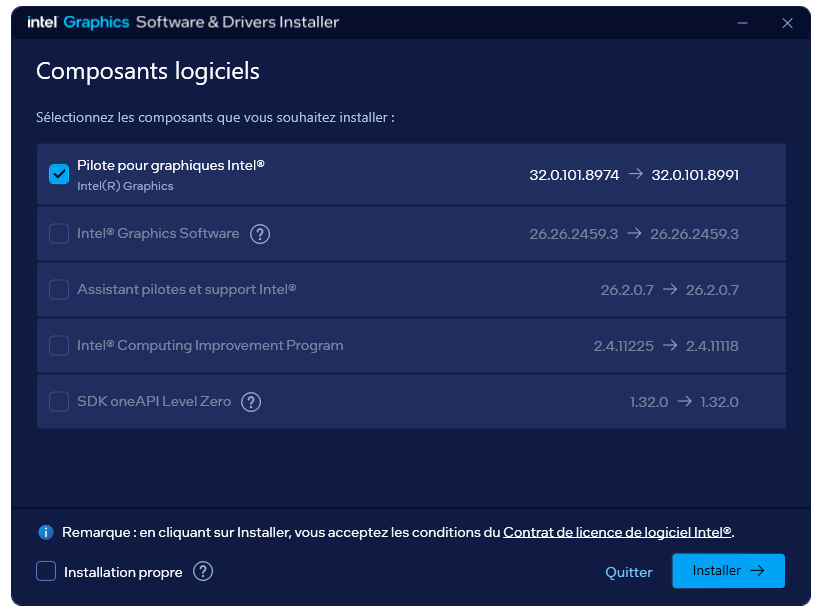
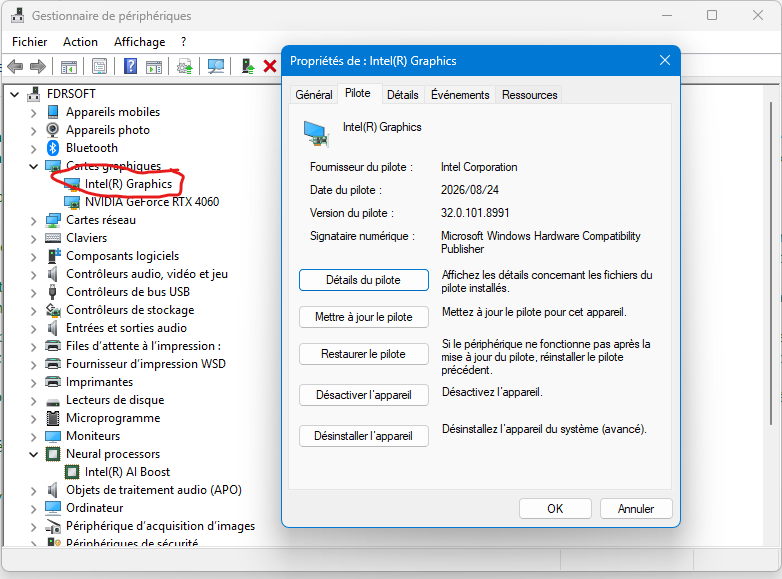
Asus Z890 ProArt, Intel Cpu Core Ultra 7 265K, Memoires 32Go Corsair DDR5 (6000Mhz CL30), Water-cooling Thermaright, nVidia Geforce RTX4060, Alimentation Gigabyte 850W, Samsung SSD 990 Pro, SSD9100 Pro, Steelserie Pro , Souris Razer, Boitier HUMMER, HP Steelserie, Free Fibre Ultra (8Go/8Go), Lan 10Gb, Cable CAT8/7, Switch 10/5/2.5Gbps, Casque Philips Fedelis.
The following user(s) said Thank You: THEBOSS619, duttyend
Please Log in or Create an account to join the conversation.
- Tom
-
Topic Author
- Offline
- The Best Poster
-
Enregistré
- Posts: 512
- Thanks: 688
Re: Intel® Arc™ Graphics Windows* DCH Driver 3x Series (WDDM 3.0, 3.1 & WDDM 3.2)
1 month 1 week ago - 1 month 1 week ago
Intel released Intel® Arc™ Graphics Windows* DCH 32.0.101.8993 (Non-WHQL) for Intel® Arc™ B-Series Graphics, Intel® Arc™ A-Series Graphics, Intel® Iris® Xe Graphics, and Intel® Core™ Ultra Processors with Intel® Arc™ Graphics.
Released: September 11, 2026
Release Version: Planned Release
Intel® Graphics Driver: 32.0.101.8993
Build Date: September 10, 2026
DriverVer = 08/24/2026, 32.0.101.8993
Cert. and signed from September 10, 2026
Platforms:
Intel(R) Arc(TM) Graphics family (Codename Alchemist, Battlemage)
Intel(R) Core(TM) Ultra processor family (Codename Meteor Lake, Lunar Lake, Arrow Lake-S, Arrow Lake-H, Panther Lake)
Operating Systems:
Intel® Game On Driver support on Intel® Arc™ B-series, A-series Graphics GPUs and Intel® Core™ Ultra with built-in Intel® Arc™ GPUs for:
Intel® Core™ Ultra Series 3 with built-in Intel® Arc™ GPUs:
Intel® Core™ Ultra Series 3 with built-in Intel® Arc™ GPUs:
Supported Subsystem IDs - Discrete Graphics:
Contents of the Package:
Info and Download: www.intel.com/content/www/us/en/download...raphics-windows.html
Release Notes: downloadmirror.intel.com/928294/ReleaseN...01.8993_Non-WHQL.pdf
Direct Download: downloadmirror.intel.com/928294/gfx_win_101.8993.exe
Cheers
Tom
Released: September 11, 2026
Release Version: Planned Release
Intel® Graphics Driver: 32.0.101.8993
Build Date: September 10, 2026
DriverVer = 08/24/2026, 32.0.101.8993
Cert. and signed from September 10, 2026
Platforms:
Intel(R) Arc(TM) Graphics family (Codename Alchemist, Battlemage)
Intel(R) Core(TM) Ultra processor family (Codename Meteor Lake, Lunar Lake, Arrow Lake-S, Arrow Lake-H, Panther Lake)
Operating Systems:
- Microsoft Windows* 10-64 - October 2022 Update (22H2)
- Microsoft Windows* 11-64 - October 2021 Update (21H2)
- Microsoft Windows* 11-64 - September 2022 (22H2)
- Microsoft Windows* 11-64 - October 2023 Update (23H2)
- Microsoft Windows* 11-64 - October 2024 Update(24H2)
- Microsoft Windows* 11-64 - September 2025 Update(25H2)
- Take your system lighting to the next level with Intel® Arc™ RGB Controller. Intel® Arc™ RGB Controller was custom designed to allow users to harness 90 individually addressable LEDs on Intel® Arc™ A770 Graphics Limited Edition cards. Intel® Arc™ RGB Controller is available for download
here
.
- Supported on Intel® Arc™ A770 Graphics Limited Edition on Windows®10 and Windows®11.
- Intel® and Cooler Master* collaborated on the creation of this software.
- For more information on how to enable the RGB lighting for your Intel® Arc™ A770 Graphics Limited Edition card, see the Intel® Arc™ A-Series Graphics – Desktop Quick Start Guide .
- Built-in Intel® Arc™ GPUs in select Intel® Core™ Ultra Processors (series 1 and 2) will support increased graphics memory allocations of up to 57% in Windows 10 and Windows* 11 host systems. For example, a 16GB host system can have up to 9.12GB (16x0.57=9.12) working memory dynamically allocated to the Built-In Intel® Arc™ GPU. Previous default memory allocation was up to 50%.
Intel® Game On Driver support on Intel® Arc™ B-series, A-series Graphics GPUs and Intel® Core™ Ultra with built-in Intel® Arc™ GPUs for:
- WARDOGS*
Intel® Core™ Ultra Series 3 with built-in Intel® Arc™ GPUs:
- N/A
- N/A
- N/A
- N/A.
- N/A
Intel® Core™ Ultra Series 3 with built-in Intel® Arc™ GPUs:
- Mafia: The Old Country* (DX12) may experience an application crash during gameplay.
- Arena Breakout Infinite* (DX12) may experience an application crash when the Terrain Surface Subdivision is On.
- PugetBench for Davinci Resolve Studio* may experience an intermittent application crash while running the benchmark.
Recommendation is to change the timeout slider to 1500 seconds or higher, to wait for each test to complete, in PugetBench* benchmark settings..
- Arena Breakout Infinite* (DX12) may experience an application crash when the Terrain Surface Subdivision is On.
- PugetBench for Davinci Resolve Studio* may experience an intermittent application crash while running the benchmark.
Recommendation is to change the timeout slider to 1500 seconds or higher, to wait for each test to complete, in PugetBench* benchmark settings..
- NBA 2K26* (DX12) may experience an application crash on first launch of the game.
- 007 First Light* (DX12) may experience an intermittent application crash on first launch of the game.
- N/A
- When using the settings, preferences, reset all settings option in Windows 10 the application may experience an intermittent crash. Settings can be reset from individual pages without issue.
- Intel® Graphics Software may sometimes experience a single application crash on the first re-arrange of metrics within the select metrics window. Subsequent usage will not be affected by this crash again.
- Overlay through Intel® Graphics Software may not be visible after reconnecting the display or when the system is returned from sleep.
- Display page in Intel® Graphics Software may show a 3 dots options menu with no action.
- Intel® Graphics Software Performance Tuning is currently in Beta. As such, performance and features may behave unexpectedly. Intel® will continue to refine the Performance Tuning software in future releases.
- In multi-GPU scenarios with two performance tuning capable devices, the performance tuning page may attempt to apply changes to one or more devices at once rather than individually based on the GPU selector.
Warning: Spoiler!
Windows10 22H2 / Windows11 21H2/22H2/23H2/24H2/25H2
PCI\VEN_8086&DEV_7D40
PCI\VEN_8086&DEV_7D45
PCI\VEN_8086&DEV_7D45&SUBSYS_8C26103C
PCI\VEN_8086&DEV_7D45&SUBSYS_8C83103C
PCI\VEN_8086&DEV_7D45&SUBSYS_8C84103C
PCI\VEN_8086&DEV_7D45&SUBSYS_8C85103C
PCI\VEN_8086&DEV_7D45&SUBSYS_8C86103C
PCI\VEN_8086&DEV_7D45&SUBSYS_8C87103C
PCI\VEN_8086&DEV_7D45&SUBSYS_8CD1103C
PCI\VEN_8086&DEV_7D55
PCI\VEN_8086&DEV_7D55&SUBSYS_8C83103C
PCI\VEN_8086&DEV_7D55&SUBSYS_8C84103C
PCI\VEN_8086&DEV_7D55&SUBSYS_8C85103C
PCI\VEN_8086&DEV_7D55&SUBSYS_8C86103C
PCI\VEN_8086&DEV_7D55&SUBSYS_8C87103C
PCI\VEN_8086&DEV_7DD5
PCI\VEN_8086&DEV_7DD5&SUBSYS_8C26103C
PCI\VEN_8086&DEV_7DD5&SUBSYS_8C52103C
PCI\VEN_8086&DEV_7DD5&SUBSYS_8C53103C
PCI\VEN_8086&DEV_7DD5&SUBSYS_8C83103C
PCI\VEN_8086&DEV_7DD5&SUBSYS_8C84103C
PCI\VEN_8086&DEV_7DD5&SUBSYS_8C85103C
PCI\VEN_8086&DEV_7DD5&SUBSYS_8C86103C
PCI\VEN_8086&DEV_7DD5&SUBSYS_8C87103C
PCI\VEN_8086&DEV_7DD5&SUBSYS_8CA0103C
PCI\VEN_8086&DEV_7DD5&SUBSYS_8CD1103C
PCI\VEN_8086&DEV_7DD5&SUBSYS_8CF5103C
PCI\VEN_8086&DEV_7D67
PCI\VEN_8086&DEV_7D67&SUBSYS_8D41103C
PCI\VEN_8086&DEV_7D67&SUBSYS_8D42103C
PCI\VEN_8086&DEV_7D67&SUBSYS_8E9A103C
PCI\VEN_8086&DEV_7D67&SUBSYS_3AB81043
PCI\VEN_8086&DEV_7D67&SUBSYS_3AC81043
PCI\VEN_8086&DEV_7D67&SUBSYS_10641043
PCI\VEN_8086&DEV_7D67&SUBSYS_3AD81043
PCI\VEN_8086&DEV_7D67&SUBSYS_3AE81043
PCI\VEN_8086&DEV_7D67&SUBSYS_3AF81043
PCI\VEN_8086&DEV_7D67&SUBSYS_1F331043
PCI\VEN_8086&DEV_7D67&SUBSYS_3DE81043
PCI\VEN_8086&DEV_7D67&SUBSYS_3DF81043
PCI\VEN_8086&DEV_7D67&SUBSYS_12141043
PCI\VEN_8086&DEV_7D67&SUBSYS_3E081043
PCI\VEN_8086&DEV_7D67&SUBSYS_3E181043
PCI\VEN_8086&DEV_7D67&SUBSYS_3E281043
PCI\VEN_8086&DEV_7D67&SUBSYS_3E381043
PCI\VEN_8086&DEV_7D67&SUBSYS_3E481043
PCI\VEN_8086&DEV_7D67&SUBSYS_3E581043
PCI\VEN_8086&DEV_7D67&SUBSYS_3E681043
PCI\VEN_8086&DEV_7D67&SUBSYS_3E781043
PCI\VEN_8086&DEV_7D67&SUBSYS_3E881043
PCI\VEN_8086&DEV_7D67&SUBSYS_3E981043
PCI\VEN_8086&DEV_7D67&SUBSYS_3EA81043
PCI\VEN_8086&DEV_7D67&SUBSYS_3EB81043
PCI\VEN_8086&DEV_7D67&SUBSYS_3EC81043
PCI\VEN_8086&DEV_7D67&SUBSYS_01051E26
PCI\VEN_8086&DEV_7D67&SUBSYS_8DE2103C
PCI\VEN_8086&DEV_7D67&SUBSYS_8DE3103C
PCI\VEN_8086&DEV_7D67&SUBSYS_234717AA
PCI\VEN_8086&DEV_7D67&SUBSYS_234817AA
PCI\VEN_8086&DEV_7D41
PCI\VEN_8086&DEV_7D41&SUBSYS_00033100
PCI\VEN_8086&DEV_7D41&SUBSYS_00043100
PCI\VEN_8086&DEV_7D41&SUBSYS_00093100
PCI\VEN_8086&DEV_7D41&SUBSYS_833810F7
PCI\VEN_8086&DEV_7D41&SUBSYS_835310F7
PCI\VEN_8086&DEV_7D41&SUBSYS_835510F7
PCI\VEN_8086&DEV_7D41&SUBSYS_835610F7
PCI\VEN_8086&DEV_7D41&SUBSYS_8E3B103C
PCI\VEN_8086&DEV_7D41&SUBSYS_8E0C103C
PCI\VEN_8086&DEV_7D41&SUBSYS_8E0C103C
PCI\VEN_8086&DEV_7D41&SUBSYS_8D2E103C
PCI\VEN_8086&DEV_7D41&SUBSYS_8D2F103C
PCI\VEN_8086&DEV_7D41&SUBSYS_8D30103C
PCI\VEN_8086&DEV_7D41&SUBSYS_8D40103C
PCI\VEN_8086&DEV_7D41&SUBSYS_8D1A103C
PCI\VEN_8086&DEV_7D41&SUBSYS_8E43103C
PCI\VEN_8086&DEV_7D41&SUBSYS_8E12103C
PCI\VEN_8086&DEV_7D41&SUBSYS_8E13103C
PCI\VEN_8086&DEV_7D41&SUBSYS_8D1B103C
PCI\VEN_8086&DEV_7D41&SUBSYS_8E41103C
PCI\VEN_8086&DEV_7D41&SUBSYS_00FB1E26
PCI\VEN_8086&DEV_7D41&SUBSYS_00FC1E26
PCI\VEN_8086&DEV_7D41&SUBSYS_00FD1E26
PCI\VEN_8086&DEV_7D41&SUBSYS_05451854
PCI\VEN_8086&DEV_7D41&SUBSYS_05471854
PCI\VEN_8086&DEV_7D41&SUBSYS_05481854
PCI\VEN_8086&DEV_7D41&SUBSYS_05491854
PCI\VEN_8086&DEV_7D41&SUBSYS_054A1854
PCI\VEN_8086&DEV_7D41&SUBSYS_054B1854
PCI\VEN_8086&DEV_7D41&SUBSYS_054C1854
PCI\VEN_8086&DEV_7D41&SUBSYS_054D1854
PCI\VEN_8086&DEV_7D41&SUBSYS_054E1854
PCI\VEN_8086&DEV_7D41&SUBSYS_054F1854
PCI\VEN_8086&DEV_7D41&SUBSYS_05501854
PCI\VEN_8086&DEV_7D41&SUBSYS_05511854
PCI\VEN_8086&DEV_7D41&SUBSYS_05521854
PCI\VEN_8086&DEV_7D41&SUBSYS_05531854
PCI\VEN_8086&DEV_7D41&SUBSYS_05551854
PCI\VEN_8086&DEV_7D41&SUBSYS_055A1854
PCI\VEN_8086&DEV_7D41&SUBSYS_055B1854
PCI\VEN_8086&DEV_7D41&SUBSYS_05701854
PCI\VEN_8086&DEV_7D41&SUBSYS_05711854
PCI\VEN_8086&DEV_7D41&SUBSYS_8D89103C
PCI\VEN_8086&DEV_7D41&SUBSYS_8D94103C
PCI\VEN_8086&DEV_7D41&SUBSYS_8DEA103C
PCI\VEN_8086&DEV_7D41&SUBSYS_8DEB103C
PCI\VEN_8086&DEV_7D41&SUBSYS_C904144D
PCI\VEN_8086&DEV_7D41&SUBSYS_C906144D
PCI\VEN_8086&DEV_7D41&SUBSYS_233E17AA
PCI\VEN_8086&DEV_7D41&SUBSYS_233F17AA
PCI\VEN_8086&DEV_7D41&SUBSYS_234017AA
PCI\VEN_8086&DEV_7D41&SUBSYS_234117AA
PCI\VEN_8086&DEV_7D41&SUBSYS_234217AA
PCI\VEN_8086&DEV_7D41&SUBSYS_234317AA
PCI\VEN_8086&DEV_7D41&SUBSYS_234417AA
PCI\VEN_8086&DEV_7D41&SUBSYS_234917AA
PCI\VEN_8086&DEV_7D41&SUBSYS_234A17AA
PCI\VEN_8086&DEV_7D41&SUBSYS_50F317AA
PCI\VEN_8086&DEV_7D41&SUBSYS_50F517AA
PCI\VEN_8086&DEV_7D41&SUBSYS_50F717AA
PCI\VEN_8086&DEV_7D51
PCI\VEN_8086&DEV_7D51&SUBSYS_00033100
PCI\VEN_8086&DEV_7D51&SUBSYS_00043100
PCI\VEN_8086&DEV_7D51&SUBSYS_00093100
PCI\VEN_8086&DEV_7D51&SUBSYS_833810F7
PCI\VEN_8086&DEV_7D51&SUBSYS_835310F7
PCI\VEN_8086&DEV_7D51&SUBSYS_835510F7
PCI\VEN_8086&DEV_7D51&SUBSYS_835610F7
PCI\VEN_8086&DEV_7D51&SUBSYS_8E3B103C
PCI\VEN_8086&DEV_7D51&SUBSYS_8D2E103C
PCI\VEN_8086&DEV_7D51&SUBSYS_8D2F103C
PCI\VEN_8086&DEV_7D51&SUBSYS_8D30103C
PCI\VEN_8086&DEV_7D51&SUBSYS_8D40103C
PCI\VEN_8086&DEV_7D51&SUBSYS_8D1A103C
PCI\VEN_8086&DEV_7D51&SUBSYS_8E43103C
PCI\VEN_8086&DEV_7D51&SUBSYS_8E12103C
PCI\VEN_8086&DEV_7D51&SUBSYS_8E13103C
PCI\VEN_8086&DEV_7D51&SUBSYS_8D1B103C
PCI\VEN_8086&DEV_7D51&SUBSYS_8E41103C
PCI\VEN_8086&DEV_7D51&SUBSYS_11141043
PCI\VEN_8086&DEV_7D51&SUBSYS_13E41043
PCI\VEN_8086&DEV_7D51&SUBSYS_32791043
PCI\VEN_8086&DEV_7D51&SUBSYS_10B41043
PCI\VEN_8086&DEV_7D51&SUBSYS_3BD81043
PCI\VEN_8086&DEV_7D51&SUBSYS_1FD31043
PCI\VEN_8086&DEV_7D51&SUBSYS_11241043
PCI\VEN_8086&DEV_7D51&SUBSYS_1FE31043
PCI\VEN_8086&DEV_7D51&SUBSYS_39581043
PCI\VEN_8086&DEV_7D51&SUBSYS_37781043
PCI\VEN_8086&DEV_7D51&SUBSYS_39E81043
PCI\VEN_8086&DEV_7D51&SUBSYS_39F81043
PCI\VEN_8086&DEV_7D51&SUBSYS_10341043
PCI\VEN_8086&DEV_7D51&SUBSYS_3A081043
PCI\VEN_8086&DEV_7D51&SUBSYS_3A181043
PCI\VEN_8086&DEV_7D51&SUBSYS_3A281043
PCI\VEN_8086&DEV_7D51&SUBSYS_8E63103C
PCI\VEN_8086&DEV_7D51&SUBSYS_00FB1E26
PCI\VEN_8086&DEV_7D51&SUBSYS_00FC1E26
PCI\VEN_8086&DEV_7D51&SUBSYS_00FD1E26
PCI\VEN_8086&DEV_7D51&SUBSYS_05451854
PCI\VEN_8086&DEV_7D51&SUBSYS_05471854
PCI\VEN_8086&DEV_7D51&SUBSYS_05481854
PCI\VEN_8086&DEV_7D51&SUBSYS_05491854
PCI\VEN_8086&DEV_7D51&SUBSYS_054A1854
PCI\VEN_8086&DEV_7D51&SUBSYS_054B1854
PCI\VEN_8086&DEV_7D51&SUBSYS_054C1854
PCI\VEN_8086&DEV_7D51&SUBSYS_054D1854
PCI\VEN_8086&DEV_7D51&SUBSYS_054E1854
PCI\VEN_8086&DEV_7D51&SUBSYS_054F1854
PCI\VEN_8086&DEV_7D51&SUBSYS_05501854
PCI\VEN_8086&DEV_7D51&SUBSYS_05511854
PCI\VEN_8086&DEV_7D51&SUBSYS_05521854
PCI\VEN_8086&DEV_7D51&SUBSYS_05531854
PCI\VEN_8086&DEV_7D51&SUBSYS_05551854
PCI\VEN_8086&DEV_7D51&SUBSYS_055A1854
PCI\VEN_8086&DEV_7D51&SUBSYS_055B1854
PCI\VEN_8086&DEV_7D51&SUBSYS_05701854
PCI\VEN_8086&DEV_7D51&SUBSYS_05711854
PCI\VEN_8086&DEV_7D51&SUBSYS_8D89103C
PCI\VEN_8086&DEV_7D51&SUBSYS_8DEA103C
PCI\VEN_8086&DEV_7D51&SUBSYS_8DEB103C
PCI\VEN_8086&DEV_7D51&SUBSYS_C904144D
PCI\VEN_8086&DEV_7D51&SUBSYS_C906144D
PCI\VEN_8086&DEV_7D51&SUBSYS_233E17AA
PCI\VEN_8086&DEV_7D51&SUBSYS_233F17AA
PCI\VEN_8086&DEV_7D51&SUBSYS_234017AA
PCI\VEN_8086&DEV_7D51&SUBSYS_234117AA
PCI\VEN_8086&DEV_7D51&SUBSYS_234217AA
PCI\VEN_8086&DEV_7D51&SUBSYS_234317AA
PCI\VEN_8086&DEV_7D51&SUBSYS_234417AA
PCI\VEN_8086&DEV_7D51&SUBSYS_512D17AA
PCI\VEN_8086&DEV_7D51&SUBSYS_513617AA
PCI\VEN_8086&DEV_7D51&SUBSYS_50F317AA
PCI\VEN_8086&DEV_7D51&SUBSYS_50F517AA
PCI\VEN_8086&DEV_7D51&SUBSYS_50F717AA
PCI\VEN_8086&DEV_7DD1
PCI\VEN_8086&DEV_7DD1&SUBSYS_00033100
PCI\VEN_8086&DEV_7DD1&SUBSYS_00043100
PCI\VEN_8086&DEV_7DD1&SUBSYS_00093100
PCI\VEN_8086&DEV_7DD1&SUBSYS_833810F7
PCI\VEN_8086&DEV_7DD1&SUBSYS_835310F7
PCI\VEN_8086&DEV_7DD1&SUBSYS_835510F7
PCI\VEN_8086&DEV_7DD1&SUBSYS_835610F7
PCI\VEN_8086&DEV_7DD1&SUBSYS_8E3B103C
PCI\VEN_8086&DEV_7DD1&SUBSYS_8E0C103C
PCI\VEN_8086&DEV_7DD1&SUBSYS_8D2E103C
PCI\VEN_8086&DEV_7DD1&SUBSYS_8D2F103C
PCI\VEN_8086&DEV_7DD1&SUBSYS_8D30103C
PCI\VEN_8086&DEV_7DD1&SUBSYS_8D40103C
PCI\VEN_8086&DEV_7DD1&SUBSYS_8D1A103C
PCI\VEN_8086&DEV_7DD1&SUBSYS_8E43103C
PCI\VEN_8086&DEV_7DD1&SUBSYS_8E12103C
PCI\VEN_8086&DEV_7DD1&SUBSYS_8E13103C
PCI\VEN_8086&DEV_7DD1&SUBSYS_8D1B103C
PCI\VEN_8086&DEV_7DD1&SUBSYS_8E41103C
PCI\VEN_8086&DEV_7DD1&SUBSYS_11141043
PCI\VEN_8086&DEV_7DD1&SUBSYS_13E41043
PCI\VEN_8086&DEV_7DD1&SUBSYS_32791043
PCI\VEN_8086&DEV_7DD1&SUBSYS_10B41043
PCI\VEN_8086&DEV_7DD1&SUBSYS_3BD81043
PCI\VEN_8086&DEV_7DD1&SUBSYS_1FD31043
PCI\VEN_8086&DEV_7DD1&SUBSYS_11241043
PCI\VEN_8086&DEV_7DD1&SUBSYS_1FE31043
PCI\VEN_8086&DEV_7DD1&SUBSYS_39581043
PCI\VEN_8086&DEV_7DD1&SUBSYS_37781043
PCI\VEN_8086&DEV_7DD1&SUBSYS_39E81043
PCI\VEN_8086&DEV_7DD1&SUBSYS_39F81043
PCI\VEN_8086&DEV_7DD1&SUBSYS_10341043
PCI\VEN_8086&DEV_7DD1&SUBSYS_3A081043
PCI\VEN_8086&DEV_7DD1&SUBSYS_3A181043
PCI\VEN_8086&DEV_7DD1&SUBSYS_3A281043
PCI\VEN_8086&DEV_7DD1&SUBSYS_00FB1E26
PCI\VEN_8086&DEV_7DD1&SUBSYS_00FC1E26
PCI\VEN_8086&DEV_7DD1&SUBSYS_00FD1E26
PCI\VEN_8086&DEV_7DD1&SUBSYS_05451854
PCI\VEN_8086&DEV_7DD1&SUBSYS_05471854
PCI\VEN_8086&DEV_7DD1&SUBSYS_05481854
PCI\VEN_8086&DEV_7DD1&SUBSYS_05491854
PCI\VEN_8086&DEV_7DD1&SUBSYS_054A1854
PCI\VEN_8086&DEV_7DD1&SUBSYS_054B1854
PCI\VEN_8086&DEV_7DD1&SUBSYS_054C1854
PCI\VEN_8086&DEV_7DD1&SUBSYS_054D1854
PCI\VEN_8086&DEV_7DD1&SUBSYS_054E1854
PCI\VEN_8086&DEV_7DD1&SUBSYS_054F1854
PCI\VEN_8086&DEV_7DD1&SUBSYS_05501854
PCI\VEN_8086&DEV_7DD1&SUBSYS_05511854
PCI\VEN_8086&DEV_7DD1&SUBSYS_05521854
PCI\VEN_8086&DEV_7DD1&SUBSYS_05531854
PCI\VEN_8086&DEV_7DD1&SUBSYS_05551854
PCI\VEN_8086&DEV_7DD1&SUBSYS_055A1854
PCI\VEN_8086&DEV_7DD1&SUBSYS_055B1854
PCI\VEN_8086&DEV_7DD1&SUBSYS_05701854
PCI\VEN_8086&DEV_7DD1&SUBSYS_05711854
PCI\VEN_8086&DEV_7DD1&SUBSYS_8D89103C
PCI\VEN_8086&DEV_7DD1&SUBSYS_8D94103C
PCI\VEN_8086&DEV_7DD1&SUBSYS_8DEA103C
PCI\VEN_8086&DEV_7DD1&SUBSYS_8DEB103C
PCI\VEN_8086&DEV_7DD1&SUBSYS_8E1D103C
PCI\VEN_8086&DEV_7DD1&SUBSYS_C904144D
PCI\VEN_8086&DEV_7DD1&SUBSYS_C906144D
PCI\VEN_8086&DEV_7DD1&SUBSYS_233E17AA
PCI\VEN_8086&DEV_7DD1&SUBSYS_233F17AA
PCI\VEN_8086&DEV_7DD1&SUBSYS_234017AA
PCI\VEN_8086&DEV_7DD1&SUBSYS_234117AA
PCI\VEN_8086&DEV_7DD1&SUBSYS_234217AA
PCI\VEN_8086&DEV_7DD1&SUBSYS_234317AA
PCI\VEN_8086&DEV_7DD1&SUBSYS_234417AA
PCI\VEN_8086&DEV_7DD1&SUBSYS_234917AA
PCI\VEN_8086&DEV_7DD1&SUBSYS_234A17AA
PCI\VEN_8086&DEV_7DD1&SUBSYS_50F317AA
PCI\VEN_8086&DEV_7DD1&SUBSYS_50F517AA
PCI\VEN_8086&DEV_7DD1&SUBSYS_50F717AA
PCI\VEN_8086&DEV_7DD1&SUBSYS_512B17AA
PCI\VEN_8086&DEV_7DD1&SUBSYS_512C17AA
PCI\VEN_8086&DEV_7DD1&SUBSYS_512D17AA
PCI\VEN_8086&DEV_7DD1&SUBSYS_513617AA
PCI\VEN_8086&DEV_6420
PCI\VEN_8086&DEV_6420&SUBSYS_00033100
PCI\VEN_8086&DEV_6420&SUBSYS_8DA0103C
PCI\VEN_8086&DEV_6420&SUBSYS_8DA1103C
PCI\VEN_8086&DEV_6420&SUBSYS_8CE0103C
PCI\VEN_8086&DEV_6420&SUBSYS_8CDE103C
PCI\VEN_8086&DEV_6420&SUBSYS_8D9B103C
PCI\VEN_8086&DEV_6420&SUBSYS_8D9C103C
PCI\VEN_8086&DEV_6420&SUBSYS_8D9D103C
PCI\VEN_8086&DEV_6420&SUBSYS_8D9E103C
PCI\VEN_8086&DEV_6420&SUBSYS_8D9F103C
PCI\VEN_8086&DEV_6420&SUBSYS_10C41043
PCI\VEN_8086&DEV_6420&SUBSYS_3CD81043
PCI\VEN_8086&DEV_6420&SUBSYS_10A41043
PCI\VEN_8086&DEV_6420&SUBSYS_3B981043
PCI\VEN_8086&DEV_6420&SUBSYS_11541043
PCI\VEN_8086&DEV_6420&SUBSYS_1E131043
PCI\VEN_8086&DEV_6420&SUBSYS_1F431043
PCI\VEN_8086&DEV_6420&SUBSYS_00ED1E26
PCI\VEN_8086&DEV_6420&SUBSYS_05411854
PCI\VEN_8086&DEV_6420&SUBSYS_05421854
PCI\VEN_8086&DEV_6420&SUBSYS_05561854
PCI\VEN_8086&DEV_6420&SUBSYS_05571854
PCI\VEN_8086&DEV_6420&SUBSYS_05581854
PCI\VEN_8086&DEV_6420&SUBSYS_05591854
PCI\VEN_8086&DEV_6420&SUBSYS_C902144D
PCI\VEN_8086&DEV_6420&SUBSYS_233917AA
PCI\VEN_8086&DEV_6420&SUBSYS_233A17AA
PCI\VEN_8086&DEV_6420&SUBSYS_233C17AA
PCI\VEN_8086&DEV_6420&SUBSYS_233D17AA
PCI\VEN_8086&DEV_6420&SUBSYS_50F217AA
PCI\VEN_8086&DEV_64A0
PCI\VEN_8086&DEV_64A0&SUBSYS_146B1462
PCI\VEN_8086&DEV_64A0&SUBSYS_146C1462
PCI\VEN_8086&DEV_64A0&SUBSYS_00033100
PCI\VEN_8086&DEV_64A0&SUBSYS_8DA0103C
PCI\VEN_8086&DEV_64A0&SUBSYS_8DA1103C
PCI\VEN_8086&DEV_64A0&SUBSYS_8CE0103C
PCI\VEN_8086&DEV_64A0&SUBSYS_8CDE103C
PCI\VEN_8086&DEV_64A0&SUBSYS_8D9B103C
PCI\VEN_8086&DEV_64A0&SUBSYS_8D9C103C
PCI\VEN_8086&DEV_64A0&SUBSYS_8D9D103C
PCI\VEN_8086&DEV_64A0&SUBSYS_8D9E103C
PCI\VEN_8086&DEV_64A0&SUBSYS_8D9F103C
PCI\VEN_8086&DEV_64A0&SUBSYS_10C41043
PCI\VEN_8086&DEV_64A0&SUBSYS_3CD81043
PCI\VEN_8086&DEV_64A0&SUBSYS_10A41043
PCI\VEN_8086&DEV_64A0&SUBSYS_3B981043
PCI\VEN_8086&DEV_64A0&SUBSYS_11541043
PCI\VEN_8086&DEV_64A0&SUBSYS_1E131043
PCI\VEN_8086&DEV_64A0&SUBSYS_1F431043
PCI\VEN_8086&DEV_64A0&SUBSYS_00ED1E26
PCI\VEN_8086&DEV_64A0&SUBSYS_05411854
PCI\VEN_8086&DEV_64A0&SUBSYS_05421854
PCI\VEN_8086&DEV_64A0&SUBSYS_05561854
PCI\VEN_8086&DEV_64A0&SUBSYS_05571854
PCI\VEN_8086&DEV_64A0&SUBSYS_05581854
PCI\VEN_8086&DEV_64A0&SUBSYS_05591854
PCI\VEN_8086&DEV_64A0&SUBSYS_C902144D
PCI\VEN_8086&DEV_64A0&SUBSYS_C1DA144D
PCI\VEN_8086&DEV_64A0&SUBSYS_C1DD144D
PCI\VEN_8086&DEV_64A0&SUBSYS_8D84103C
PCI\VEN_8086&DEV_64A0&SUBSYS_8D8A103C
PCI\VEN_8086&DEV_64A0&SUBSYS_233A17AA
PCI\VEN_8086&DEV_64A0&SUBSYS_233B17AA
PCI\VEN_8086&DEV_64A0&SUBSYS_233C17AA
PCI\VEN_8086&DEV_64A0&SUBSYS_233D17AA
PCI\VEN_8086&DEV_64A0&SUBSYS_50F217AA
PCI\VEN_8086&DEV_64B0
PCI\VEN_8086&DEV_64B0&SUBSYS_00033100
PCI\VEN_8086&DEV_64B0&SUBSYS_8DA0103C
PCI\VEN_8086&DEV_64B0&SUBSYS_8DA1103C
PCI\VEN_8086&DEV_64B0&SUBSYS_8CE0103C
PCI\VEN_8086&DEV_64B0&SUBSYS_8CDE103C
PCI\VEN_8086&DEV_64B0&SUBSYS_8D9B103C
PCI\VEN_8086&DEV_64B0&SUBSYS_8D9C103C
PCI\VEN_8086&DEV_64B0&SUBSYS_8D9D103C
PCI\VEN_8086&DEV_64B0&SUBSYS_8D9E103C
PCI\VEN_8086&DEV_64B0&SUBSYS_8D9F103C
PCI\VEN_8086&DEV_64B0&SUBSYS_10C41043
PCI\VEN_8086&DEV_64B0&SUBSYS_3CD81043
PCI\VEN_8086&DEV_64B0&SUBSYS_10A41043
PCI\VEN_8086&DEV_64B0&SUBSYS_3B981043
PCI\VEN_8086&DEV_64B0&SUBSYS_11541043
PCI\VEN_8086&DEV_64B0&SUBSYS_1E131043
PCI\VEN_8086&DEV_64B0&SUBSYS_1F431043
PCI\VEN_8086&DEV_64B0&SUBSYS_00ED1E26
PCI\VEN_8086&DEV_64B0&SUBSYS_05411854
PCI\VEN_8086&DEV_64B0&SUBSYS_05421854
PCI\VEN_8086&DEV_64B0&SUBSYS_05561854
PCI\VEN_8086&DEV_64B0&SUBSYS_05571854
PCI\VEN_8086&DEV_64B0&SUBSYS_05581854
PCI\VEN_8086&DEV_64B0&SUBSYS_05591854
PCI\VEN_8086&DEV_64B0&SUBSYS_C902144D
PCI\VEN_8086&DEV_64B0&SUBSYS_8D8A103C
PCI\VEN_8086&DEV_64B0&SUBSYS_233917AA
PCI\VEN_8086&DEV_64B0&SUBSYS_233A17AA
PCI\VEN_8086&DEV_64B0&SUBSYS_233C17AA
PCI\VEN_8086&DEV_64B0&SUBSYS_233D17AA
PCI\VEN_8086&DEV_64B0&SUBSYS_50F217AA
PCI\VEN_8086&DEV_B080
PCI\VEN_8086&DEV_B080&SUBSYS_C1DC144D
PCI\VEN_8086&DEV_B080&SUBSYS_C1DE144D
PCI\VEN_8086&DEV_B080&SUBSYS_C1E2144D
PCI\VEN_8086&DEV_B080&SUBSYS_C910144D
PCI\VEN_8086&DEV_B080&SUBSYS_C912144D
PCI\VEN_8086&DEV_B080&SUBSYS_C913144D
PCI\VEN_8086&DEV_B080&SUBSYS_CA0A144D
PCI\VEN_8086&DEV_B080&SUBSYS_CA0B144D
PCI\VEN_8086&DEV_B080&SUBSYS_CA0D144D
PCI\VEN_8086&DEV_B081
PCI\VEN_8086&DEV_B081&SUBSYS_C1DC144D
PCI\VEN_8086&DEV_B081&SUBSYS_C1DE144D
PCI\VEN_8086&DEV_B081&SUBSYS_C1E2144D
PCI\VEN_8086&DEV_B081&SUBSYS_C910144D
PCI\VEN_8086&DEV_B081&SUBSYS_C912144D
PCI\VEN_8086&DEV_B081&SUBSYS_C913144D
PCI\VEN_8086&DEV_B081&SUBSYS_CA0A144D
PCI\VEN_8086&DEV_B081&SUBSYS_CA0B144D
PCI\VEN_8086&DEV_B081&SUBSYS_CA0D144D
PCI\VEN_8086&DEV_B082
PCI\VEN_8086&DEV_B082&SUBSYS_C1DC144D
PCI\VEN_8086&DEV_B082&SUBSYS_C1DE144D
PCI\VEN_8086&DEV_B082&SUBSYS_C1E2144D
PCI\VEN_8086&DEV_B082&SUBSYS_C910144D
PCI\VEN_8086&DEV_B082&SUBSYS_C912144D
PCI\VEN_8086&DEV_B082&SUBSYS_C913144D
PCI\VEN_8086&DEV_B082&SUBSYS_CA0A144D
PCI\VEN_8086&DEV_B082&SUBSYS_CA0B144D
PCI\VEN_8086&DEV_B082&SUBSYS_CA0D144D
PCI\VEN_8086&DEV_B083
PCI\VEN_8086&DEV_B083&SUBSYS_C1DC144D
PCI\VEN_8086&DEV_B083&SUBSYS_C1DE144D
PCI\VEN_8086&DEV_B083&SUBSYS_C1E2144D
PCI\VEN_8086&DEV_B083&SUBSYS_C910144D
PCI\VEN_8086&DEV_B083&SUBSYS_C912144D
PCI\VEN_8086&DEV_B083&SUBSYS_C913144D
PCI\VEN_8086&DEV_B083&SUBSYS_CA0B144D
PCI\VEN_8086&DEV_B083&SUBSYS_CA0D144D
PCI\VEN_8086&DEV_B08F
PCI\VEN_8086&DEV_B08F&SUBSYS_C1DC144D
PCI\VEN_8086&DEV_B08F&SUBSYS_C1DE144D
PCI\VEN_8086&DEV_B08F&SUBSYS_C1E2144D
PCI\VEN_8086&DEV_B08F&SUBSYS_C910144D
PCI\VEN_8086&DEV_B08F&SUBSYS_C912144D
PCI\VEN_8086&DEV_B08F&SUBSYS_C913144D
PCI\VEN_8086&DEV_B08F&SUBSYS_CA0A144D
PCI\VEN_8086&DEV_B08F&SUBSYS_CA0B144D
PCI\VEN_8086&DEV_B08F&SUBSYS_CA0D144D
PCI\VEN_8086&DEV_B090
PCI\VEN_8086&DEV_B090&SUBSYS_C1DC144D
PCI\VEN_8086&DEV_B090&SUBSYS_C1DE144D
PCI\VEN_8086&DEV_B090&SUBSYS_C1E2144D
PCI\VEN_8086&DEV_B090&SUBSYS_C910144D
PCI\VEN_8086&DEV_B090&SUBSYS_C912144D
PCI\VEN_8086&DEV_B090&SUBSYS_C913144D
PCI\VEN_8086&DEV_B090&SUBSYS_CA0A144D
PCI\VEN_8086&DEV_B090&SUBSYS_CA0B144D
PCI\VEN_8086&DEV_B090&SUBSYS_CA0D144D
PCI\VEN_8086&DEV_B0A0
PCI\VEN_8086&DEV_B0A0&SUBSYS_C1DC144D
PCI\VEN_8086&DEV_B0A0&SUBSYS_C1DE144D
PCI\VEN_8086&DEV_B0A0&SUBSYS_C1E2144D
PCI\VEN_8086&DEV_B0A0&SUBSYS_C910144D
PCI\VEN_8086&DEV_B0A0&SUBSYS_C912144D
PCI\VEN_8086&DEV_B0A0&SUBSYS_C913144D
PCI\VEN_8086&DEV_B0A0&SUBSYS_CA0A144D
PCI\VEN_8086&DEV_FD80
PCI\VEN_8086&DEV_FD81
PCI\VEN_8086&DEV_7D40
PCI\VEN_8086&DEV_7D45
PCI\VEN_8086&DEV_7D45&SUBSYS_8C26103C
PCI\VEN_8086&DEV_7D45&SUBSYS_8C83103C
PCI\VEN_8086&DEV_7D45&SUBSYS_8C84103C
PCI\VEN_8086&DEV_7D45&SUBSYS_8C85103C
PCI\VEN_8086&DEV_7D45&SUBSYS_8C86103C
PCI\VEN_8086&DEV_7D45&SUBSYS_8C87103C
PCI\VEN_8086&DEV_7D45&SUBSYS_8CD1103C
PCI\VEN_8086&DEV_7D55
PCI\VEN_8086&DEV_7D55&SUBSYS_8C83103C
PCI\VEN_8086&DEV_7D55&SUBSYS_8C84103C
PCI\VEN_8086&DEV_7D55&SUBSYS_8C85103C
PCI\VEN_8086&DEV_7D55&SUBSYS_8C86103C
PCI\VEN_8086&DEV_7D55&SUBSYS_8C87103C
PCI\VEN_8086&DEV_7DD5
PCI\VEN_8086&DEV_7DD5&SUBSYS_8C26103C
PCI\VEN_8086&DEV_7DD5&SUBSYS_8C52103C
PCI\VEN_8086&DEV_7DD5&SUBSYS_8C53103C
PCI\VEN_8086&DEV_7DD5&SUBSYS_8C83103C
PCI\VEN_8086&DEV_7DD5&SUBSYS_8C84103C
PCI\VEN_8086&DEV_7DD5&SUBSYS_8C85103C
PCI\VEN_8086&DEV_7DD5&SUBSYS_8C86103C
PCI\VEN_8086&DEV_7DD5&SUBSYS_8C87103C
PCI\VEN_8086&DEV_7DD5&SUBSYS_8CA0103C
PCI\VEN_8086&DEV_7DD5&SUBSYS_8CD1103C
PCI\VEN_8086&DEV_7DD5&SUBSYS_8CF5103C
PCI\VEN_8086&DEV_7D67
PCI\VEN_8086&DEV_7D67&SUBSYS_8D41103C
PCI\VEN_8086&DEV_7D67&SUBSYS_8D42103C
PCI\VEN_8086&DEV_7D67&SUBSYS_8E9A103C
PCI\VEN_8086&DEV_7D67&SUBSYS_3AB81043
PCI\VEN_8086&DEV_7D67&SUBSYS_3AC81043
PCI\VEN_8086&DEV_7D67&SUBSYS_10641043
PCI\VEN_8086&DEV_7D67&SUBSYS_3AD81043
PCI\VEN_8086&DEV_7D67&SUBSYS_3AE81043
PCI\VEN_8086&DEV_7D67&SUBSYS_3AF81043
PCI\VEN_8086&DEV_7D67&SUBSYS_1F331043
PCI\VEN_8086&DEV_7D67&SUBSYS_3DE81043
PCI\VEN_8086&DEV_7D67&SUBSYS_3DF81043
PCI\VEN_8086&DEV_7D67&SUBSYS_12141043
PCI\VEN_8086&DEV_7D67&SUBSYS_3E081043
PCI\VEN_8086&DEV_7D67&SUBSYS_3E181043
PCI\VEN_8086&DEV_7D67&SUBSYS_3E281043
PCI\VEN_8086&DEV_7D67&SUBSYS_3E381043
PCI\VEN_8086&DEV_7D67&SUBSYS_3E481043
PCI\VEN_8086&DEV_7D67&SUBSYS_3E581043
PCI\VEN_8086&DEV_7D67&SUBSYS_3E681043
PCI\VEN_8086&DEV_7D67&SUBSYS_3E781043
PCI\VEN_8086&DEV_7D67&SUBSYS_3E881043
PCI\VEN_8086&DEV_7D67&SUBSYS_3E981043
PCI\VEN_8086&DEV_7D67&SUBSYS_3EA81043
PCI\VEN_8086&DEV_7D67&SUBSYS_3EB81043
PCI\VEN_8086&DEV_7D67&SUBSYS_3EC81043
PCI\VEN_8086&DEV_7D67&SUBSYS_01051E26
PCI\VEN_8086&DEV_7D67&SUBSYS_8DE2103C
PCI\VEN_8086&DEV_7D67&SUBSYS_8DE3103C
PCI\VEN_8086&DEV_7D67&SUBSYS_234717AA
PCI\VEN_8086&DEV_7D67&SUBSYS_234817AA
PCI\VEN_8086&DEV_7D41
PCI\VEN_8086&DEV_7D41&SUBSYS_00033100
PCI\VEN_8086&DEV_7D41&SUBSYS_00043100
PCI\VEN_8086&DEV_7D41&SUBSYS_00093100
PCI\VEN_8086&DEV_7D41&SUBSYS_833810F7
PCI\VEN_8086&DEV_7D41&SUBSYS_835310F7
PCI\VEN_8086&DEV_7D41&SUBSYS_835510F7
PCI\VEN_8086&DEV_7D41&SUBSYS_835610F7
PCI\VEN_8086&DEV_7D41&SUBSYS_8E3B103C
PCI\VEN_8086&DEV_7D41&SUBSYS_8E0C103C
PCI\VEN_8086&DEV_7D41&SUBSYS_8E0C103C
PCI\VEN_8086&DEV_7D41&SUBSYS_8D2E103C
PCI\VEN_8086&DEV_7D41&SUBSYS_8D2F103C
PCI\VEN_8086&DEV_7D41&SUBSYS_8D30103C
PCI\VEN_8086&DEV_7D41&SUBSYS_8D40103C
PCI\VEN_8086&DEV_7D41&SUBSYS_8D1A103C
PCI\VEN_8086&DEV_7D41&SUBSYS_8E43103C
PCI\VEN_8086&DEV_7D41&SUBSYS_8E12103C
PCI\VEN_8086&DEV_7D41&SUBSYS_8E13103C
PCI\VEN_8086&DEV_7D41&SUBSYS_8D1B103C
PCI\VEN_8086&DEV_7D41&SUBSYS_8E41103C
PCI\VEN_8086&DEV_7D41&SUBSYS_00FB1E26
PCI\VEN_8086&DEV_7D41&SUBSYS_00FC1E26
PCI\VEN_8086&DEV_7D41&SUBSYS_00FD1E26
PCI\VEN_8086&DEV_7D41&SUBSYS_05451854
PCI\VEN_8086&DEV_7D41&SUBSYS_05471854
PCI\VEN_8086&DEV_7D41&SUBSYS_05481854
PCI\VEN_8086&DEV_7D41&SUBSYS_05491854
PCI\VEN_8086&DEV_7D41&SUBSYS_054A1854
PCI\VEN_8086&DEV_7D41&SUBSYS_054B1854
PCI\VEN_8086&DEV_7D41&SUBSYS_054C1854
PCI\VEN_8086&DEV_7D41&SUBSYS_054D1854
PCI\VEN_8086&DEV_7D41&SUBSYS_054E1854
PCI\VEN_8086&DEV_7D41&SUBSYS_054F1854
PCI\VEN_8086&DEV_7D41&SUBSYS_05501854
PCI\VEN_8086&DEV_7D41&SUBSYS_05511854
PCI\VEN_8086&DEV_7D41&SUBSYS_05521854
PCI\VEN_8086&DEV_7D41&SUBSYS_05531854
PCI\VEN_8086&DEV_7D41&SUBSYS_05551854
PCI\VEN_8086&DEV_7D41&SUBSYS_055A1854
PCI\VEN_8086&DEV_7D41&SUBSYS_055B1854
PCI\VEN_8086&DEV_7D41&SUBSYS_05701854
PCI\VEN_8086&DEV_7D41&SUBSYS_05711854
PCI\VEN_8086&DEV_7D41&SUBSYS_8D89103C
PCI\VEN_8086&DEV_7D41&SUBSYS_8D94103C
PCI\VEN_8086&DEV_7D41&SUBSYS_8DEA103C
PCI\VEN_8086&DEV_7D41&SUBSYS_8DEB103C
PCI\VEN_8086&DEV_7D41&SUBSYS_C904144D
PCI\VEN_8086&DEV_7D41&SUBSYS_C906144D
PCI\VEN_8086&DEV_7D41&SUBSYS_233E17AA
PCI\VEN_8086&DEV_7D41&SUBSYS_233F17AA
PCI\VEN_8086&DEV_7D41&SUBSYS_234017AA
PCI\VEN_8086&DEV_7D41&SUBSYS_234117AA
PCI\VEN_8086&DEV_7D41&SUBSYS_234217AA
PCI\VEN_8086&DEV_7D41&SUBSYS_234317AA
PCI\VEN_8086&DEV_7D41&SUBSYS_234417AA
PCI\VEN_8086&DEV_7D41&SUBSYS_234917AA
PCI\VEN_8086&DEV_7D41&SUBSYS_234A17AA
PCI\VEN_8086&DEV_7D41&SUBSYS_50F317AA
PCI\VEN_8086&DEV_7D41&SUBSYS_50F517AA
PCI\VEN_8086&DEV_7D41&SUBSYS_50F717AA
PCI\VEN_8086&DEV_7D51
PCI\VEN_8086&DEV_7D51&SUBSYS_00033100
PCI\VEN_8086&DEV_7D51&SUBSYS_00043100
PCI\VEN_8086&DEV_7D51&SUBSYS_00093100
PCI\VEN_8086&DEV_7D51&SUBSYS_833810F7
PCI\VEN_8086&DEV_7D51&SUBSYS_835310F7
PCI\VEN_8086&DEV_7D51&SUBSYS_835510F7
PCI\VEN_8086&DEV_7D51&SUBSYS_835610F7
PCI\VEN_8086&DEV_7D51&SUBSYS_8E3B103C
PCI\VEN_8086&DEV_7D51&SUBSYS_8D2E103C
PCI\VEN_8086&DEV_7D51&SUBSYS_8D2F103C
PCI\VEN_8086&DEV_7D51&SUBSYS_8D30103C
PCI\VEN_8086&DEV_7D51&SUBSYS_8D40103C
PCI\VEN_8086&DEV_7D51&SUBSYS_8D1A103C
PCI\VEN_8086&DEV_7D51&SUBSYS_8E43103C
PCI\VEN_8086&DEV_7D51&SUBSYS_8E12103C
PCI\VEN_8086&DEV_7D51&SUBSYS_8E13103C
PCI\VEN_8086&DEV_7D51&SUBSYS_8D1B103C
PCI\VEN_8086&DEV_7D51&SUBSYS_8E41103C
PCI\VEN_8086&DEV_7D51&SUBSYS_11141043
PCI\VEN_8086&DEV_7D51&SUBSYS_13E41043
PCI\VEN_8086&DEV_7D51&SUBSYS_32791043
PCI\VEN_8086&DEV_7D51&SUBSYS_10B41043
PCI\VEN_8086&DEV_7D51&SUBSYS_3BD81043
PCI\VEN_8086&DEV_7D51&SUBSYS_1FD31043
PCI\VEN_8086&DEV_7D51&SUBSYS_11241043
PCI\VEN_8086&DEV_7D51&SUBSYS_1FE31043
PCI\VEN_8086&DEV_7D51&SUBSYS_39581043
PCI\VEN_8086&DEV_7D51&SUBSYS_37781043
PCI\VEN_8086&DEV_7D51&SUBSYS_39E81043
PCI\VEN_8086&DEV_7D51&SUBSYS_39F81043
PCI\VEN_8086&DEV_7D51&SUBSYS_10341043
PCI\VEN_8086&DEV_7D51&SUBSYS_3A081043
PCI\VEN_8086&DEV_7D51&SUBSYS_3A181043
PCI\VEN_8086&DEV_7D51&SUBSYS_3A281043
PCI\VEN_8086&DEV_7D51&SUBSYS_8E63103C
PCI\VEN_8086&DEV_7D51&SUBSYS_00FB1E26
PCI\VEN_8086&DEV_7D51&SUBSYS_00FC1E26
PCI\VEN_8086&DEV_7D51&SUBSYS_00FD1E26
PCI\VEN_8086&DEV_7D51&SUBSYS_05451854
PCI\VEN_8086&DEV_7D51&SUBSYS_05471854
PCI\VEN_8086&DEV_7D51&SUBSYS_05481854
PCI\VEN_8086&DEV_7D51&SUBSYS_05491854
PCI\VEN_8086&DEV_7D51&SUBSYS_054A1854
PCI\VEN_8086&DEV_7D51&SUBSYS_054B1854
PCI\VEN_8086&DEV_7D51&SUBSYS_054C1854
PCI\VEN_8086&DEV_7D51&SUBSYS_054D1854
PCI\VEN_8086&DEV_7D51&SUBSYS_054E1854
PCI\VEN_8086&DEV_7D51&SUBSYS_054F1854
PCI\VEN_8086&DEV_7D51&SUBSYS_05501854
PCI\VEN_8086&DEV_7D51&SUBSYS_05511854
PCI\VEN_8086&DEV_7D51&SUBSYS_05521854
PCI\VEN_8086&DEV_7D51&SUBSYS_05531854
PCI\VEN_8086&DEV_7D51&SUBSYS_05551854
PCI\VEN_8086&DEV_7D51&SUBSYS_055A1854
PCI\VEN_8086&DEV_7D51&SUBSYS_055B1854
PCI\VEN_8086&DEV_7D51&SUBSYS_05701854
PCI\VEN_8086&DEV_7D51&SUBSYS_05711854
PCI\VEN_8086&DEV_7D51&SUBSYS_8D89103C
PCI\VEN_8086&DEV_7D51&SUBSYS_8DEA103C
PCI\VEN_8086&DEV_7D51&SUBSYS_8DEB103C
PCI\VEN_8086&DEV_7D51&SUBSYS_C904144D
PCI\VEN_8086&DEV_7D51&SUBSYS_C906144D
PCI\VEN_8086&DEV_7D51&SUBSYS_233E17AA
PCI\VEN_8086&DEV_7D51&SUBSYS_233F17AA
PCI\VEN_8086&DEV_7D51&SUBSYS_234017AA
PCI\VEN_8086&DEV_7D51&SUBSYS_234117AA
PCI\VEN_8086&DEV_7D51&SUBSYS_234217AA
PCI\VEN_8086&DEV_7D51&SUBSYS_234317AA
PCI\VEN_8086&DEV_7D51&SUBSYS_234417AA
PCI\VEN_8086&DEV_7D51&SUBSYS_512D17AA
PCI\VEN_8086&DEV_7D51&SUBSYS_513617AA
PCI\VEN_8086&DEV_7D51&SUBSYS_50F317AA
PCI\VEN_8086&DEV_7D51&SUBSYS_50F517AA
PCI\VEN_8086&DEV_7D51&SUBSYS_50F717AA
PCI\VEN_8086&DEV_7DD1
PCI\VEN_8086&DEV_7DD1&SUBSYS_00033100
PCI\VEN_8086&DEV_7DD1&SUBSYS_00043100
PCI\VEN_8086&DEV_7DD1&SUBSYS_00093100
PCI\VEN_8086&DEV_7DD1&SUBSYS_833810F7
PCI\VEN_8086&DEV_7DD1&SUBSYS_835310F7
PCI\VEN_8086&DEV_7DD1&SUBSYS_835510F7
PCI\VEN_8086&DEV_7DD1&SUBSYS_835610F7
PCI\VEN_8086&DEV_7DD1&SUBSYS_8E3B103C
PCI\VEN_8086&DEV_7DD1&SUBSYS_8E0C103C
PCI\VEN_8086&DEV_7DD1&SUBSYS_8D2E103C
PCI\VEN_8086&DEV_7DD1&SUBSYS_8D2F103C
PCI\VEN_8086&DEV_7DD1&SUBSYS_8D30103C
PCI\VEN_8086&DEV_7DD1&SUBSYS_8D40103C
PCI\VEN_8086&DEV_7DD1&SUBSYS_8D1A103C
PCI\VEN_8086&DEV_7DD1&SUBSYS_8E43103C
PCI\VEN_8086&DEV_7DD1&SUBSYS_8E12103C
PCI\VEN_8086&DEV_7DD1&SUBSYS_8E13103C
PCI\VEN_8086&DEV_7DD1&SUBSYS_8D1B103C
PCI\VEN_8086&DEV_7DD1&SUBSYS_8E41103C
PCI\VEN_8086&DEV_7DD1&SUBSYS_11141043
PCI\VEN_8086&DEV_7DD1&SUBSYS_13E41043
PCI\VEN_8086&DEV_7DD1&SUBSYS_32791043
PCI\VEN_8086&DEV_7DD1&SUBSYS_10B41043
PCI\VEN_8086&DEV_7DD1&SUBSYS_3BD81043
PCI\VEN_8086&DEV_7DD1&SUBSYS_1FD31043
PCI\VEN_8086&DEV_7DD1&SUBSYS_11241043
PCI\VEN_8086&DEV_7DD1&SUBSYS_1FE31043
PCI\VEN_8086&DEV_7DD1&SUBSYS_39581043
PCI\VEN_8086&DEV_7DD1&SUBSYS_37781043
PCI\VEN_8086&DEV_7DD1&SUBSYS_39E81043
PCI\VEN_8086&DEV_7DD1&SUBSYS_39F81043
PCI\VEN_8086&DEV_7DD1&SUBSYS_10341043
PCI\VEN_8086&DEV_7DD1&SUBSYS_3A081043
PCI\VEN_8086&DEV_7DD1&SUBSYS_3A181043
PCI\VEN_8086&DEV_7DD1&SUBSYS_3A281043
PCI\VEN_8086&DEV_7DD1&SUBSYS_00FB1E26
PCI\VEN_8086&DEV_7DD1&SUBSYS_00FC1E26
PCI\VEN_8086&DEV_7DD1&SUBSYS_00FD1E26
PCI\VEN_8086&DEV_7DD1&SUBSYS_05451854
PCI\VEN_8086&DEV_7DD1&SUBSYS_05471854
PCI\VEN_8086&DEV_7DD1&SUBSYS_05481854
PCI\VEN_8086&DEV_7DD1&SUBSYS_05491854
PCI\VEN_8086&DEV_7DD1&SUBSYS_054A1854
PCI\VEN_8086&DEV_7DD1&SUBSYS_054B1854
PCI\VEN_8086&DEV_7DD1&SUBSYS_054C1854
PCI\VEN_8086&DEV_7DD1&SUBSYS_054D1854
PCI\VEN_8086&DEV_7DD1&SUBSYS_054E1854
PCI\VEN_8086&DEV_7DD1&SUBSYS_054F1854
PCI\VEN_8086&DEV_7DD1&SUBSYS_05501854
PCI\VEN_8086&DEV_7DD1&SUBSYS_05511854
PCI\VEN_8086&DEV_7DD1&SUBSYS_05521854
PCI\VEN_8086&DEV_7DD1&SUBSYS_05531854
PCI\VEN_8086&DEV_7DD1&SUBSYS_05551854
PCI\VEN_8086&DEV_7DD1&SUBSYS_055A1854
PCI\VEN_8086&DEV_7DD1&SUBSYS_055B1854
PCI\VEN_8086&DEV_7DD1&SUBSYS_05701854
PCI\VEN_8086&DEV_7DD1&SUBSYS_05711854
PCI\VEN_8086&DEV_7DD1&SUBSYS_8D89103C
PCI\VEN_8086&DEV_7DD1&SUBSYS_8D94103C
PCI\VEN_8086&DEV_7DD1&SUBSYS_8DEA103C
PCI\VEN_8086&DEV_7DD1&SUBSYS_8DEB103C
PCI\VEN_8086&DEV_7DD1&SUBSYS_8E1D103C
PCI\VEN_8086&DEV_7DD1&SUBSYS_C904144D
PCI\VEN_8086&DEV_7DD1&SUBSYS_C906144D
PCI\VEN_8086&DEV_7DD1&SUBSYS_233E17AA
PCI\VEN_8086&DEV_7DD1&SUBSYS_233F17AA
PCI\VEN_8086&DEV_7DD1&SUBSYS_234017AA
PCI\VEN_8086&DEV_7DD1&SUBSYS_234117AA
PCI\VEN_8086&DEV_7DD1&SUBSYS_234217AA
PCI\VEN_8086&DEV_7DD1&SUBSYS_234317AA
PCI\VEN_8086&DEV_7DD1&SUBSYS_234417AA
PCI\VEN_8086&DEV_7DD1&SUBSYS_234917AA
PCI\VEN_8086&DEV_7DD1&SUBSYS_234A17AA
PCI\VEN_8086&DEV_7DD1&SUBSYS_50F317AA
PCI\VEN_8086&DEV_7DD1&SUBSYS_50F517AA
PCI\VEN_8086&DEV_7DD1&SUBSYS_50F717AA
PCI\VEN_8086&DEV_7DD1&SUBSYS_512B17AA
PCI\VEN_8086&DEV_7DD1&SUBSYS_512C17AA
PCI\VEN_8086&DEV_7DD1&SUBSYS_512D17AA
PCI\VEN_8086&DEV_7DD1&SUBSYS_513617AA
PCI\VEN_8086&DEV_6420
PCI\VEN_8086&DEV_6420&SUBSYS_00033100
PCI\VEN_8086&DEV_6420&SUBSYS_8DA0103C
PCI\VEN_8086&DEV_6420&SUBSYS_8DA1103C
PCI\VEN_8086&DEV_6420&SUBSYS_8CE0103C
PCI\VEN_8086&DEV_6420&SUBSYS_8CDE103C
PCI\VEN_8086&DEV_6420&SUBSYS_8D9B103C
PCI\VEN_8086&DEV_6420&SUBSYS_8D9C103C
PCI\VEN_8086&DEV_6420&SUBSYS_8D9D103C
PCI\VEN_8086&DEV_6420&SUBSYS_8D9E103C
PCI\VEN_8086&DEV_6420&SUBSYS_8D9F103C
PCI\VEN_8086&DEV_6420&SUBSYS_10C41043
PCI\VEN_8086&DEV_6420&SUBSYS_3CD81043
PCI\VEN_8086&DEV_6420&SUBSYS_10A41043
PCI\VEN_8086&DEV_6420&SUBSYS_3B981043
PCI\VEN_8086&DEV_6420&SUBSYS_11541043
PCI\VEN_8086&DEV_6420&SUBSYS_1E131043
PCI\VEN_8086&DEV_6420&SUBSYS_1F431043
PCI\VEN_8086&DEV_6420&SUBSYS_00ED1E26
PCI\VEN_8086&DEV_6420&SUBSYS_05411854
PCI\VEN_8086&DEV_6420&SUBSYS_05421854
PCI\VEN_8086&DEV_6420&SUBSYS_05561854
PCI\VEN_8086&DEV_6420&SUBSYS_05571854
PCI\VEN_8086&DEV_6420&SUBSYS_05581854
PCI\VEN_8086&DEV_6420&SUBSYS_05591854
PCI\VEN_8086&DEV_6420&SUBSYS_C902144D
PCI\VEN_8086&DEV_6420&SUBSYS_233917AA
PCI\VEN_8086&DEV_6420&SUBSYS_233A17AA
PCI\VEN_8086&DEV_6420&SUBSYS_233C17AA
PCI\VEN_8086&DEV_6420&SUBSYS_233D17AA
PCI\VEN_8086&DEV_6420&SUBSYS_50F217AA
PCI\VEN_8086&DEV_64A0
PCI\VEN_8086&DEV_64A0&SUBSYS_146B1462
PCI\VEN_8086&DEV_64A0&SUBSYS_146C1462
PCI\VEN_8086&DEV_64A0&SUBSYS_00033100
PCI\VEN_8086&DEV_64A0&SUBSYS_8DA0103C
PCI\VEN_8086&DEV_64A0&SUBSYS_8DA1103C
PCI\VEN_8086&DEV_64A0&SUBSYS_8CE0103C
PCI\VEN_8086&DEV_64A0&SUBSYS_8CDE103C
PCI\VEN_8086&DEV_64A0&SUBSYS_8D9B103C
PCI\VEN_8086&DEV_64A0&SUBSYS_8D9C103C
PCI\VEN_8086&DEV_64A0&SUBSYS_8D9D103C
PCI\VEN_8086&DEV_64A0&SUBSYS_8D9E103C
PCI\VEN_8086&DEV_64A0&SUBSYS_8D9F103C
PCI\VEN_8086&DEV_64A0&SUBSYS_10C41043
PCI\VEN_8086&DEV_64A0&SUBSYS_3CD81043
PCI\VEN_8086&DEV_64A0&SUBSYS_10A41043
PCI\VEN_8086&DEV_64A0&SUBSYS_3B981043
PCI\VEN_8086&DEV_64A0&SUBSYS_11541043
PCI\VEN_8086&DEV_64A0&SUBSYS_1E131043
PCI\VEN_8086&DEV_64A0&SUBSYS_1F431043
PCI\VEN_8086&DEV_64A0&SUBSYS_00ED1E26
PCI\VEN_8086&DEV_64A0&SUBSYS_05411854
PCI\VEN_8086&DEV_64A0&SUBSYS_05421854
PCI\VEN_8086&DEV_64A0&SUBSYS_05561854
PCI\VEN_8086&DEV_64A0&SUBSYS_05571854
PCI\VEN_8086&DEV_64A0&SUBSYS_05581854
PCI\VEN_8086&DEV_64A0&SUBSYS_05591854
PCI\VEN_8086&DEV_64A0&SUBSYS_C902144D
PCI\VEN_8086&DEV_64A0&SUBSYS_C1DA144D
PCI\VEN_8086&DEV_64A0&SUBSYS_C1DD144D
PCI\VEN_8086&DEV_64A0&SUBSYS_8D84103C
PCI\VEN_8086&DEV_64A0&SUBSYS_8D8A103C
PCI\VEN_8086&DEV_64A0&SUBSYS_233A17AA
PCI\VEN_8086&DEV_64A0&SUBSYS_233B17AA
PCI\VEN_8086&DEV_64A0&SUBSYS_233C17AA
PCI\VEN_8086&DEV_64A0&SUBSYS_233D17AA
PCI\VEN_8086&DEV_64A0&SUBSYS_50F217AA
PCI\VEN_8086&DEV_64B0
PCI\VEN_8086&DEV_64B0&SUBSYS_00033100
PCI\VEN_8086&DEV_64B0&SUBSYS_8DA0103C
PCI\VEN_8086&DEV_64B0&SUBSYS_8DA1103C
PCI\VEN_8086&DEV_64B0&SUBSYS_8CE0103C
PCI\VEN_8086&DEV_64B0&SUBSYS_8CDE103C
PCI\VEN_8086&DEV_64B0&SUBSYS_8D9B103C
PCI\VEN_8086&DEV_64B0&SUBSYS_8D9C103C
PCI\VEN_8086&DEV_64B0&SUBSYS_8D9D103C
PCI\VEN_8086&DEV_64B0&SUBSYS_8D9E103C
PCI\VEN_8086&DEV_64B0&SUBSYS_8D9F103C
PCI\VEN_8086&DEV_64B0&SUBSYS_10C41043
PCI\VEN_8086&DEV_64B0&SUBSYS_3CD81043
PCI\VEN_8086&DEV_64B0&SUBSYS_10A41043
PCI\VEN_8086&DEV_64B0&SUBSYS_3B981043
PCI\VEN_8086&DEV_64B0&SUBSYS_11541043
PCI\VEN_8086&DEV_64B0&SUBSYS_1E131043
PCI\VEN_8086&DEV_64B0&SUBSYS_1F431043
PCI\VEN_8086&DEV_64B0&SUBSYS_00ED1E26
PCI\VEN_8086&DEV_64B0&SUBSYS_05411854
PCI\VEN_8086&DEV_64B0&SUBSYS_05421854
PCI\VEN_8086&DEV_64B0&SUBSYS_05561854
PCI\VEN_8086&DEV_64B0&SUBSYS_05571854
PCI\VEN_8086&DEV_64B0&SUBSYS_05581854
PCI\VEN_8086&DEV_64B0&SUBSYS_05591854
PCI\VEN_8086&DEV_64B0&SUBSYS_C902144D
PCI\VEN_8086&DEV_64B0&SUBSYS_8D8A103C
PCI\VEN_8086&DEV_64B0&SUBSYS_233917AA
PCI\VEN_8086&DEV_64B0&SUBSYS_233A17AA
PCI\VEN_8086&DEV_64B0&SUBSYS_233C17AA
PCI\VEN_8086&DEV_64B0&SUBSYS_233D17AA
PCI\VEN_8086&DEV_64B0&SUBSYS_50F217AA
PCI\VEN_8086&DEV_B080
PCI\VEN_8086&DEV_B080&SUBSYS_C1DC144D
PCI\VEN_8086&DEV_B080&SUBSYS_C1DE144D
PCI\VEN_8086&DEV_B080&SUBSYS_C1E2144D
PCI\VEN_8086&DEV_B080&SUBSYS_C910144D
PCI\VEN_8086&DEV_B080&SUBSYS_C912144D
PCI\VEN_8086&DEV_B080&SUBSYS_C913144D
PCI\VEN_8086&DEV_B080&SUBSYS_CA0A144D
PCI\VEN_8086&DEV_B080&SUBSYS_CA0B144D
PCI\VEN_8086&DEV_B080&SUBSYS_CA0D144D
PCI\VEN_8086&DEV_B081
PCI\VEN_8086&DEV_B081&SUBSYS_C1DC144D
PCI\VEN_8086&DEV_B081&SUBSYS_C1DE144D
PCI\VEN_8086&DEV_B081&SUBSYS_C1E2144D
PCI\VEN_8086&DEV_B081&SUBSYS_C910144D
PCI\VEN_8086&DEV_B081&SUBSYS_C912144D
PCI\VEN_8086&DEV_B081&SUBSYS_C913144D
PCI\VEN_8086&DEV_B081&SUBSYS_CA0A144D
PCI\VEN_8086&DEV_B081&SUBSYS_CA0B144D
PCI\VEN_8086&DEV_B081&SUBSYS_CA0D144D
PCI\VEN_8086&DEV_B082
PCI\VEN_8086&DEV_B082&SUBSYS_C1DC144D
PCI\VEN_8086&DEV_B082&SUBSYS_C1DE144D
PCI\VEN_8086&DEV_B082&SUBSYS_C1E2144D
PCI\VEN_8086&DEV_B082&SUBSYS_C910144D
PCI\VEN_8086&DEV_B082&SUBSYS_C912144D
PCI\VEN_8086&DEV_B082&SUBSYS_C913144D
PCI\VEN_8086&DEV_B082&SUBSYS_CA0A144D
PCI\VEN_8086&DEV_B082&SUBSYS_CA0B144D
PCI\VEN_8086&DEV_B082&SUBSYS_CA0D144D
PCI\VEN_8086&DEV_B083
PCI\VEN_8086&DEV_B083&SUBSYS_C1DC144D
PCI\VEN_8086&DEV_B083&SUBSYS_C1DE144D
PCI\VEN_8086&DEV_B083&SUBSYS_C1E2144D
PCI\VEN_8086&DEV_B083&SUBSYS_C910144D
PCI\VEN_8086&DEV_B083&SUBSYS_C912144D
PCI\VEN_8086&DEV_B083&SUBSYS_C913144D
PCI\VEN_8086&DEV_B083&SUBSYS_CA0B144D
PCI\VEN_8086&DEV_B083&SUBSYS_CA0D144D
PCI\VEN_8086&DEV_B08F
PCI\VEN_8086&DEV_B08F&SUBSYS_C1DC144D
PCI\VEN_8086&DEV_B08F&SUBSYS_C1DE144D
PCI\VEN_8086&DEV_B08F&SUBSYS_C1E2144D
PCI\VEN_8086&DEV_B08F&SUBSYS_C910144D
PCI\VEN_8086&DEV_B08F&SUBSYS_C912144D
PCI\VEN_8086&DEV_B08F&SUBSYS_C913144D
PCI\VEN_8086&DEV_B08F&SUBSYS_CA0A144D
PCI\VEN_8086&DEV_B08F&SUBSYS_CA0B144D
PCI\VEN_8086&DEV_B08F&SUBSYS_CA0D144D
PCI\VEN_8086&DEV_B090
PCI\VEN_8086&DEV_B090&SUBSYS_C1DC144D
PCI\VEN_8086&DEV_B090&SUBSYS_C1DE144D
PCI\VEN_8086&DEV_B090&SUBSYS_C1E2144D
PCI\VEN_8086&DEV_B090&SUBSYS_C910144D
PCI\VEN_8086&DEV_B090&SUBSYS_C912144D
PCI\VEN_8086&DEV_B090&SUBSYS_C913144D
PCI\VEN_8086&DEV_B090&SUBSYS_CA0A144D
PCI\VEN_8086&DEV_B090&SUBSYS_CA0B144D
PCI\VEN_8086&DEV_B090&SUBSYS_CA0D144D
PCI\VEN_8086&DEV_B0A0
PCI\VEN_8086&DEV_B0A0&SUBSYS_C1DC144D
PCI\VEN_8086&DEV_B0A0&SUBSYS_C1DE144D
PCI\VEN_8086&DEV_B0A0&SUBSYS_C1E2144D
PCI\VEN_8086&DEV_B0A0&SUBSYS_C910144D
PCI\VEN_8086&DEV_B0A0&SUBSYS_C912144D
PCI\VEN_8086&DEV_B0A0&SUBSYS_C913144D
PCI\VEN_8086&DEV_B0A0&SUBSYS_CA0A144D
PCI\VEN_8086&DEV_FD80
PCI\VEN_8086&DEV_FD81
Supported Subsystem IDs - Discrete Graphics:
Warning: Spoiler!
Windows10 22H2 / Windows11 21H2/22H2/23H2/24H2/25H2
PCI\VEN_8086&DEV_5690
PCI\VEN_8086&DEV_5690&SUBSYS_27D21558
PCI\VEN_8086&DEV_5690&SUBSYS_30268086
PCI\VEN_8086&DEV_5691
PCI\VEN_8086&DEV_5691&SUBSYS_1A011EC9
PCI\VEN_8086&DEV_5691&SUBSYS_30268086
PCI\VEN_8086&DEV_5691&SUBSYS_30288086
PCI\VEN_8086&DEV_5691&SUBSYS_30298086
PCI\VEN_8086&DEV_5692
PCI\VEN_8086&DEV_5692&SUBSYS_30268086
PCI\VEN_8086&DEV_5692&SUBSYS_30288086
PCI\VEN_8086&DEV_5692&SUBSYS_30298086
PCI\VEN_8086&DEV_5693
PCI\VEN_8086&DEV_5693&SUBSYS_132B1462
PCI\VEN_8086&DEV_5693&SUBSYS_16111025
PCI\VEN_8086&DEV_5693&SUBSYS_1A021EC9
PCI\VEN_8086&DEV_5693&SUBSYS_1F8C1043
PCI\VEN_8086&DEV_5693&SUBSYS_20221B50
PCI\VEN_8086&DEV_5693&SUBSYS_376717AA
PCI\VEN_8086&DEV_5693&SUBSYS_384117AA
PCI\VEN_8086&DEV_5693&SUBSYS_384217AA
PCI\VEN_8086&DEV_5693&SUBSYS_3AE317AA
PCI\VEN_8086&DEV_5693&SUBSYS_891D103C
PCI\VEN_8086&DEV_5693&SUBSYS_891F103C
PCI\VEN_8086&DEV_5693&SUBSYS_8A2D103C
PCI\VEN_8086&DEV_5694
PCI\VEN_8086&DEV_5694&SUBSYS_171D1043
PCI\VEN_8086&DEV_5694&SUBSYS_49808086
PCI\VEN_8086&DEV_5694&SUBSYS_616617AA
PCI\VEN_8086&DEV_5694&SUBSYS_C872144D
PCI\VEN_8086&DEV_5696
PCI\VEN_8086&DEV_5697
PCI\VEN_8086&DEV_5697&SUBSYS_3D1617AA
PCI\VEN_8086&DEV_56A0
PCI\VEN_8086&DEV_56A0&SUBSYS_10208086
PCI\VEN_8086&DEV_56A0&SUBSYS_12511EF7
PCI\VEN_8086&DEV_56A0&SUBSYS_13071EF7
PCI\VEN_8086&DEV_56A0&SUBSYS_13341EF7
PCI\VEN_8086&DEV_56A0&SUBSYS_15131EF7
PCI\VEN_8086&DEV_56A0&SUBSYS_16291EF7
PCI\VEN_8086&DEV_56A0&SUBSYS_19971EF7
PCI\VEN_8086&DEV_56A0&SUBSYS_19991EF7
PCI\VEN_8086&DEV_56A0&SUBSYS_38881025
PCI\VEN_8086&DEV_56A0&SUBSYS_38881028
PCI\VEN_8086&DEV_56A0&SUBSYS_3937172F
PCI\VEN_8086&DEV_56A0&SUBSYS_4133172F
PCI\VEN_8086&DEV_56A0&SUBSYS_4134172F
PCI\VEN_8086&DEV_56A0&SUBSYS_4188204E
PCI\VEN_8086&DEV_56A0&SUBSYS_60011849
PCI\VEN_8086&DEV_56A0&SUBSYS_60101849
PCI\VEN_8086&DEV_56A0&SUBSYS_60102022
PCI\VEN_8086&DEV_56A0&SUBSYS_60121849
PCI\VEN_8086&DEV_56A1
PCI\VEN_8086&DEV_56A1&SUBSYS_10218086
PCI\VEN_8086&DEV_56A1&SUBSYS_10238086
PCI\VEN_8086&DEV_56A1&SUBSYS_10248086
PCI\VEN_8086&DEV_56A1&SUBSYS_13951EF7
PCI\VEN_8086&DEV_56A1&SUBSYS_15341EF7
PCI\VEN_8086&DEV_56A1&SUBSYS_15731EF7
PCI\VEN_8086&DEV_56A1&SUBSYS_3934172F
PCI\VEN_8086&DEV_56A1&SUBSYS_3935172F
PCI\VEN_8086&DEV_56A1&SUBSYS_3936172F
PCI\VEN_8086&DEV_56A1&SUBSYS_40861565
PCI\VEN_8086&DEV_56A1&SUBSYS_4135172F
PCI\VEN_8086&DEV_56A1&SUBSYS_4136172F
PCI\VEN_8086&DEV_56A1&SUBSYS_4189204E
PCI\VEN_8086&DEV_56A1&SUBSYS_60021849
PCI\VEN_8086&DEV_56A1&SUBSYS_A1021025
PCI\VEN_8086&DEV_56A1&SUBSYS_B1021025
PCI\VEN_8086&DEV_56A1&SUBSYS_B12A1025
PCI\VEN_8086&DEV_56A2
PCI\VEN_8086&DEV_56A2&SUBSYS_11311EF7
PCI\VEN_8086&DEV_56A2&SUBSYS_13941EF7
PCI\VEN_8086&DEV_56A2&SUBSYS_3964172F
PCI\VEN_8086&DEV_56A2&SUBSYS_60031849
PCI\VEN_8086&DEV_56A5
PCI\VEN_8086&DEV_56A5&SUBSYS_00021458
PCI\VEN_8086&DEV_56A5&SUBSYS_00031458
PCI\VEN_8086&DEV_56A5&SUBSYS_12931EF7
PCI\VEN_8086&DEV_56A5&SUBSYS_18121EF7
PCI\VEN_8086&DEV_56A5&SUBSYS_18141EF7
PCI\VEN_8086&DEV_56A5&SUBSYS_3941172F
PCI\VEN_8086&DEV_56A5&SUBSYS_3943172F
PCI\VEN_8086&DEV_56A5&SUBSYS_4012172F
PCI\VEN_8086&DEV_56A5&SUBSYS_4016172F
PCI\VEN_8086&DEV_56A5&SUBSYS_4017172F
PCI\VEN_8086&DEV_56A5&SUBSYS_4018172F
PCI\VEN_8086&DEV_56A5&SUBSYS_40871565
PCI\VEN_8086&DEV_56A5&SUBSYS_4190204E
PCI\VEN_8086&DEV_56A5&SUBSYS_4194172F
PCI\VEN_8086&DEV_56A5&SUBSYS_4196172F
PCI\VEN_8086&DEV_56A5&SUBSYS_4209172F
PCI\VEN_8086&DEV_56A5&SUBSYS_60041849
PCI\VEN_8086&DEV_56A5&SUBSYS_60061849
PCI\VEN_8086&DEV_56A5&SUBSYS_80021043
PCI\VEN_8086&DEV_56A5&SUBSYS_8A4A103C
PCI\VEN_8086&DEV_56A5&SUBSYS_A1001025
PCI\VEN_8086&DEV_56A5&SUBSYS_189A1025
PCI\VEN_8086&DEV_56A6
PCI\VEN_8086&DEV_56A6&SUBSYS_00071458
PCI\VEN_8086&DEV_56A6&SUBSYS_18341EF7
PCI\VEN_8086&DEV_56A6&SUBSYS_188817AA
PCI\VEN_8086&DEV_56A6&SUBSYS_237317AA
PCI\VEN_8086&DEV_56A6&SUBSYS_237517AA
PCI\VEN_8086&DEV_56A6&SUBSYS_288817AA
PCI\VEN_8086&DEV_56A6&SUBSYS_3945172F
PCI\VEN_8086&DEV_56A6&SUBSYS_4013172F
PCI\VEN_8086&DEV_56A6&SUBSYS_4019172F
PCI\VEN_8086&DEV_56A6&SUBSYS_4084172F
PCI\VEN_8086&DEV_56A6&SUBSYS_4089172F
PCI\VEN_8086&DEV_56A6&SUBSYS_4090172F
PCI\VEN_8086&DEV_56A6&SUBSYS_4099172F
PCI\VEN_8086&DEV_56A6&SUBSYS_4240172F
PCI\VEN_8086&DEV_56A6&SUBSYS_50311462
PCI\VEN_8086&DEV_56A6&SUBSYS_60071849
PCI\VEN_8086&DEV_56BA
PCI\VEN_8086&DEV_56BB
PCI\VEN_8086&DEV_56BC
PCI\VEN_8086&DEV_56BD
PCI\VEN_8086&DEV_56BE
PCI\VEN_8086&DEV_56BF
PCI\VEN_8086&DEV_E20B
PCI\VEN_8086&DEV_E20B&SUBSYS_18771025
PCI\VEN_8086&DEV_E20B&SUBSYS_20141EF7
PCI\VEN_8086&DEV_E20B&SUBSYS_21151EF7
PCI\VEN_8086&DEV_E20B&SUBSYS_21651EF7
PCI\VEN_8086&DEV_E20B&SUBSYS_4215172F
PCI\VEN_8086&DEV_E20B&SUBSYS_4287172F
PCI\VEN_8086&DEV_E20B&SUBSYS_60201849
PCI\VEN_8086&DEV_E20B&SUBSYS_60211849
PCI\VEN_8086&DEV_E20B&SUBSYS_80686688
PCI\VEN_8086&DEV_E20B&SUBSYS_80696688
PCI\VEN_8086&DEV_E20B&SUBSYS_806B6688
PCI\VEN_8086&DEV_E20B&SUBSYS_A002207E
PCI\VEN_8086&DEV_E20B&SUBSYS_A003207E
PCI\VEN_8086&DEV_E20B&SUBSYS_21351EF7
PCI\VEN_8086&DEV_E20B&SUBSYS_4273172F
PCI\VEN_8086&DEV_E20B&SUBSYS_806A6688
PCI\VEN_8086&DEV_E20B&SUBSYS_B0121EF7
PCI\VEN_8086&DEV_E20B&SUBSYS_0100172F
PCI\VEN_8086&DEV_E20C
PCI\VEN_8086&DEV_E20C&SUBSYS_18761025
PCI\VEN_8086&DEV_E20C&SUBSYS_20101EF7
PCI\VEN_8086&DEV_E20C&SUBSYS_21611EF7
PCI\VEN_8086&DEV_E20C&SUBSYS_4216172F
PCI\VEN_8086&DEV_E20C&SUBSYS_60221849
PCI\VEN_8086&DEV_E20C&SUBSYS_80676688
PCI\VEN_8086&DEV_E20C&SUBSYS_A005207E
PCI\VEN_8086&DEV_E20C&SUBSYS_4300172F
PCI\VEN_8086&DEV_E20C&SUBSYS_21111EF7
PCI\VEN_8086&DEV_E20C&SUBSYS_21311EF7
PCI\VEN_8086&DEV_E20C&SUBSYS_B1121EF7
PCI\VEN_8086&DEV_E20C&SUBSYS_0102172F
PCI\VEN_8086&DEV_E211
PCI\VEN_8086&DEV_E211&SUBSYS_60231849
PCI\VEN_8086&DEV_E211&SUBSYS_60241849
PCI\VEN_8086&DEV_E211&SUBSYS_25421EF7
PCI\VEN_8086&DEV_E211&SUBSYS_25621EF7
PCI\VEN_8086&DEV_E211&SUBSYS_A022207E
PCI\VEN_8086&DEV_E211&SUBSYS_806C6688
PCI\VEN_8086&DEV_E211&SUBSYS_0300172F
PCI\VEN_8086&DEV_E211&SUBSYS_0302204E
PCI\VEN_8086&DEV_E211&SUBSYS_0304204E
PCI\VEN_8086&DEV_E212
PCI\VEN_8086&DEV_E222
PCI\VEN_8086&DEV_E222&SUBSYS_60271849
PCI\VEN_8086&DEV_E222&SUBSYS_27441EF7
PCI\VEN_8086&DEV_E222&SUBSYS_A035207E
PCI\VEN_8086&DEV_E222&SUBSYS_80766688
PCI\VEN_8086&DEV_E222&SUBSYS_80756688
PCI\VEN_8086&DEV_E222&SUBSYS_0107172F
PCI\VEN_8086&DEV_E222&SUBSYS_0108172F
PCI\VEN_8086&DEV_E223
PCI\VEN_8086&DEV_E223&SUBSYS_60261849
PCI\VEN_8086&DEV_E223&SUBSYS_60251849
PCI\VEN_8086&DEV_E223&SUBSYS_27421EF7
PCI\VEN_8086&DEV_E223&SUBSYS_A030207E
PCI\VEN_8086&DEV_E223&SUBSYS_A031207E
PCI\VEN_8086&DEV_E223&SUBSYS_80736688
PCI\VEN_8086&DEV_E223&SUBSYS_0105172F
PCI\VEN_8086&DEV_E223&SUBSYS_0106172F
PCI\VEN_8086&DEV_5690
PCI\VEN_8086&DEV_5690&SUBSYS_27D21558
PCI\VEN_8086&DEV_5690&SUBSYS_30268086
PCI\VEN_8086&DEV_5691
PCI\VEN_8086&DEV_5691&SUBSYS_1A011EC9
PCI\VEN_8086&DEV_5691&SUBSYS_30268086
PCI\VEN_8086&DEV_5691&SUBSYS_30288086
PCI\VEN_8086&DEV_5691&SUBSYS_30298086
PCI\VEN_8086&DEV_5692
PCI\VEN_8086&DEV_5692&SUBSYS_30268086
PCI\VEN_8086&DEV_5692&SUBSYS_30288086
PCI\VEN_8086&DEV_5692&SUBSYS_30298086
PCI\VEN_8086&DEV_5693
PCI\VEN_8086&DEV_5693&SUBSYS_132B1462
PCI\VEN_8086&DEV_5693&SUBSYS_16111025
PCI\VEN_8086&DEV_5693&SUBSYS_1A021EC9
PCI\VEN_8086&DEV_5693&SUBSYS_1F8C1043
PCI\VEN_8086&DEV_5693&SUBSYS_20221B50
PCI\VEN_8086&DEV_5693&SUBSYS_376717AA
PCI\VEN_8086&DEV_5693&SUBSYS_384117AA
PCI\VEN_8086&DEV_5693&SUBSYS_384217AA
PCI\VEN_8086&DEV_5693&SUBSYS_3AE317AA
PCI\VEN_8086&DEV_5693&SUBSYS_891D103C
PCI\VEN_8086&DEV_5693&SUBSYS_891F103C
PCI\VEN_8086&DEV_5693&SUBSYS_8A2D103C
PCI\VEN_8086&DEV_5694
PCI\VEN_8086&DEV_5694&SUBSYS_171D1043
PCI\VEN_8086&DEV_5694&SUBSYS_49808086
PCI\VEN_8086&DEV_5694&SUBSYS_616617AA
PCI\VEN_8086&DEV_5694&SUBSYS_C872144D
PCI\VEN_8086&DEV_5696
PCI\VEN_8086&DEV_5697
PCI\VEN_8086&DEV_5697&SUBSYS_3D1617AA
PCI\VEN_8086&DEV_56A0
PCI\VEN_8086&DEV_56A0&SUBSYS_10208086
PCI\VEN_8086&DEV_56A0&SUBSYS_12511EF7
PCI\VEN_8086&DEV_56A0&SUBSYS_13071EF7
PCI\VEN_8086&DEV_56A0&SUBSYS_13341EF7
PCI\VEN_8086&DEV_56A0&SUBSYS_15131EF7
PCI\VEN_8086&DEV_56A0&SUBSYS_16291EF7
PCI\VEN_8086&DEV_56A0&SUBSYS_19971EF7
PCI\VEN_8086&DEV_56A0&SUBSYS_19991EF7
PCI\VEN_8086&DEV_56A0&SUBSYS_38881025
PCI\VEN_8086&DEV_56A0&SUBSYS_38881028
PCI\VEN_8086&DEV_56A0&SUBSYS_3937172F
PCI\VEN_8086&DEV_56A0&SUBSYS_4133172F
PCI\VEN_8086&DEV_56A0&SUBSYS_4134172F
PCI\VEN_8086&DEV_56A0&SUBSYS_4188204E
PCI\VEN_8086&DEV_56A0&SUBSYS_60011849
PCI\VEN_8086&DEV_56A0&SUBSYS_60101849
PCI\VEN_8086&DEV_56A0&SUBSYS_60102022
PCI\VEN_8086&DEV_56A0&SUBSYS_60121849
PCI\VEN_8086&DEV_56A1
PCI\VEN_8086&DEV_56A1&SUBSYS_10218086
PCI\VEN_8086&DEV_56A1&SUBSYS_10238086
PCI\VEN_8086&DEV_56A1&SUBSYS_10248086
PCI\VEN_8086&DEV_56A1&SUBSYS_13951EF7
PCI\VEN_8086&DEV_56A1&SUBSYS_15341EF7
PCI\VEN_8086&DEV_56A1&SUBSYS_15731EF7
PCI\VEN_8086&DEV_56A1&SUBSYS_3934172F
PCI\VEN_8086&DEV_56A1&SUBSYS_3935172F
PCI\VEN_8086&DEV_56A1&SUBSYS_3936172F
PCI\VEN_8086&DEV_56A1&SUBSYS_40861565
PCI\VEN_8086&DEV_56A1&SUBSYS_4135172F
PCI\VEN_8086&DEV_56A1&SUBSYS_4136172F
PCI\VEN_8086&DEV_56A1&SUBSYS_4189204E
PCI\VEN_8086&DEV_56A1&SUBSYS_60021849
PCI\VEN_8086&DEV_56A1&SUBSYS_A1021025
PCI\VEN_8086&DEV_56A1&SUBSYS_B1021025
PCI\VEN_8086&DEV_56A1&SUBSYS_B12A1025
PCI\VEN_8086&DEV_56A2
PCI\VEN_8086&DEV_56A2&SUBSYS_11311EF7
PCI\VEN_8086&DEV_56A2&SUBSYS_13941EF7
PCI\VEN_8086&DEV_56A2&SUBSYS_3964172F
PCI\VEN_8086&DEV_56A2&SUBSYS_60031849
PCI\VEN_8086&DEV_56A5
PCI\VEN_8086&DEV_56A5&SUBSYS_00021458
PCI\VEN_8086&DEV_56A5&SUBSYS_00031458
PCI\VEN_8086&DEV_56A5&SUBSYS_12931EF7
PCI\VEN_8086&DEV_56A5&SUBSYS_18121EF7
PCI\VEN_8086&DEV_56A5&SUBSYS_18141EF7
PCI\VEN_8086&DEV_56A5&SUBSYS_3941172F
PCI\VEN_8086&DEV_56A5&SUBSYS_3943172F
PCI\VEN_8086&DEV_56A5&SUBSYS_4012172F
PCI\VEN_8086&DEV_56A5&SUBSYS_4016172F
PCI\VEN_8086&DEV_56A5&SUBSYS_4017172F
PCI\VEN_8086&DEV_56A5&SUBSYS_4018172F
PCI\VEN_8086&DEV_56A5&SUBSYS_40871565
PCI\VEN_8086&DEV_56A5&SUBSYS_4190204E
PCI\VEN_8086&DEV_56A5&SUBSYS_4194172F
PCI\VEN_8086&DEV_56A5&SUBSYS_4196172F
PCI\VEN_8086&DEV_56A5&SUBSYS_4209172F
PCI\VEN_8086&DEV_56A5&SUBSYS_60041849
PCI\VEN_8086&DEV_56A5&SUBSYS_60061849
PCI\VEN_8086&DEV_56A5&SUBSYS_80021043
PCI\VEN_8086&DEV_56A5&SUBSYS_8A4A103C
PCI\VEN_8086&DEV_56A5&SUBSYS_A1001025
PCI\VEN_8086&DEV_56A5&SUBSYS_189A1025
PCI\VEN_8086&DEV_56A6
PCI\VEN_8086&DEV_56A6&SUBSYS_00071458
PCI\VEN_8086&DEV_56A6&SUBSYS_18341EF7
PCI\VEN_8086&DEV_56A6&SUBSYS_188817AA
PCI\VEN_8086&DEV_56A6&SUBSYS_237317AA
PCI\VEN_8086&DEV_56A6&SUBSYS_237517AA
PCI\VEN_8086&DEV_56A6&SUBSYS_288817AA
PCI\VEN_8086&DEV_56A6&SUBSYS_3945172F
PCI\VEN_8086&DEV_56A6&SUBSYS_4013172F
PCI\VEN_8086&DEV_56A6&SUBSYS_4019172F
PCI\VEN_8086&DEV_56A6&SUBSYS_4084172F
PCI\VEN_8086&DEV_56A6&SUBSYS_4089172F
PCI\VEN_8086&DEV_56A6&SUBSYS_4090172F
PCI\VEN_8086&DEV_56A6&SUBSYS_4099172F
PCI\VEN_8086&DEV_56A6&SUBSYS_4240172F
PCI\VEN_8086&DEV_56A6&SUBSYS_50311462
PCI\VEN_8086&DEV_56A6&SUBSYS_60071849
PCI\VEN_8086&DEV_56BA
PCI\VEN_8086&DEV_56BB
PCI\VEN_8086&DEV_56BC
PCI\VEN_8086&DEV_56BD
PCI\VEN_8086&DEV_56BE
PCI\VEN_8086&DEV_56BF
PCI\VEN_8086&DEV_E20B
PCI\VEN_8086&DEV_E20B&SUBSYS_18771025
PCI\VEN_8086&DEV_E20B&SUBSYS_20141EF7
PCI\VEN_8086&DEV_E20B&SUBSYS_21151EF7
PCI\VEN_8086&DEV_E20B&SUBSYS_21651EF7
PCI\VEN_8086&DEV_E20B&SUBSYS_4215172F
PCI\VEN_8086&DEV_E20B&SUBSYS_4287172F
PCI\VEN_8086&DEV_E20B&SUBSYS_60201849
PCI\VEN_8086&DEV_E20B&SUBSYS_60211849
PCI\VEN_8086&DEV_E20B&SUBSYS_80686688
PCI\VEN_8086&DEV_E20B&SUBSYS_80696688
PCI\VEN_8086&DEV_E20B&SUBSYS_806B6688
PCI\VEN_8086&DEV_E20B&SUBSYS_A002207E
PCI\VEN_8086&DEV_E20B&SUBSYS_A003207E
PCI\VEN_8086&DEV_E20B&SUBSYS_21351EF7
PCI\VEN_8086&DEV_E20B&SUBSYS_4273172F
PCI\VEN_8086&DEV_E20B&SUBSYS_806A6688
PCI\VEN_8086&DEV_E20B&SUBSYS_B0121EF7
PCI\VEN_8086&DEV_E20B&SUBSYS_0100172F
PCI\VEN_8086&DEV_E20C
PCI\VEN_8086&DEV_E20C&SUBSYS_18761025
PCI\VEN_8086&DEV_E20C&SUBSYS_20101EF7
PCI\VEN_8086&DEV_E20C&SUBSYS_21611EF7
PCI\VEN_8086&DEV_E20C&SUBSYS_4216172F
PCI\VEN_8086&DEV_E20C&SUBSYS_60221849
PCI\VEN_8086&DEV_E20C&SUBSYS_80676688
PCI\VEN_8086&DEV_E20C&SUBSYS_A005207E
PCI\VEN_8086&DEV_E20C&SUBSYS_4300172F
PCI\VEN_8086&DEV_E20C&SUBSYS_21111EF7
PCI\VEN_8086&DEV_E20C&SUBSYS_21311EF7
PCI\VEN_8086&DEV_E20C&SUBSYS_B1121EF7
PCI\VEN_8086&DEV_E20C&SUBSYS_0102172F
PCI\VEN_8086&DEV_E211
PCI\VEN_8086&DEV_E211&SUBSYS_60231849
PCI\VEN_8086&DEV_E211&SUBSYS_60241849
PCI\VEN_8086&DEV_E211&SUBSYS_25421EF7
PCI\VEN_8086&DEV_E211&SUBSYS_25621EF7
PCI\VEN_8086&DEV_E211&SUBSYS_A022207E
PCI\VEN_8086&DEV_E211&SUBSYS_806C6688
PCI\VEN_8086&DEV_E211&SUBSYS_0300172F
PCI\VEN_8086&DEV_E211&SUBSYS_0302204E
PCI\VEN_8086&DEV_E211&SUBSYS_0304204E
PCI\VEN_8086&DEV_E212
PCI\VEN_8086&DEV_E222
PCI\VEN_8086&DEV_E222&SUBSYS_60271849
PCI\VEN_8086&DEV_E222&SUBSYS_27441EF7
PCI\VEN_8086&DEV_E222&SUBSYS_A035207E
PCI\VEN_8086&DEV_E222&SUBSYS_80766688
PCI\VEN_8086&DEV_E222&SUBSYS_80756688
PCI\VEN_8086&DEV_E222&SUBSYS_0107172F
PCI\VEN_8086&DEV_E222&SUBSYS_0108172F
PCI\VEN_8086&DEV_E223
PCI\VEN_8086&DEV_E223&SUBSYS_60261849
PCI\VEN_8086&DEV_E223&SUBSYS_60251849
PCI\VEN_8086&DEV_E223&SUBSYS_27421EF7
PCI\VEN_8086&DEV_E223&SUBSYS_A030207E
PCI\VEN_8086&DEV_E223&SUBSYS_A031207E
PCI\VEN_8086&DEV_E223&SUBSYS_80736688
PCI\VEN_8086&DEV_E223&SUBSYS_0105172F
PCI\VEN_8086&DEV_E223&SUBSYS_0106172F
Contents of the Package:
Warning: Spoiler!
• Intel® Graphics Driver (32.0.101.8993)
• Intel® Media SDK Runtime (21.0.1.35)
• Intel® oneVPL GPU Runtime (21.0.2.17)
• Intel® Graphics Compute Runtime for OpenCL* Driver
• Vulkan*3 Runtime Installer
• Intel® Arc™ Software & Drivers Installer/Uninstaller (1.0.1315.4)
• oneAPI Level Zero Loader and Validation Layer
• Intel® Graphics Compute Runtime for OneAPI Level Zero specification
• Intel® Graphics Software installer (26.26.2459.3)
• Intel® Driver Support Assistant (26.2.0.7)
• Intel® Media SDK Runtime (21.0.1.35)
• Intel® oneVPL GPU Runtime (21.0.2.17)
• Intel® Graphics Compute Runtime for OpenCL* Driver
• Vulkan*3 Runtime Installer
• Intel® Arc™ Software & Drivers Installer/Uninstaller (1.0.1315.4)
• oneAPI Level Zero Loader and Validation Layer
• Intel® Graphics Compute Runtime for OneAPI Level Zero specification
• Intel® Graphics Software installer (26.26.2459.3)
• Intel® Driver Support Assistant (26.2.0.7)
Info and Download: www.intel.com/content/www/us/en/download...raphics-windows.html
Release Notes: downloadmirror.intel.com/928294/ReleaseN...01.8993_Non-WHQL.pdf
Direct Download: downloadmirror.intel.com/928294/gfx_win_101.8993.exe
Cheers
Tom
Last edit: 1 month 1 week ago by Tom.
The following user(s) said Thank You: THEBOSS619, duttyend
Please Log in or Create an account to join the conversation.
Time to create page: 0.097 seconds