



NVME USB drives Realtek RTL9210/RTL9220 Firmware Version 1.xx
- Shonk
-

- Offline
- The Best Poster
-

Enregistré
- Posts: 185
- Thanks: 93
Re: NVME USB drives Realtek RTL9210/RTL9220 Firmware Version 1.xx
4 months 3 days ago
I have got the led working and flashed it with the correct CUSTOMIZED_LED = 33 00
it needs the latest MPtool_Lite to support my RTL9220-VC-CG (e.g. VC. Not VA or VB as the older builds dont recognise the VC revision)
it needs to RTL9220_LED_4AGB.bin to be flashed at the same time to use CUSTOMIZED_LED = 33 00 without a brick
I will post an updated package at some point later as alot of 9220's use CUSTOMIZED_LED = 33 00
Updated 9.34.74
Factory 1.33.89
it needs the latest MPtool_Lite to support my RTL9220-VC-CG (e.g. VC. Not VA or VB as the older builds dont recognise the VC revision)
it needs to RTL9220_LED_4AGB.bin to be flashed at the same time to use CUSTOMIZED_LED = 33 00 without a brick
I will post an updated package at some point later as alot of 9220's use CUSTOMIZED_LED = 33 00
Updated 9.34.74
Code:
**************************************************************
Device : [Port3] : Realtek RTL9220 #0
**************************************************************
U2PHY : n/a
U3PHY : n/a
VID : 0x0bda
PID : 0x9220
MANUFACTURE : "Realtek"
PRODUCT : "RTL9220"
SERIAL : "012345678921"
SCSI_PRODUCT : "RTL9220 "
SCSI_VENDOR : "Realtek "
USB_SELF_PWR : n/a
DISK_HOTPLUG : n/a
LED : 0x01
PINMUX1 : n/a
PINMUX2 : n/a
U2_MAXPWR : n/a
U3_MAXPWR : n/a
ASPMDIS : n/a
PCIE_REFCLK : n/a
DISK_IPS_THRES : 0x0a
SWR_1_2V : n/a
EN_UPS : n/a
PD : n/a
CUSTOMIZED_LED : 33 00 00 00 00 00 00 00 00 00 00 00 00 00 00
SUSPEND_LED_OFF : 0x00
FORCE_USB_SPEED : n/a
FORCE_PCIE_SPEED : n/a
EN_U1U2 : n/a
FORCE_USB_QUIRK : n/a
FORCE_PCIE_QUIRK : 0x00040000
FAN : n/a
DIS_SHOW_EMPTY_DISK : n/a
FORCE_SATA_NORMAL_DMA : n/a
UART_DBG_PIN : 0x64
FINGER_PRINT_EN : n/a
RM_INTERNAL_RD : n/a
HS_AUTO_SWITCH : n/a
UART_BAUD_RATE : n/a
CUSTOMIZED_DISK_IDENTIFY : n/a
HW_LED_CFG : 0x00000000
CDROM_CFG : n/a
SUPPORT_HID : n/a
LATE_INIT_DISK : n/a
SCSI_WP_PIN : n/a
SD_MMC_TYPE : n/a
FORCE_PORT_TYPE : n/a
BCDDEVICE : n/a
SUSPEND_DISK_OFF : 0x07
SCSI_WB_PIN : n/a
CUSTOMIZED_FEATURE : n/a
PERIPH_API : n/a
RAID_CFG : n/a
RW_MODE : n/a
FORCE_SATA_QUIRK : n/a
Boot Mode : Flash
FW Ver : 9.34.74
FW Build Date : 2025.09.11
IC Pkg Type : PCIE/SATA SD
UUID : n/a
Disconn_ForceUSB2 : false
Factory 1.33.89
Code:
**************************************************************
Device : [Port3] : Realtek RTL9220 #0
**************************************************************
U2PHY : n/a
U3PHY : n/a
VID : 0x0bda
PID : 0x9220
MANUFACTURE : "Realtek"
PRODUCT : "RTL9220"
SERIAL : "012345678921"
SCSI_PRODUCT : "RTL9220 "
SCSI_VENDOR : "Realtek "
USB_SELF_PWR : n/a
DISK_HOTPLUG : n/a
LED : 0x01
PINMUX1 : n/a
PINMUX2 : n/a
U2_MAXPWR : n/a
U3_MAXPWR : n/a
ASPMDIS : n/a
PCIE_REFCLK : n/a
DISK_IPS_THRES : 0x0a
SWR_1_2V : n/a
EN_UPS : n/a
PD : n/a
CUSTOMIZED_LED : 33 00 00 00 00 00 00 00 00 00 00 00 00 00 00
SUSPEND_LED_OFF : 0x00
FORCE_USB_SPEED : n/a
FORCE_PCIE_SPEED : n/a
EN_U1U2 : n/a
FORCE_USB_QUIRK : n/a
FORCE_PCIE_QUIRK : 0x00040000
FAN : n/a
DIS_SHOW_EMPTY_DISK : n/a
FORCE_SATA_NORMAL_DMA : n/a
UART_DBG_PIN : 0x64
FINGER_PRINT_EN : n/a
RM_INTERNAL_RD : n/a
HS_AUTO_SWITCH : n/a
UART_BAUD_RATE : n/a
CUSTOMIZED_DISK_IDENTIFY : n/a
HW_LED_CFG : 0x00000000
CDROM_CFG : n/a
SUPPORT_HID : n/a
LATE_INIT_DISK : n/a
SCSI_WP_PIN : n/a
SD_MMC_TYPE : n/a
FORCE_PORT_TYPE : n/a
BCDDEVICE : n/a
SUSPEND_DISK_OFF : 0x07
SCSI_WB_PIN : n/a
CUSTOMIZED_FEATURE : n/a
PERIPH_API : n/a
RAID_CFG : n/a
RW_MODE : n/a
FORCE_SATA_QUIRK : n/a
Boot Mode : Flash
FW Ver : 1.33.89
FW Build Date : 2024.07.26
IC Pkg Type : PCIE/SATA SD
UUID : n/a
Disconn_ForceUSB2 : false
Please Log in or Create an account to join the conversation.
- Shonk
-
- Offline
- The Best Poster
-
Enregistré
- Posts: 185
- Thanks: 93
Re: NVME USB drives Realtek RTL9210/RTL9220 Firmware Version 1.xx
4 months 3 days ago - 4 months 3 days ago
Alot of Enclosures come with this PCB
I ordered the ITGZ 2280 RTL9220 enclosure and fitted it into an iRhasta 2242 enclosure the pcb also fits into the iRhasta 2230 enclosures
they are all made in the same factory I fitted the RTL9210B from the iRhasta 2242 into the ITGZ 2280 Enclosure you can also get them with JMS583's and such all PCB's can be exchanged
as they are all the same layout
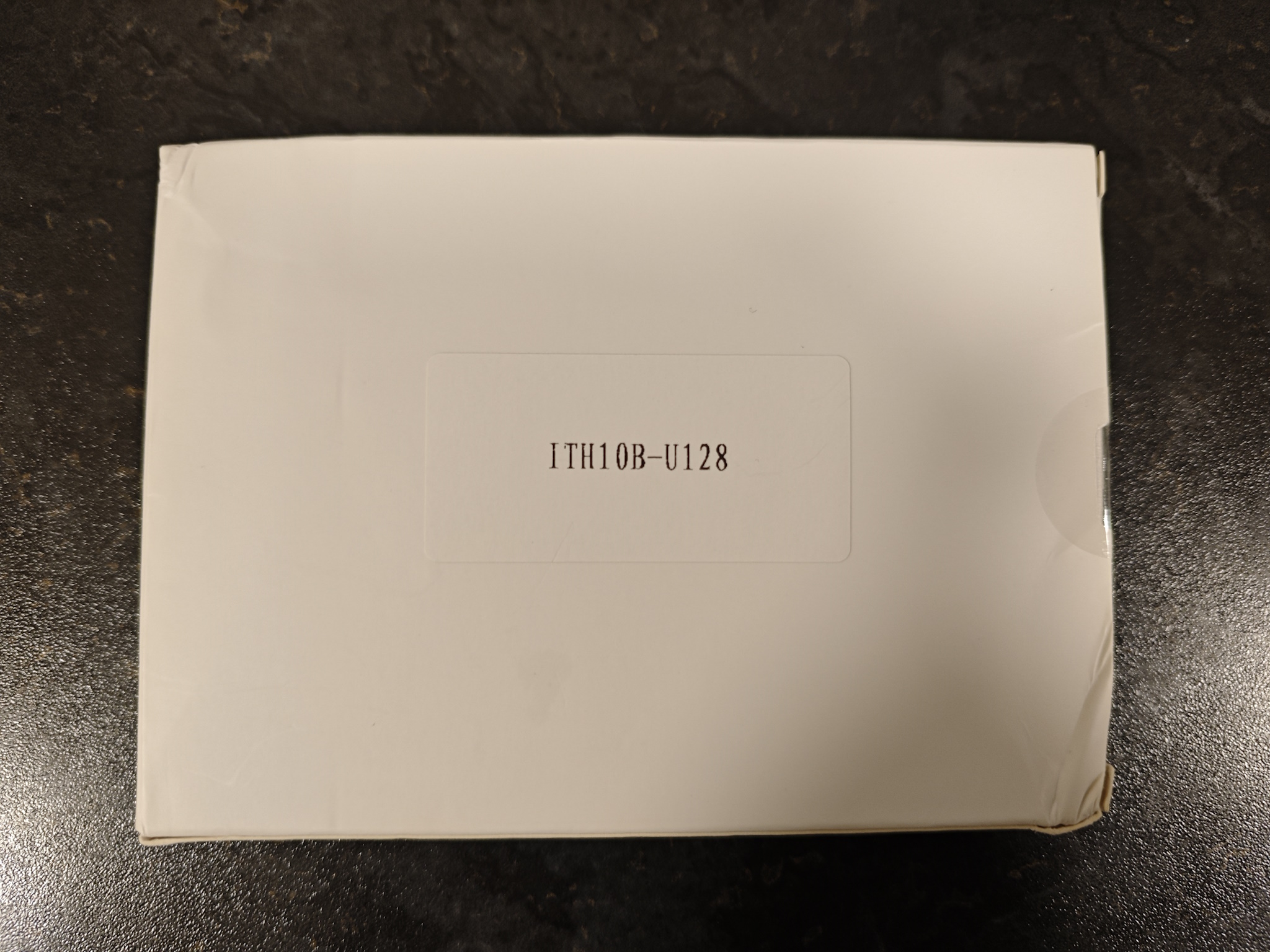
anyway here's images of the pcb and a complete updater for the RTL9220 Variant including working LED's
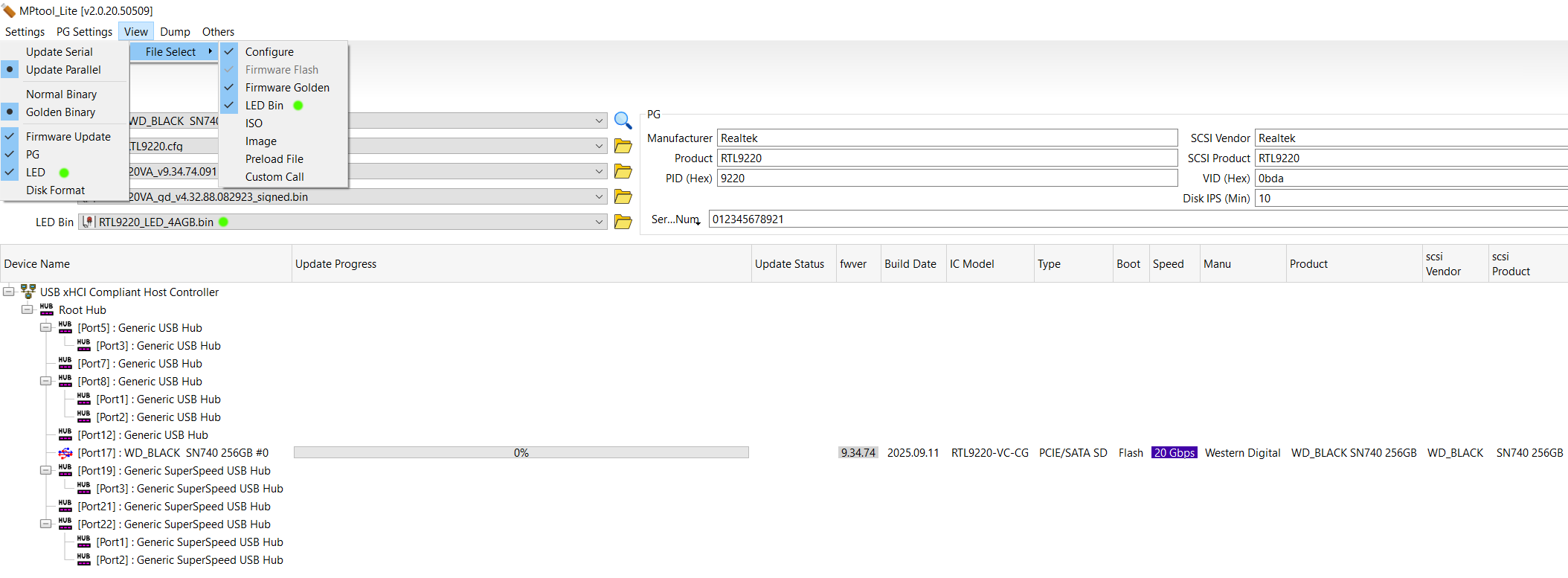
If you do not flash the LED.bin when updating it results in a brick due to CUSTOMIZED_LED = 33 00 pointing to the LED bin
Take note of the 3 Green Dots in the image below and make sure they are ticked
Dont cry at me if you forget to do it and have to unbrick it with tweezers
I short Pin 1 + 2 instead of 1 + 8 as at a surface level it seems safer for the SPI
SUSPEND_DISK_OFF = 0x7 seems to stop the drive fully sleeping after 10 mins
e.g. the light doesnt go blue after 10mins so i may experiment to see if there are any issues
with that flag not inserted into the config at some point
The LED goes blue if you manually eject it in Windows
mega.nz/file/QmYxADoZ#cfHynZVZ2sfw9l25GM...2x7kyvG1eFDMVf-kbGXk
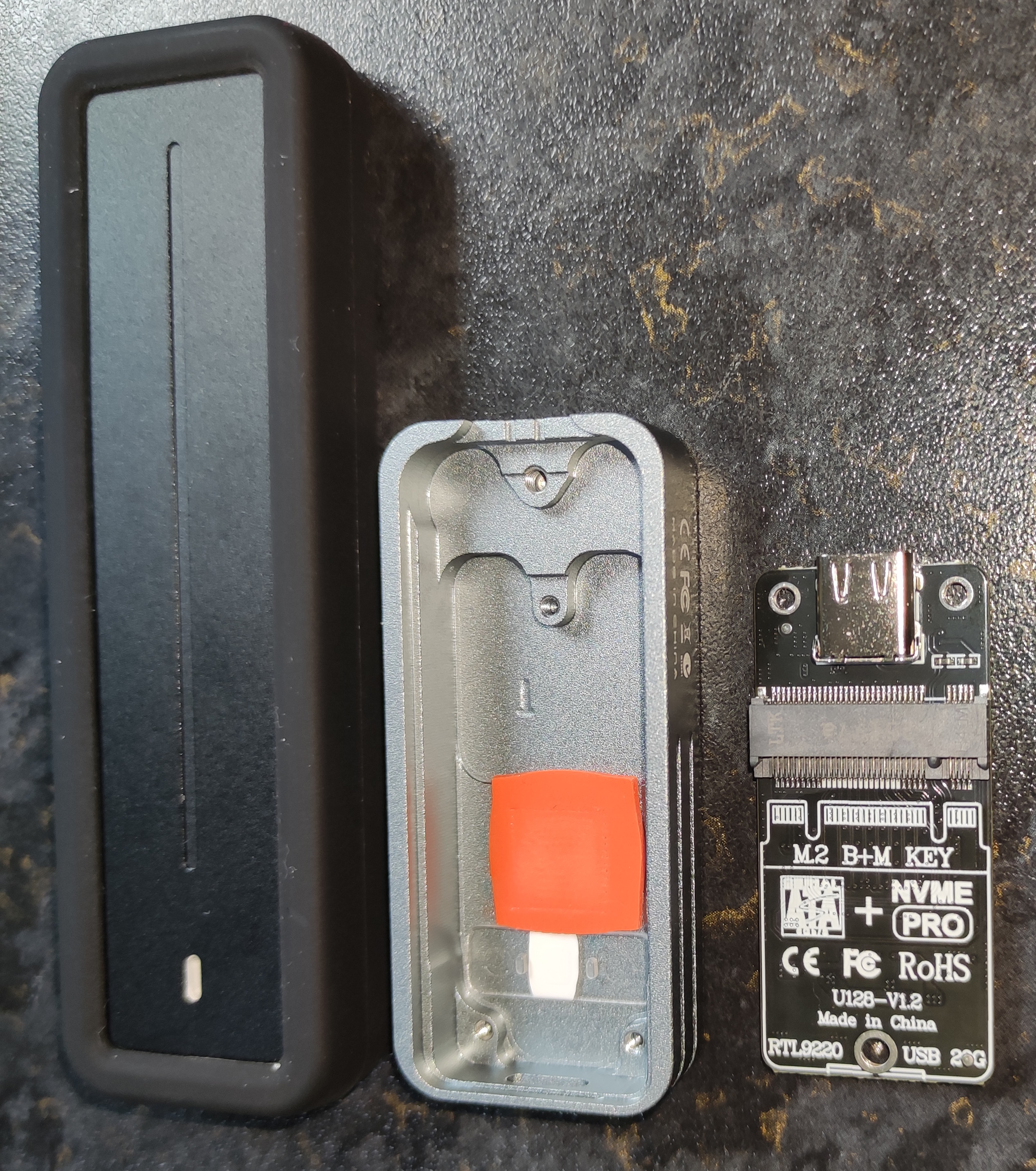
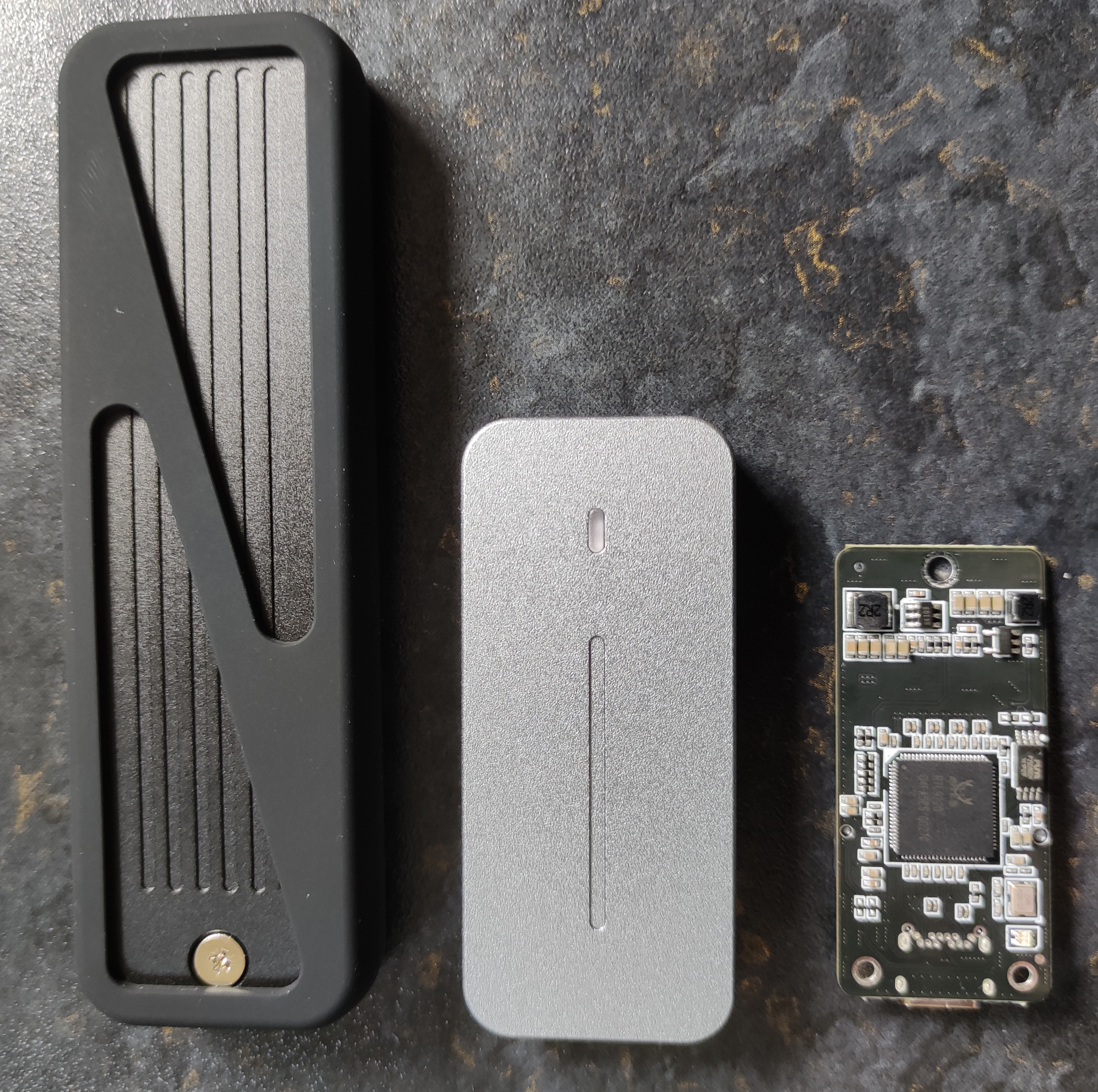
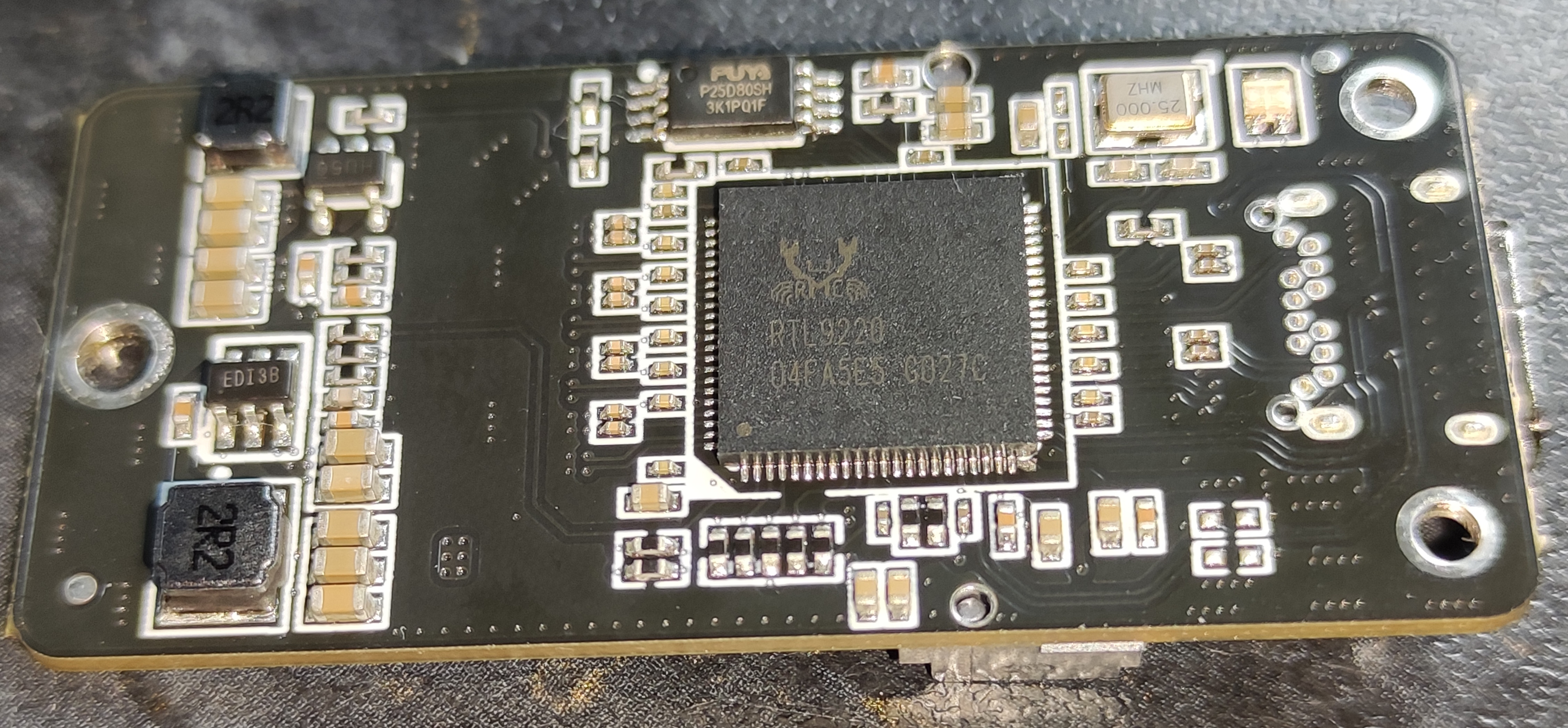
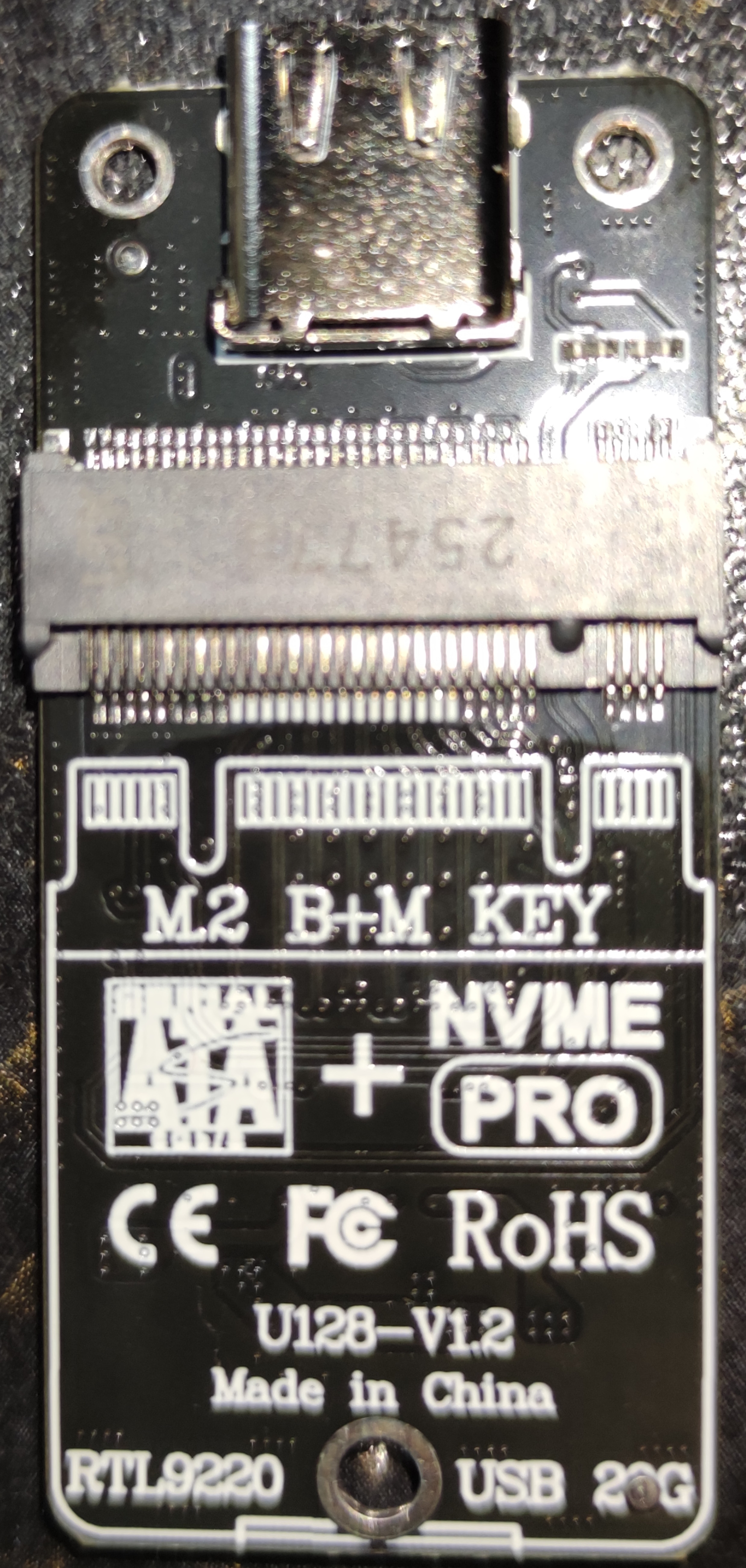
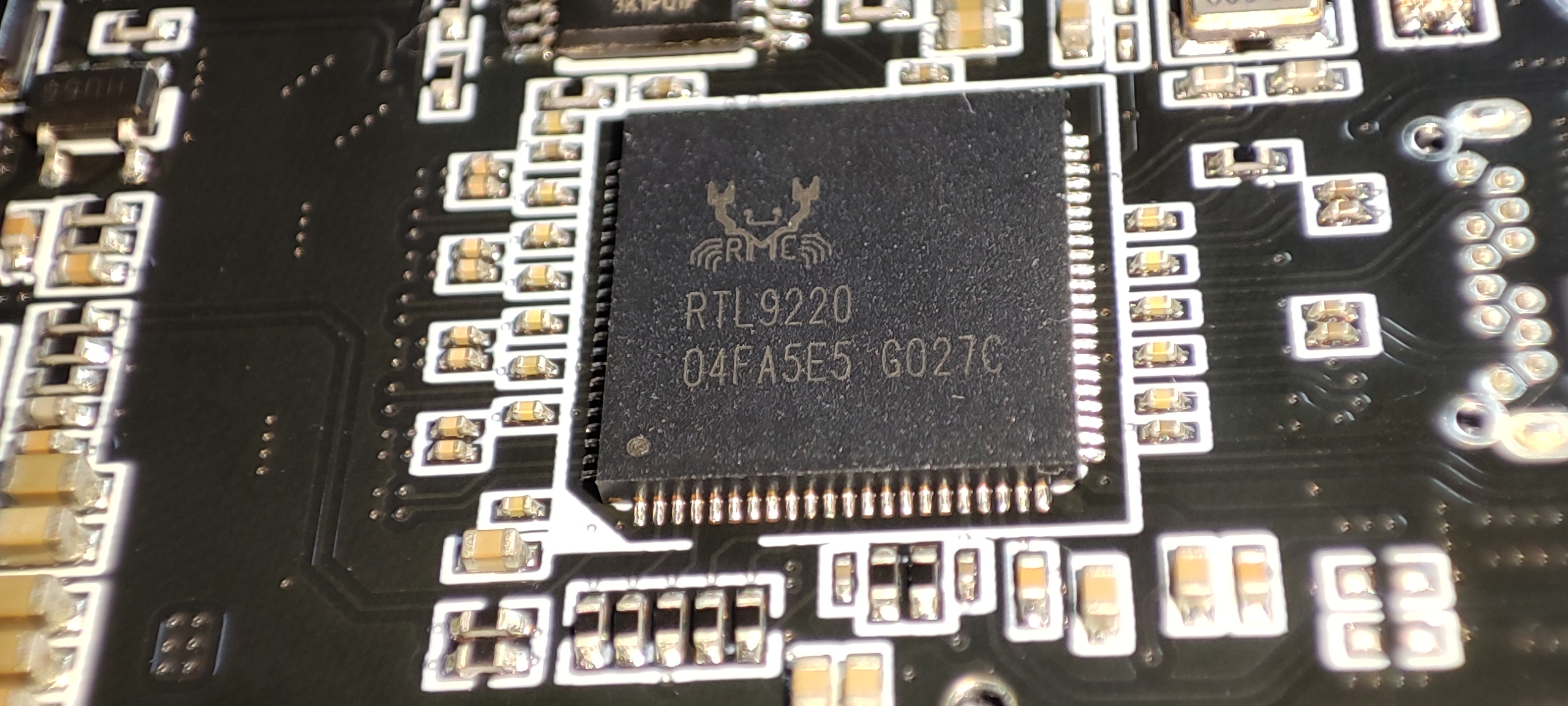
I ordered the ITGZ 2280 RTL9220 enclosure and fitted it into an iRhasta 2242 enclosure the pcb also fits into the iRhasta 2230 enclosures
they are all made in the same factory I fitted the RTL9210B from the iRhasta 2242 into the ITGZ 2280 Enclosure you can also get them with JMS583's and such all PCB's can be exchanged
as they are all the same layout
anyway here's images of the pcb and a complete updater for the RTL9220 Variant including working LED's
If you do not flash the LED.bin when updating it results in a brick due to CUSTOMIZED_LED = 33 00 pointing to the LED bin
Take note of the 3 Green Dots in the image below and make sure they are ticked
Dont cry at me if you forget to do it and have to unbrick it with tweezers
I short Pin 1 + 2 instead of 1 + 8 as at a surface level it seems safer for the SPI
SUSPEND_DISK_OFF = 0x7 seems to stop the drive fully sleeping after 10 mins
e.g. the light doesnt go blue after 10mins so i may experiment to see if there are any issues
with that flag not inserted into the config at some point
The LED goes blue if you manually eject it in Windows
mega.nz/file/QmYxADoZ#cfHynZVZ2sfw9l25GM...2x7kyvG1eFDMVf-kbGXk
Last edit: 4 months 3 days ago by Shonk.
The following user(s) said Thank You: Stasiz
Please Log in or Create an account to join the conversation.
- Stasiz
-

- Offline
- poster 5
-

Enregistré
- Posts: 20
- Thanks: 9
Re: NVME USB drives Realtek RTL9210/RTL9220 Firmware Version 1.xx
4 months 21 hours ago
Based on the fact that RTL9210C(NVMe/SATA)/RTL9210CN(NVMe) is a defective version of RTL9220 and working only on speed 10Gbps, I try flashing and confirm that the RTL9220 firmware is compatible with the RTL9210С(and most likely with RTL9210CN).
But with mandatory flashing of LED Bin.
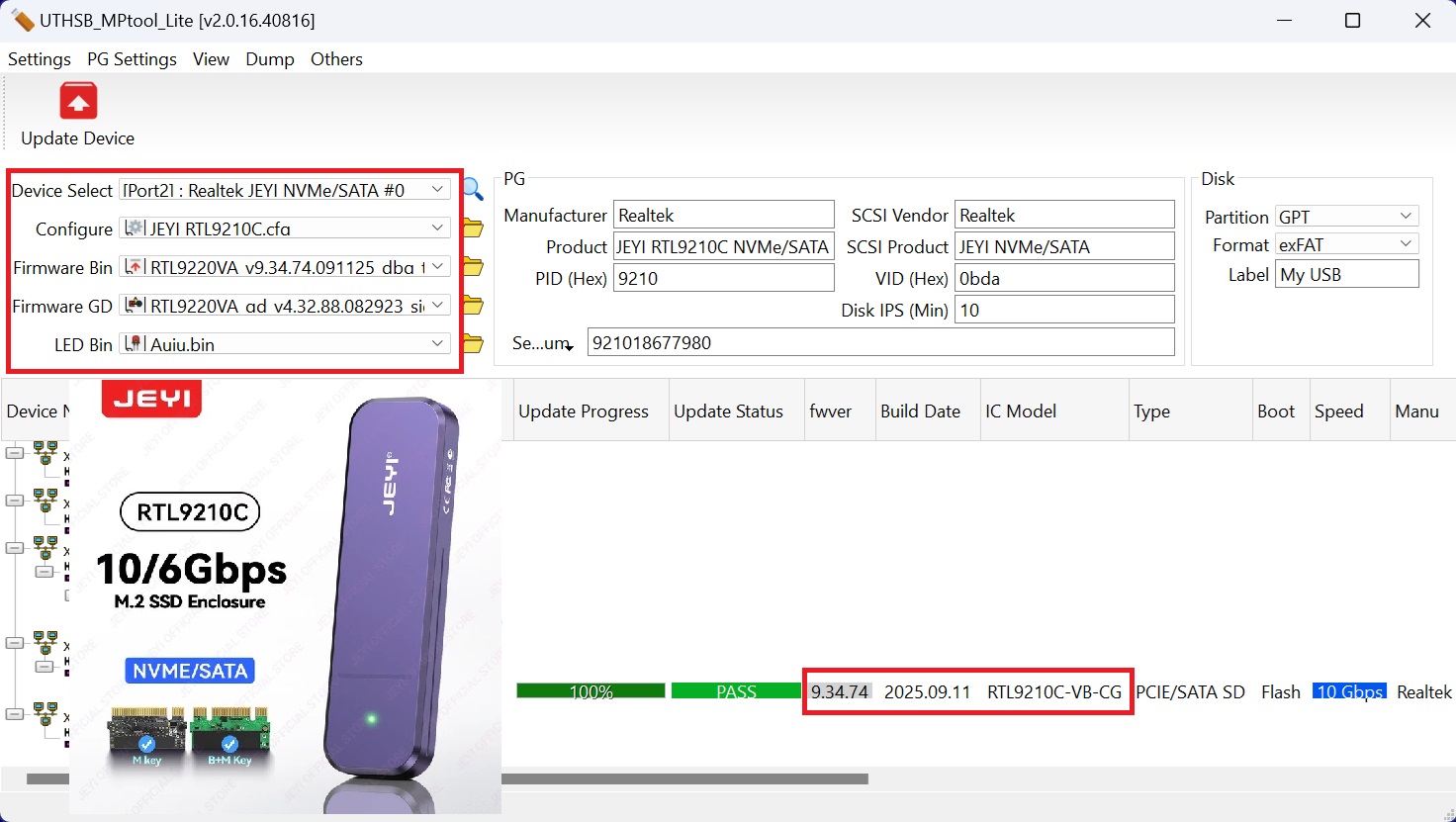
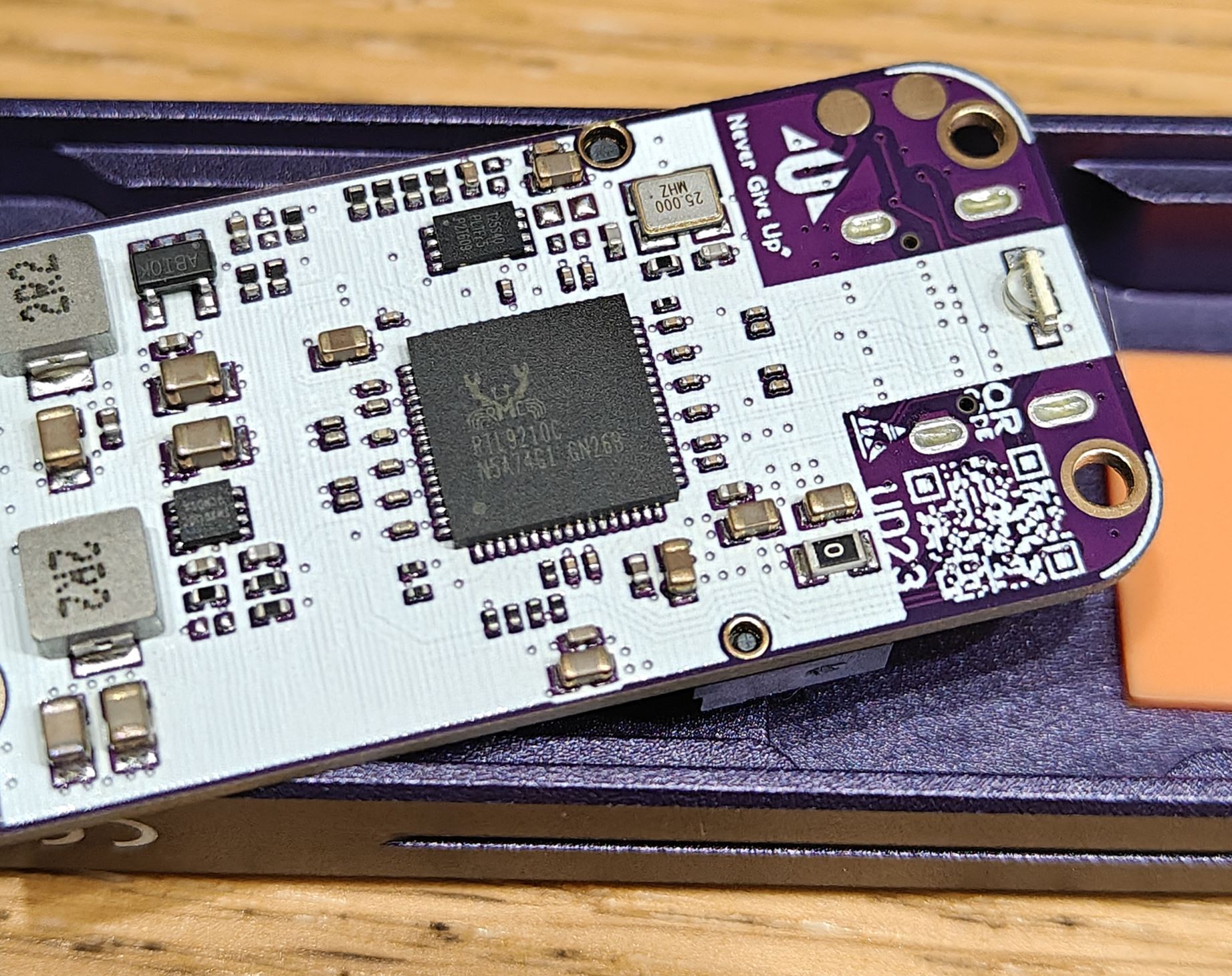
But with mandatory flashing of LED Bin.
The following user(s) said Thank You: Shonk
Please Log in or Create an account to join the conversation.
- Shonk
-
- Offline
- The Best Poster
-
Enregistré
- Posts: 185
- Thanks: 93
Re: NVME USB drives Realtek RTL9210/RTL9220 Firmware Version 1.xx
3 months 4 weeks ago
Removing SUSPEND_DISK_OFF = 0x7 on RTL9220 9.34.74 seems to be fine
and it does fully sleep now at the set timer
e.g. the light goes blue after my set 10mins idle time
and it does fully sleep now at the set timer
e.g. the light goes blue after my set 10mins idle time
Please Log in or Create an account to join the conversation.
- Shonk
-
- Offline
- The Best Poster
-
Enregistré
- Posts: 185
- Thanks: 93
Re: NVME USB drives Realtek RTL9210/RTL9220 Firmware Version 1.xx
3 months 1 day ago - 3 months 1 day ago
I extracted a RTL9210B firmware from a SPI dump today mainly as a proof of concept and to verify the area's specific to RTL9210B.
I did RTL9201 yesterday. It's slightly different to the area's on RTL9201,I will do RTL9220 at some point when I take a SPI dump of one or find a dump.
The firmware isn't available online (1.33.5), so I decided to release it with specific configs for the Meetiger PR30 2230 Enclosure it was dumped from.
mega.nz/file/JmYigBiD#-g-q3bsIFVFQPJLQXR...i9orNp3ejDqz4BsmDYKQ
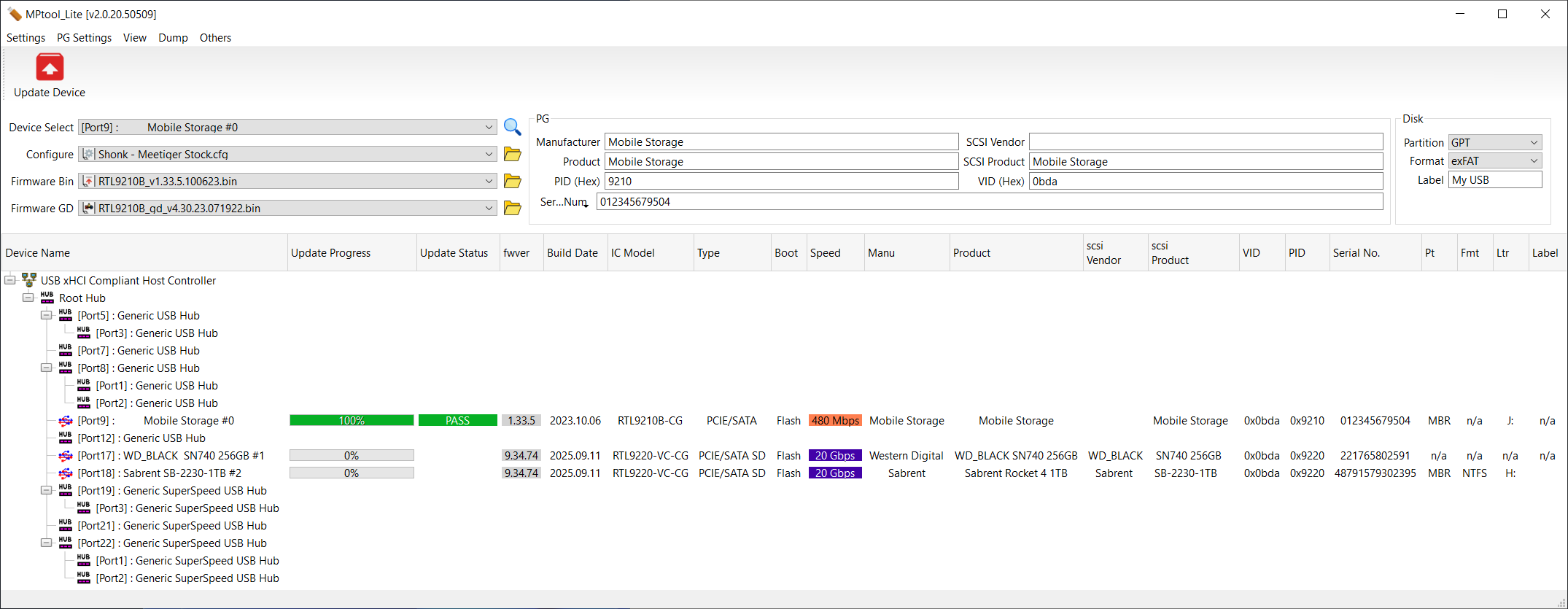
I did RTL9201 yesterday. It's slightly different to the area's on RTL9201,I will do RTL9220 at some point when I take a SPI dump of one or find a dump.
The firmware isn't available online (1.33.5), so I decided to release it with specific configs for the Meetiger PR30 2230 Enclosure it was dumped from.
mega.nz/file/JmYigBiD#-g-q3bsIFVFQPJLQXR...i9orNp3ejDqz4BsmDYKQ
Code:
================================================================================
REALTEK RTL9210B FIRMWARE EXTRACTION GUIDE
How to convert a raw SPI Hardware Dump into an MPTool-Flashable .bin
================================================================================
[IMPORTANT PREPARATION]
Always work on a COPY of your original SPI dump. Never edit your only backup.
--------------------------------------------------------------------------------
EXTRACTION METHOD (Using v1.33.5 as an Example / With Save & Re-Open Steps)
--------------------------------------------------------------------------------
1. REMOVE EMBEDDED LED BLOCK
• Open your raw SPI dump in a Hex Editor (e.g., HxD).
• Select from offset: 00000000
• To offset: 00003FFF
• Action: DELETE (This removes the 16KB LED block)
2. SAVE, CLOSE, AND RE-OPEN THE FILE
• Save the file.
• Close your hex editor completely.
• Re-open the saved file back into the editor to reset the counter.
3. REMOVE 96KB BLOCK
• Select from offset: 00004000
• To offset: 0001BFFF
• Action: DELETE (96KB block inserted by MPtool_Lite at flash time)
4. SAVE YOUR COMPLETED FILE
• Save as: RTL9210B_v1.33.5.100623.bin (Adjust name/date if extracting a different version)
• It is now ready to load directly into the RTL9210 MPTool utility.
--------------------------------------------------------------------------------
[OPTIONAL] INJECTING STOCK DEFAULT IDENTIFICATION AREA
--------------------------------------------------------------------------------
To set the device profile/ID area back to standard factory settings, you can
inject a clean signature segment from a known working stock binary file:
1. Open a known good, working stock generic firmware .bin file.
2. Copy the exact block from offset 00000800 through to 00008DFF.
3. Open your newly created custom firmware .bin file.
4. Select the identical region (00000800 to 00008DFF).
5. Paste-Write (Overwrite) the copied block directly over it.
6. Save the file.
================================================================================
Last edit: 3 months 1 day ago by Shonk.
The following user(s) said Thank You: Stasiz
Please Log in or Create an account to join the conversation.
Time to create page: 0.087 seconds